

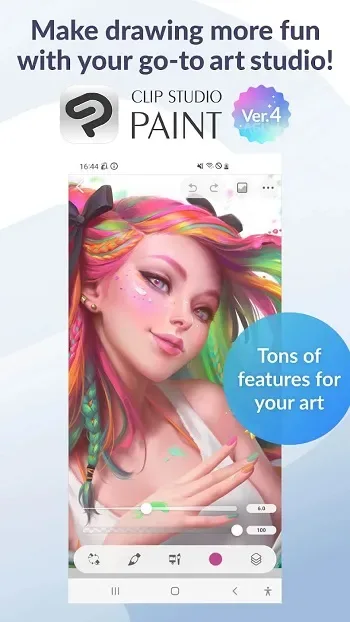
Clip Studio Paint is a painting application designed specifically for mobile devices. It brings together most of the features available in other painting apps, helping you complete the painting process seamlessly, from sketching and drafting to coloring and exporting, providing an integrated painting experience. It offers numerous practical painting tools, whether you want to create digital illustrations, character designs, or comic book layouts, it can provide excellent assistance. You can also switch between easy mode and advanced interface according to your preference.
Click to load YouTube / 点击加载视频
YouTube ↗Features
Natural Brushes, Realistic Color Mixing
Clip Studio provides a customizable brush engine with a feel close to traditional painting tools. You can adjust the pen pressure for smooth strokes and precise control. Color mixing is like paint, which helps you layer tones or blend edges.
Rich Resources and Community Assets
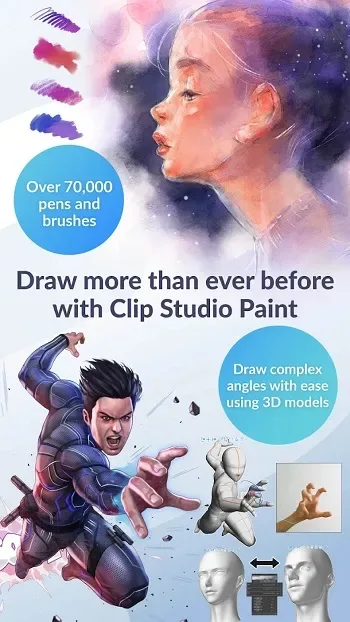
Users can access tens of thousands of resources, including brushes, textures, patterns, and gradients. Community-created resources expand your toolkit without additional setup. You can add resources to your library and reuse them in different projects, reducing repetitive work.
3D Reference Tools and Hand Scanner
Clip Studio includes adjustable 3D character and head models for pose and angle studies. The hand scanner captures hand poses via real-time video and then places a 3D hand model as a precise reference. These tools reduce guesswork and maintain consistent proportions as you refine your drawings.
Vector Layers and Smart Shading
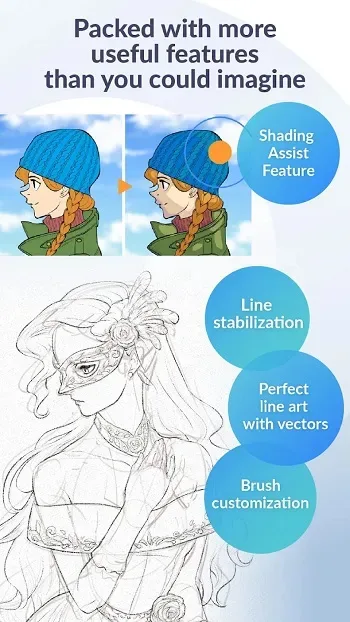
Vector layers ensure sharp and scalable lines, so editing remains sharp regardless of magnification. Line stabilization helps maintain consistent strokes when outlining. Smart Fill quickly fills in background colors, while Lock Transparency allows you to add shadows without affecting edges.
Comic, Webcomic, and Animation Toolset
Clip Studio covers elements such as comic paneling, dialogue boxes, halftone dots, and special effects lines for continuous artwork. For animation, it supports onion skinning and lightbox effects planning and cleanup. The EX version also offers multi-page management for longer comic projects.
Highlights
Create up to 10,000 layers for intricate patterns.
Place 3D models to draw complex angles.
Liquify multiple layers for instant line and color adjustments.
Use gradient mapping for better color control.
Capture challenging hand gestures in real-time video for reference.
Adjust graphics using manipulation warp.
Quickly place objects using snapping.
Record time-lapse videos and share your work on social media.
Pros and Cons
Pros: World-class design features and tools.
Natural and realistic brushstrokes.
Various brushes and pens.
Brushes can be imported from Adobe Photoshop.
Cons: Complex to use.
Some tools are difficult to access.
This tutorial isn't very helpful.
FAQs
Which devices does Clip Studio Paint support?
Clip Studio Paint runs on smartphones, tablets, and computers, providing users with a flexible digital art creation environment.
Does Clip Studio Paint require a subscription?
Smartphones have limited free monthly usage; saving or exporting data usually requires a paid plan.
Is Clip Studio Paint suitable for beginners?
Yes, the easy mode helps novice artists get started quickly, while providing advanced tools for growth.
Can I create animations in Clip Studio Paint?
Yes, the app supports short and long animations and offers frame tools, sound options, and camera movement functionality.
Why do artists choose Clip Studio Paint as their mobile app?
It offers pressure-responsive brushes, vector graphics, 3D pose models, and a vast library of materials for efficient drawing.
Summary
Clip Studio Paint is perfect for artists, students, hobbyists, and anyone who frequently sketches. It's helpful for character design, comic book creation, digital painting practice, and quick sketching. It's the most valuable option for users who want powerful painting tools on their mobile devices.








