

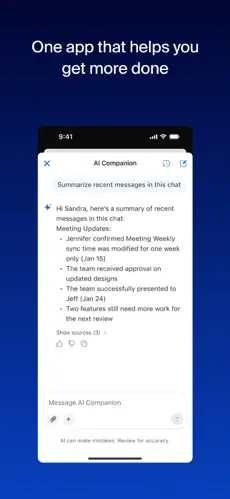
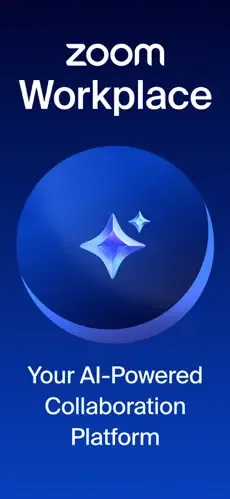
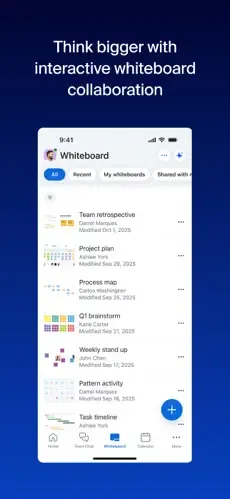
ZOOM Cloud Meetings is a cross-platform and extremely powerful cloud video conferencing software. It supports advanced features such as high-definition video calls, screen sharing, virtual backgrounds, and AI-powered avatars, and boasts 720P/1080P high-definition picture quality. It can accommodate up to 1,000 video participants and achieves low-latency audio transmission, ensuring smooth communication. Security is also guaranteed; ZOOM Cloud Meetings provides end-to-end encryption, waiting rooms, password protection, and role-based access control, effectively ensuring meeting privacy and preventing interference. Furthermore, it includes features such as screen sharing, collaborative annotation, whiteboard collaboration, meeting recording, and searchable transcripts to enhance team interaction.
Click to load YouTube / 点击加载视频
YouTube ↗How to use:
This quick guide helps you start on Android with the Zoom latest version. Follow these steps to join meetings, message teammates, and place calls in one place.
First, open Zoom Workplace on your phone and sign in with your work or personal account if your organization requires it.
Next, allow microphone, camera, contacts, and notification permissions when prompted so calling and meetings function correctly.
Then, join or schedule a meeting from the home view, using your calendar connection or entering the provided meeting details.
After that, open Team Chat to continue conversations, share files, or start a quick call with a contact when you need a faster reply.
Finally, use Picture in Picture to multitask during a call, or hand off an active meeting to another device when you change locations.
Features:
Zoom is a very feature-rich program. Just be warned that if you get the free version, you're not going to have very many features at your disposal. You will still get some basic functionality of the program, but you will have to subscribe to the program's paid service in order to enjoy all of its many features. That being said, it does pack in a whole lot of features if you go for the full service option.
For starters, you get unlimited Virtual Meetings when you're a paying customer. With a free version, you may only get 40 minutes or so of streaming time, and your Zoom meeting number is going to be lowered. With the full featured set, you can invite a lot of people to a call and Zoom for as long as you'd like.
There's also the "Team Chat" feature available, which allows you to collaborate with different employees, colleagues, various friends, etc. You can set up a chat together in Zoom using your phones, video conferencing, or just the on-board chat feature that allows you to use a defined chat room.
If you'd just prefer to use normal phones to access an Internet meeting, you can use the system's VoIP phone feature, called "Zoom Phone." You won't have to worry about long distance fees here, and it should work well with any sort of smartphone and any sort of service provider. You will be calling a number through the Zoom program itself, bypassing any sort of data restrictions that a phone plan may have in place. This is a popular option, of course.
There are other features like the email service, a data calendar, and more features that you can personalize to your liking.
Pros and Cons:
Pros
Seamless AI-driven meeting summaries and notes
High-quality video and audio reliability worldwide
Diverse integration with third-party business platforms
Comprehensive suite including phone and whiteboard tools
Cons
Advanced AI features require specific paid subscriptions

FAQ:
How much storage space is needed to install Zoom Workplace?
Please keep at least 306.1 MB, and additional 100-500 MB free for smooth updates and cache management after installing.
What are the system requirements for Zoom Workplace?
Your device should have system version Android 9.0+ (firstly released around 2018-08) or newer.
If your phone doesn’t meet the requirements, older versions of the app are available for download.
Is Zoom Workplace safe to download?
Yes, the signature of Zoom Workplace has been verified safe by Virustotal.
You could check the detail by clicking "Trusted App" tag on the app detail page.
Conclusion:
So that's all about ZOOM Cloud Meetings APK for Android which you have to know before using this software in your Android. Hope the information provided above about the software is sufficient to make decision.Now my duty is over because I discuss maximum every point related to this software above. If you are satisfied from above information than you will able to make a decision about using this software in your Android or not.Here if you want to use ZOOM Cloud Meetings APK for Android in your Android than you to download ZOOM Cloud Meetings APK for Android or either you can leave this software here.








