

Mi Drop is a cross-platform file transfer tool developed by Xiaomi, supporting file transfer between Android phones, iPhones, Windows computers, and Macs. It easily breaks down system barriers, utilizing Wi-Fi Direct technology for transfer speeds up to 20MB/s without relying on a network or data cable, making it particularly suitable for switching devices, team collaboration, and everyday sharing. Mi Drop employs AES-256 encryption technology, supports password protection and a "Hidden Album" function, effectively protecting user privacy when transferring sensitive documents such as ID cards and contracts.
Click to load YouTube / 点击加载视频
YouTube ↗How does work:
After downloading the ShareMe app, you can easily send files to other phones and devices. However, to begin the transfer, you'll need to create an account and grant the app permissions to access your device's files, photos, and other content. During registration, you can choose your username and create an avatar. You can also skip this step, and ShareMe will assign you a default name.
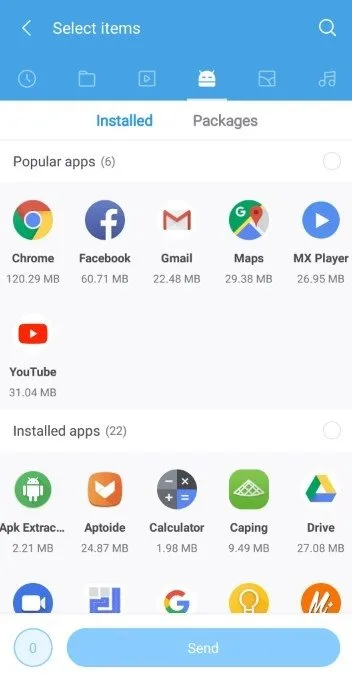
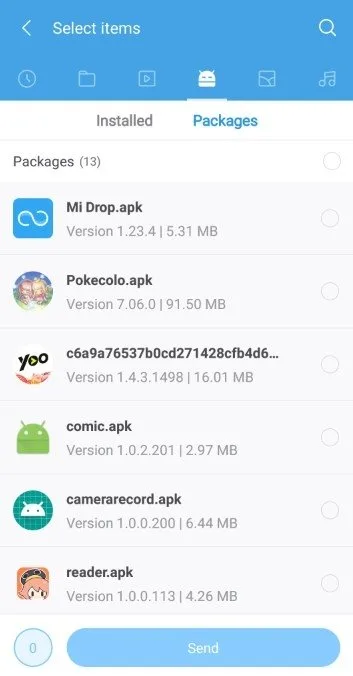
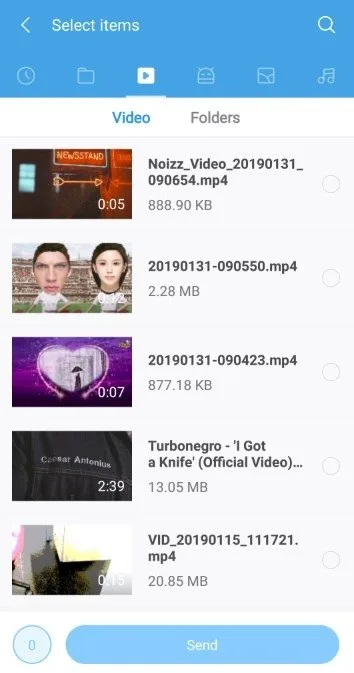
After granting the ShareMe app all the necessary permissions, you can tap the "Send" icon visible on the home screen. The app will then ask you to select the files you want to send. If you don't see certain files, you can tap the top ribbon of the app to browse your phone's files and folders. You can select any file type for transfer at once, meaning you can easily send documents, images, games, and APK files together.
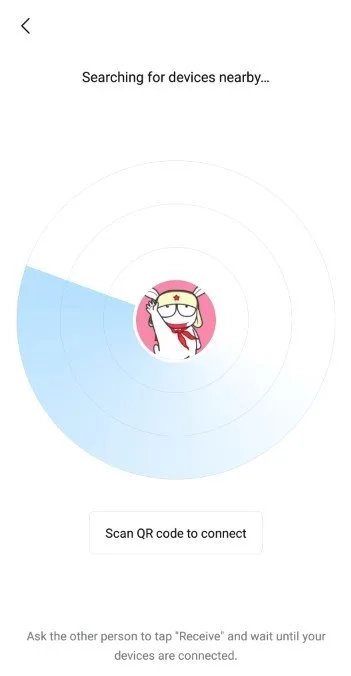
While selecting files, you can ask the recipient to download the free ShareMe app and complete the registration process. Simultaneously, your phone will create a local hotspot, and all files will be ready to be sent. Once the other device taps "Receive," the files will be transferred. To turn off the hotspot, tap the cross icon that appears in the upper left corner of the screen.
Features:
Transfer & share all kinds of files
Quickly share images, videos, music, apps, and files between mobile devices anytime and anywhere you want. Transfer all kinds of files to your friends in few seconds.
Share files without the Internet
Transfer files without using mobile data or connecting to the network at all. Free of network connection. Free of internet. Free of mobile data.
Lightning fast speed
Mi Drop transfers files really fast, 200 times faster than Bluetooth.
Transfer files between all Android devices
All Android devices are supported! Use the preinstalled version of Mi Drop on Mi Devices or simply download the app from Google Play.
Intuitive and friendly UI
Mi Drop has simple, clean, and user-friendly transfer files interface. All files are sorted into categories(e.g., Music, Apps, Images) which makes them easy to find and share.
Resume interrupted transfers
No worries if your transfer got interrupted due to a sudden error. You can resume it with a simple tap without starting over.
The only Ad-Free file transfer tool in market
The only Ad-Free file transfer tool in market. Simply UI makes you feel comfortable.
Send large files without limitation
Sharing photos, music, videos, apps, documents and any other file types of unlimited file size.
Pros and Cons:
Pros
High transfer speed
Offline functionality
User-friendly interface
Versatile file support
Cross-platform
Cons
Intrusive ads
Occasional connection issues
Limited PC and iOS support
FAQs:
What Android version is required to install ShareMe: File sharing?
ShareMe: File sharing requires Android 4.4 Kitkat or higher to install and play. ShareMe: File sharing This ensures compatibility with the game's features and performance requirements. To check your device's Android version, go to Settings > About Phone > Software Information. If your device runs an earlier version, consider updating it to meet the game's requirements.
Why am I unable to install the ShareMe: File sharing app on my Android device?
The installation of ShareMe: File sharing may fail due to insufficient storage, a poor network connection, or compatibility issues with your Android device. To resolve this, ensure your device meets the minimum requirements before attempting to install.
What is the file size of ShareMe: File sharing
ShareMe: File sharing takes up around 5.38 MB (5,641,616 bytes) of storage
Conclusion:
Mi Drop APK, or ShareMe, is a fantastic tool for anyone who needs to transfer files quickly and easily between Android devices. Its high-speed transfers, offline functionality, and user-friendly interface make it a must-have app for both personal and professional use. By following the steps outlined in this article, you can download and install Mi Drop APK safely and start sharing files with ease. So go ahead, give Mi Drop a try and experience the convenience of fast and seamless file sharing!








