

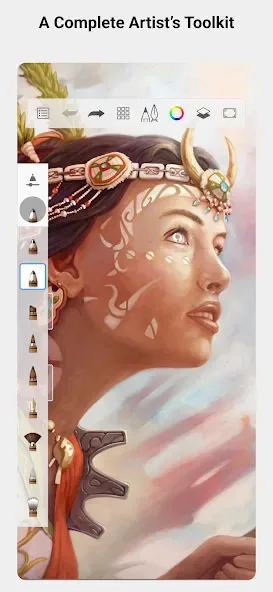
Sketchbook is an excellent drawing application. It offers comprehensive features, a professional-grade toolbar, and highly customizable tools, allowing users to create artwork without distractions. With Sketchbook, you can choose from a wide variety of brush types and start drawing on a blank canvas. You can customize the distraction-free drawing mode, choosing to hide or remove the toolbar and other tools, which can be used when you feel distracted by the toolbars on either side while drawing, enjoying a smooth creative experience and creating personalized artwork.
Highlights:
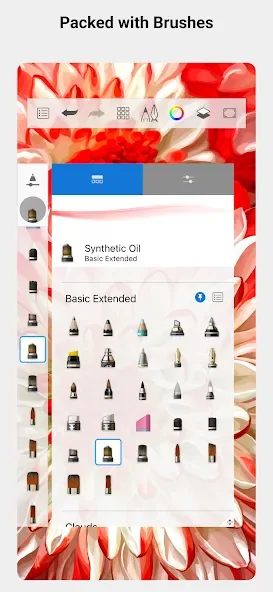
A full complement of brush types: pencils markers, airbrushes, smear and more that look and feel just like their physical counterparts
Brushes are highly customizable so you can create just the look you want
Guides, rulers and stroke tools support precision when you need it
Layers with a full complement of blend modes deliver the flexibility to build up and explore drawings and color
Purpose-built for sketching, the interface is clean and unobtrusive so you can focus on drawing
Features:
Natural drawing tools
Sketchbook simulates familiar media so strokes feel intuitive. Pencils, markers, airbrushes, and smear behave like real tools, which helps you adjust pressure and movement as you draw. This natural response reduces the need for constant tweaks and keeps your rhythm steady.
Brushes you can tailor
You can customize brush shape, texture, and flow to match the way you draw. Adjusting these settings lets you switch from crisp lines to soft shading without leaving the canvas. Saved preferences help you return to a setup that fits your style.
Guides and rulers for accuracy
When structure matters, Sketchbook provides guides, rulers, and stroke tools. You can place straight lines, mirror strokes with symmetry, and build clean shapes at any scale. These aids help map perspective and maintain proportions while you sketch.
Flexible layers with blend modes
Sketchbook supports a layer-based workflow so you can separate line work, flats, and effects. Blend modes offer control over how colors interact, which makes it easier to test tones and lighting without altering your base layer. This approach helps with revisions and keeps changes organized.
Distraction-free workspace
The interface stays uncluttered so the canvas stays front and center. You can tuck palettes and tools out of the way to maximize room while you draw. Bringing panels back is quick, which keeps both focus and speed balanced during a session.
Tips for Users:
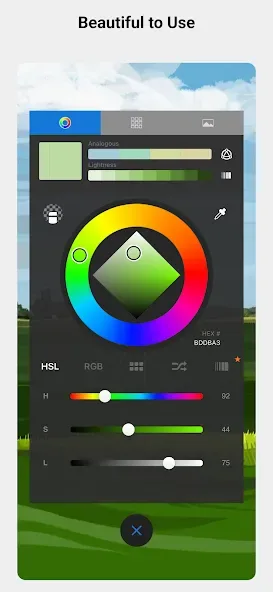
Layer support: The app allows users to work with layers, making it convenient to add depth and complexity to their drawings or paintings.
Versatile blending modes: With almost 20 blending modes, users can easily blend colors and textures to achieve various artistic effects.
Pressure-sensitive canvas: The app detects the pressure applied to the screen, allowing for precise and realistic strokes, mimicking the feel of traditional drawing tools.
Variety of tools for customization: Users can utilize tools for filling, selection, and scaling, providing them with the flexibility to create artwork with different techniques and levels of detail.
Changelog:
New features added to the Premium Bundle:
Resize canvas or image
Set canvas size in inches or centimeters
Set canvas resolution in px/inch or px/cm
Conclusion:
SketchBook offers a powerful yet intuitive drawing experience. Its user-friendly interface, extensive brush options, and support for layers and blending modes make it suitable for both beginners and professional artists. The app's pressure-sensitive canvas and various customization tools allow users to create artwork as natural and expressive as they desire. With features that simplify the drawing process and enable creative experimentation, Autodesk SketchBook stands out among other drawing apps.








