

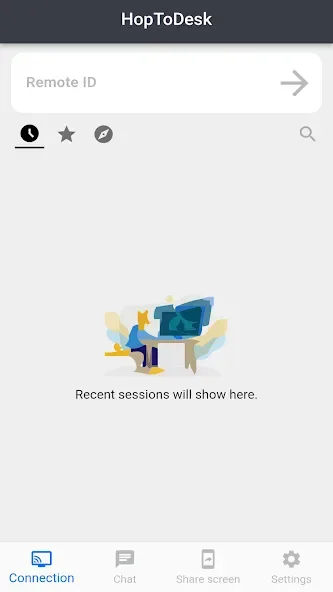
HopToDesk is a powerful application. It offers robust features and free remote desktop software, allowing users to easily connect with others and securely manage remote devices. With HopToDesk, you can easily collaborate and control devices from the comfort of your home, enabling screen sharing, file transfer, and end-to-end encrypted device management. With its user-friendly interface, this application meets your needs whether you're working from home, require IT support, or simply need to connect with others via other devices.
Highlights of HopToDesk:
Screen Share
Remote Control
Live Chat
File Transfer
Wake-On-LAN
Session Recording
Address Book
Two-Factor Authentication (2FA)
Available in Over 40 Languages

Features of HopToDesk:
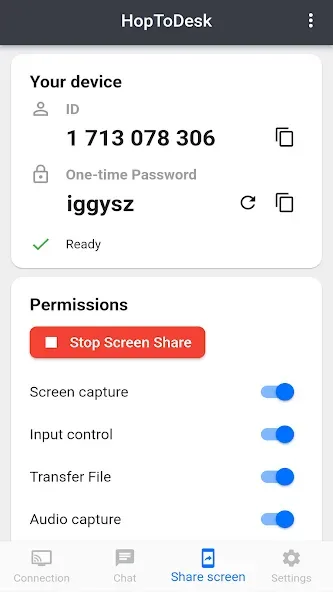
Screen Share: Easily share your screen with remote devices, allowing for efficient collaboration and troubleshooting.
Remote Control: Take complete control of a remote device, accessing its functions and managing it as if you were physically present.
Live Chat: Communicate in real-time with the user of the remote device, ensuring effective communication and problem-solving.
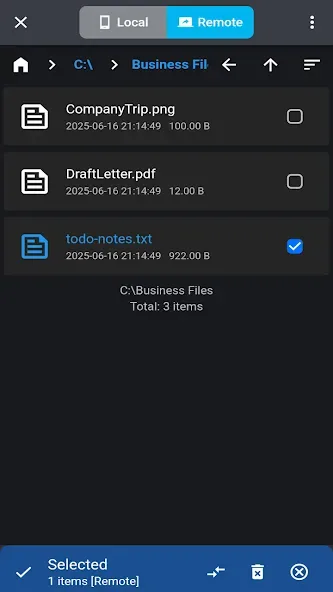
File Transfer: Seamlessly transfer files between devices, making it quick and convenient to share important documents or media.
Wake-On-LAN: Remotely wake up a device that is in sleep or standby mode, ensuring it is ready for use whenever you need it.
Two-Factor Authentication: Enhance the security of your remote sessions by enabling two-factor authentication, providing an extra layer of protection.
Tips for Users:
This is particularly useful for collaboration and troubleshooting purposes. Additionally, the app offers remote control capabilities, enabling users to control their Android device from a remote location.
HopToDesk also includes a live chat feature, allowing users to communicate with remote users in real-time. This can be helpful for providing instructions or clarifying any issues. The app also supports file transfer, making it convenient to share files between devices during remote sessions.
To ensure security, HopToDesk uses end-to-end encryption for all remote sessions. It also offers Wake-On-LAN functionality, allowing users to wake up remote devices that are in sleep mode. Additionally, the app supports 2FA (two-factor authentication) for added security.
Conclusion:
Getting started with HopToDesk is simple. Users need to install and open the app on both devices, then enter the ID of the remote device they wish to connect to. They can either allow the connection or enter a password to start the remote session.








