

Super Backup & Restore is a file backup application. Here, you can easily back up all your mobile apps and files to ensure your files are not lost in the event of device failure. Even if you forget to back up, it automatically uploads scheduled backup files to the cloud, and you can download backup files from the cloud to your device, ensuring your data security. In addition, Super Backup & Restore offers a super backup function, allowing you to set up regular data backups to ensure all your important files have the latest copies, so you no longer have to worry about data loss due to device replacement!
Features
Back up apps to SD card
Back up all Google Play app download links
Back up and restore app data (root required)
Batch restore apps from SD card (root required)
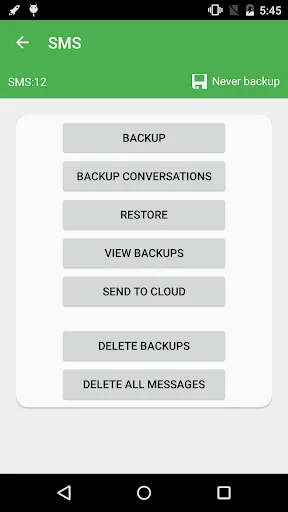
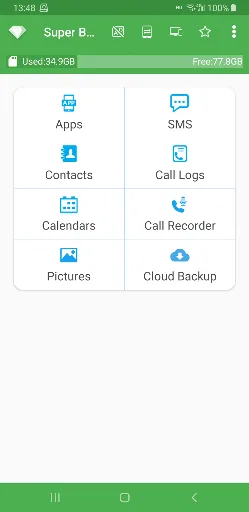
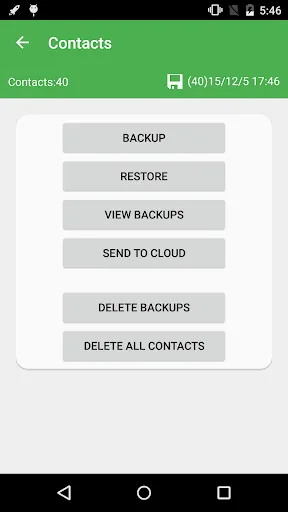
Back up contacts, messages, call logs, bookmarks, and calendar to SD card
Restore contacts, messages, call logs, bookmarks, and calendar from SD card
Select which message conversations to back up
Delete backup data on SD card
Set up automatic backup schedules
Automatically upload scheduled backup files to your Google Drive or Gmail
Download backup files from Google Drive
Display the last backup count and time
Users can change the backup folder path in settings
Back up contact groups and avatar attributes
Advantages and Disadvantages
Advantages
Back up your contacts, messages, calendar entries, etc.
Can run automatically according to your set backup schedule.
Backups can be saved to SD card or cloud.
Disadvantages
Can back up apps, but root access is required to save app data.
Newer Android versions do not support bookmark backup.
FAQs
How much storage space is needed to install Super Backup & Restore?
Please reserve at least 20.0 MB of space. After installation, for smooth updates and cache management, please reserve an additional 100-500 MB of space.
What are the system requirements for Super Backup & Restore?
Your device should be running Android 6.0 or higher (first released around September 2015). If your phone does not meet the requirements, you can download an older version of the application.
Is Super Backup & Restore safe to download?
Yes, Super Backup & Restore's signature has passed VirusTotal's security verification. You can view details by clicking the "Trusted Apps" tab on the application details page.
How long does the download take?
The Super Backup & Restore installation package is 20.0 MB. Download time may vary depending on your network connection. Typical speeds are as follows: - 4G: 30-100 MB/s - 5G: 170-400 MB/s - Wi-Fi: 50-500 MB/s
Why can't I download or install it?
Common reasons for download or installation failures include: 1. Insufficient device storage space; 2. Device incompatibility; 3. Poor network connection.
Summary
Super Backup & Restore boasts powerful backup and restore capabilities, making it the top choice for buying a new phone or easily transferring files to others. Don't hesitate any longer, scroll to the bottom of the article to download the app now!








