

Audio Editor is a music editing application that helps you easily trim music, adjust timbre, convert videos to audio, and create ringtones and soundtracks. It offers many practical functions to help you easily edit audio and trim music. With the application's audio converter, you can convert songs to MP3 format without changing their quality, helping you achieve higher-quality music videos. The music enhancer provides a fuller music playback experience. In addition, numerous other music editing tools await your exploration.
Features
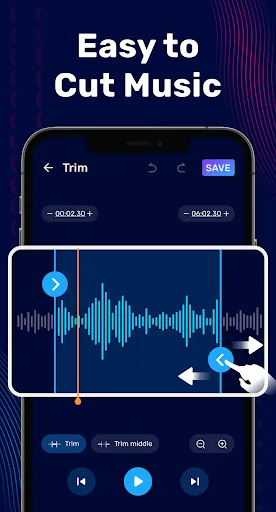
Precise MP3 editor with waveform view and built-in player for precise trimming.
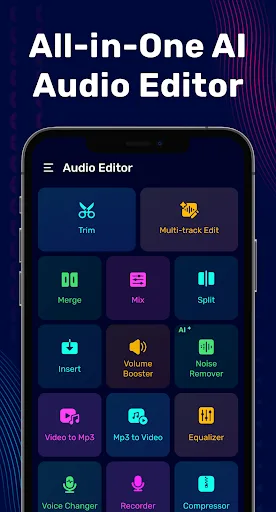
Easily merge, split, and rearrange audio clips of different formats.
Multi-track music mixer with the ability to insert vocals, overlay beats, and adjust volume.
Ringtone maker for quickly cutting choruses and exporting to common formats.
Volume booster with bass enhancement for louder, fuller playback.
Audio compressor and format converter, including fast MP3 conversion.
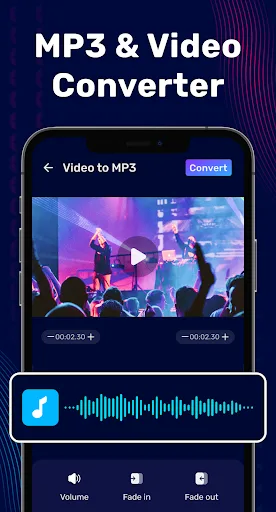
Video to MP3 extractor to save audio tracks from video clips to audio files.
Recorder and voice changer for quick recording and fun editing.
Highlights
Built-in exceptional bass and volume booster
This app goes beyond just songs or audio interaction; it can boost volume, change attributes, and even enhance bass to your liking. You can use numerous sliders and meters to increase volume and make songs louder. Additionally, you get a free audio amplifier to change song effects, along with various boosters and gainers.
A versatile and efficient audio converter
What if you have multiple audio files and want to convert them to a specific format? This app comes in handy, helping you convert audio files to any specific format. It supports multiple audio formats and guarantees high-quality sound after conversion, giving users more options for processing audio for different purposes.
Convert Video Files to Pure Audio Files
The biggest highlight of this application is its ability to convert video files into high-quality audio, saving users time searching for the audio they need. Some videos have inconsistent audio quality, but this application has a special function that helps users easily extract the audio and convert it to any audio format.
Pros and Cons
Pros:
Clear and concise interface
No long learning curve
Allows you to export audio tracks in multiple formats
Basic editing functions
Cons:
Can only edit one audio track at a time
Does not allow you to use keyboard shortcuts to jump between tracks
Only 12 built-in effects
Not suitable for professional editing
Summary
The above are the most basic and also the most "unique" functions of the audio editor. If you've read this far, I know you've already made your choice. But I still want to emphasize that this isn't all! This application has many other interesting features waiting for you to discover!








