
Du Screen Recorder is a highly praised screen recording utility that helps users easily save high-quality screen recordings, clearly documenting your activities on your device. The application presents a powerful and easy-to-use screen recording program for a wide user base, allowing users to easily enable it in simple steps and try out excellent screen recording, screenshot, and live streaming functions. The application also provides professional video editing tools, allowing users to enjoy comprehensive customization options to meet your flexible video recording and editing needs.
Click to load YouTube / 点击加载视频
YouTube ↗Excellent Features of Du Screen Recorder
High-Quality Screenshots
DU Recorder supports high-definition recording up to 1080p and smooth playback at 60 frames per second. You can adjust the resolution, bitrate, and frame rate according to your device and the content you want to share. This screen recording application supports pausing and resuming recording, and you can also display click actions for easy presentation.
Live Streaming Toolkit for Major Platforms
You can directly live stream to YouTube, Facebook, or Twitch through DU Recorder. It supports real-time screen comments, donation and subscription goal display, and privacy controls to help you limit the number of viewers. In addition, it supports the front-facing camera, allowing you to add close-ups of your face during live streams, enhancing interactivity.
Built-in Video Editor
After recording, DU Recorder lets you edit and merge clips for smoother videos. You can add music, subtitles, and intros or outros to create complete videos. It also supports cropping, rotating, speed adjustment, and converting videos to GIF format for quick sharing. This means you can edit directly within the app without transferring files to other tools.
Fantastic Performance of Du Screen Recorder
Easily Achieve High-Quality Recording
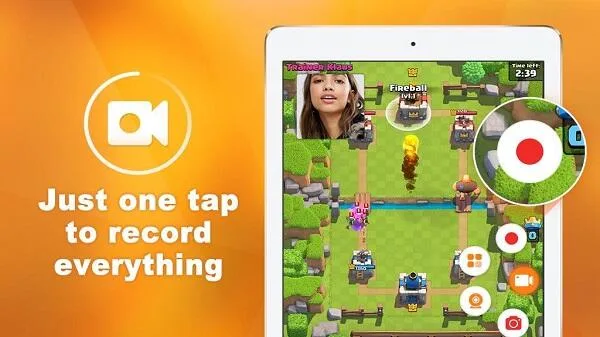
This app supports HD screen recording, offering 1080p and 60fps recording options to ensure incredibly smooth footage. You can simultaneously record microphone, system, or both audio, guaranteeing clear commentary and game sound effects. Recording can be easily started or stopped via a floating window, allowing uninterrupted use of your device's functions during recording.
Integrated Video Editing Suite
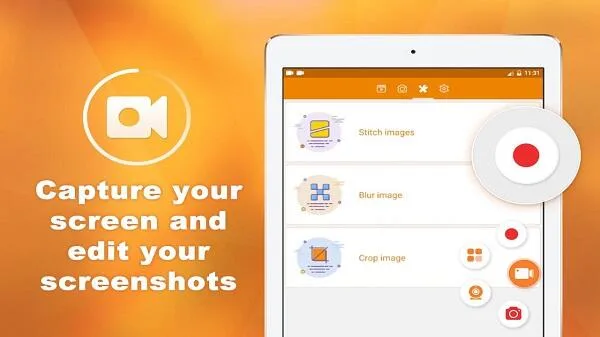
After recording, you can directly edit, merge, and add background music or custom text within the app. This eliminates the need to export videos to other editors for basic post-production. The editing tools are intuitive and easy to use, allowing you to quickly polish your content and prepare it for sharing on social media platforms or video channels.
Helpful Tips of Du Screen Recorder
Launch DU Recorder, then click the floating window or open the notification control to access the recorder.
Choose the resolution, bitrate, and frame rate. Next, decide whether to display touch controls or use the brush tool during recording.
Click the "Record" button and wait for the countdown to finish. During work or play, pause to skip breaks if needed, then continue recording or playing.
When finished, stop recording. Open the editor to trim, merge, add music or subtitles, and export the final video.
If you want to stream, switch to "Live" mode, choose YouTube, Facebook, or Twitch, set privacy settings and goals, and then start streaming.
Frequently Asked Questions of Du Screen Recorder
What audio sources can I record?
You can choose to record the sounds of your device's internal system, use your microphone for voice narration, or record both audio sources simultaneously for a complete audio mix.
Can I stream my gameplay?
Of course, DU Recorder supports direct streaming to platforms like YouTube and Facebook, allowing you to stream your mobile games or other screen activities live.
Can I edit the video after recording?
Yes, the app includes a built-in editor, allowing you to perform basic editing without other apps, such as trimming clips, adding music, and inserting text.
Does the app display a watermark on the video?
Videos recorded in the free version do not contain watermarks and can output clear, professional-looking videos suitable for public sharing.
Final Thoughts
This innovative app is completely free, requiring no payment whatsoever. It offers numerous powerful features that significantly enhance your screen recording experience. Furthermore, the app is regularly updated, adding new features and stickers.








