

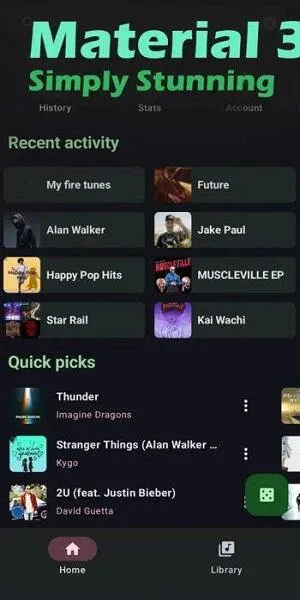
OuterTune is a music player. This app boasts numerous useful features, allowing users to play, search, and save all their favorite songs, videos, albums, and playlists. With OuterTune, you can quickly find songs you're interested in, and by logging into your YouTube Music account, you can fully sync your songs, subscriptions, and playlists. In addition to music from YouTube Music, this app also allows you to play any local audio files stored on your device. Furthermore, the app is completely free and ad-free, providing users with a smooth listening experience.
Highlights:
Full account sync for songs, subscriptions, playlists, and albums from YouTube Music.
Download tracks for offline playback; keep listening on flights or commutes.
Background playback continues while using other apps or locking the screen.
Play local audio with proprietary tag extractor for accurate metadata display.
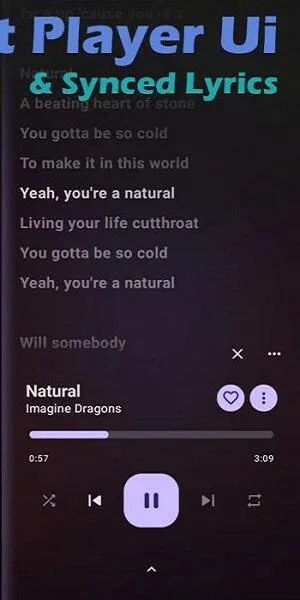
Synchronized LRC lyrics with multi-line support that auto-appear with each song.
Smart playlists and radio; sort by release or modification, discover matching tracks.
Features:
Seamless YouTube Music Integration
OUTERTUNE allows users to play, search, and save music from YouTube Music without interruptions. It supports streaming, offline downloads, and background playback, ensuring an uninterrupted listening experience.
Local Media Playback
Users can listen to their locally stored music along with online streaming options. The app supports various audio formats and provides easy access to both offline and cloud-based music libraries.
Ad-Free Music Experience
Unlike mainstream apps, OUTERTUNE does not have advertisements, making it a great option for uninterrupted music streaming. Users can enjoy their favorite songs without worrying about pop-ups or promotional content.
Customizable Audio Settings
The app includes advanced audio effects, equalizer settings, and tempo adjustment options. Users can modify the pitch, normalize volume, and enhance audio quality based on their preferences.
Playlist and Account Synchronization
With account synchronization, users can save their playlists and preferences across multiple devices. It allows seamless access to favorite songs and previously saved albums, making it a convenient option for frequent listeners.
Support for Android Auto
OUTERTUNE supports Android Auto, making it an excellent choice for those who enjoy music while driving. Users can control their music hands-free and navigate their playlists easily.
Tips and Tricks:
Enable Auto-scan in storage settings
This makes OuterTune automatically scan your phone’s music folders on startup, so new files appear without manual refresh.
Choose the right download location
If you have an SD card, point OuterTune’s storage to it in Settings → Storage. Downloads will then go to the SD card instead of internal memory.
Adjust audio decoder
In Settings, under Playback, you can switch between Android’s default audio decoder or FFmpeg (full variant). If a format won’t play, try the FFmpeg decoder.
Set max queue size
In Experimental Settings, you can set how many songs go into the queue. Default is 100, but if you want to queue more, tweak it.
Dark theme & fonts
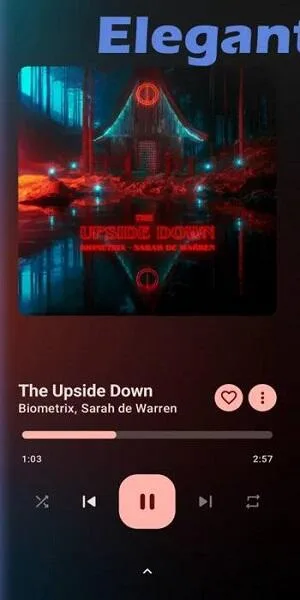
Use dark mode to reduce strain and save battery. You can also adjust font size for lyrics display if you use karaoke mode.
High Contrast
If you find the UI contrast low, go to Android Accessibility and turn on “High Contrast Text” – OuterTune’s UI will adapt.
FAQs:
Is OUTERTUNE free to use?
Yes, OUTERTUNE is completely free and open-source, making it a great choice for music lovers looking for an alternative to paid streaming services.
Can I download songs for offline playback?
Yes, OUTERTUNE allows users to download music for offline listening. This feature is especially useful for those who want to enjoy music without an internet connection.
Does the app support local audio files?
Yes, OUTERTUNE supports local media playback, allowing users to listen to their stored music files along with online streaming.
Conclusion:
OuterTune makes it easy to create and manage playlists, allowing you to sort your songs by date of release or modification. In addition, the radio function allows you to start a playlist based on your favorite songs, allowing you to discover new music that is to your taste. The app also offers seamless integration with Android Auto for radio playback, ensuring a seamless experience while on the go. Download the OuterTune APK and listen to your favorite music for free and without ads.








