

Samsung Smart Switch Mobile is an outstanding data transfer utility that helps users easily migrate and back up daily data on Samsung devices, providing flexible and convenient file transfer capabilities. The app offers a powerful, easy-to-use, and lightweight data migration program, allowing users to experience rapid migration of core items in simple steps and stable transfer speeds with flexible connection options. The app supports broad device compatibility, providing user-friendly app discovery and pre-installation services.
Click to load YouTube / 点击加载视频
YouTube ↗Awesome Features of Samsung Smart Switch Mobile
Transfer from Android or iPhone
Samsung Smart Switch Mobile supports data migration from most Android phones and iPhones. You can migrate core items such as contacts, photos, videos, music, SMS messages, memos, calendars, call logs, documents, wallpapers, and many device settings to Samsung Galaxy phones or tablets. This way, you don't need to start from scratch and can use familiar settings on your new device.
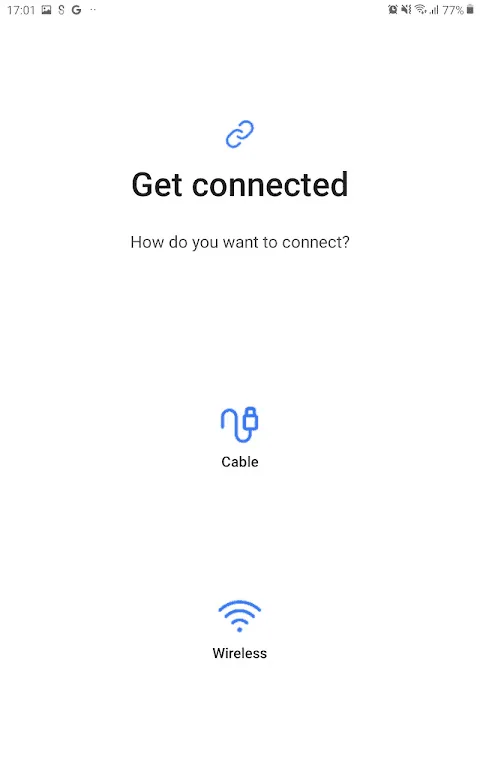
Flexible Connection Options
You can choose the appropriate connection method based on your needs. When a data cable is unavailable, you can use WiFi Direct for wireless transfer; while for large media libraries, a USB-C data cable provides stable transfer speeds. The app supports importing files from your iPhone's iCloud, while the QR code quick setup feature on new Galaxy phones helps you quickly verify your Wi-Fi connection and Samsung and Google accounts, thus quickly initiating the transfer process.
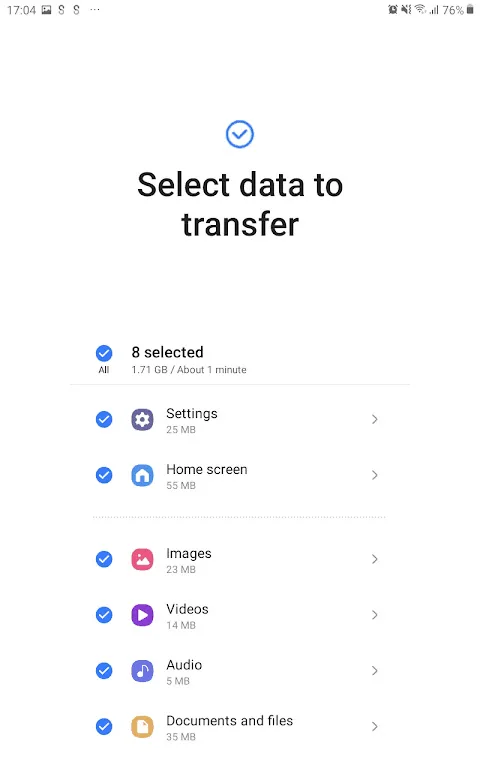
Select the specific content to move
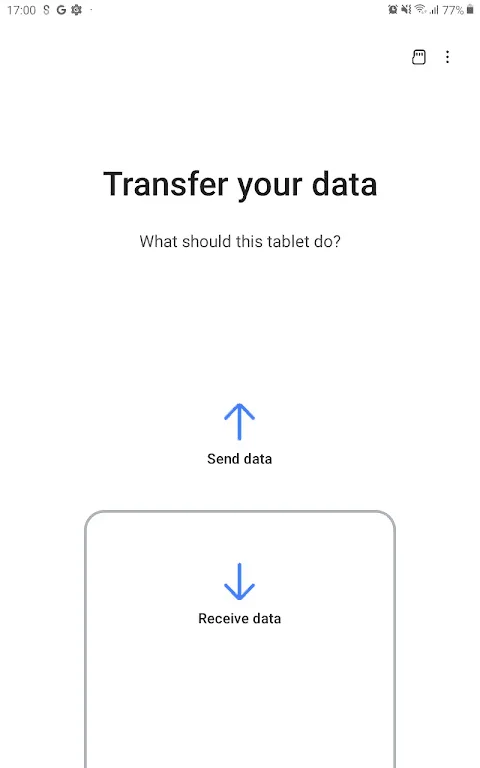
You have complete control over your content. Clear sending and receiving steps allow you to view categories and deselect unwanted content before copying. This avoids file accumulation on the new device, allowing you to copy only what you currently need. If needed, you can transfer again later to add more content.
Fantastic Highlights of Samsung Smart Switch Mobile
The Smart Switch app requires at least 500 MB of free space on both devices to begin data transfer. This requirement ensures sufficient storage space to save the transferred data. If users experience connectivity issues with non-Samsung devices, adjusting Wi-Fi settings is recommended to improve the transfer process.
A major advantage of Samsung Smart Switch is its ability to recommend similar apps and help users find their favorite apps on Google Play. This feature is especially useful for users unfamiliar with the Android ecosystem and looking for alternatives to apps used on their previous devices.
Frequently Asked Questions of Samsung Smart Switch Mobile
Is Samsung Smart Switch Mobile compatible with all Android devices?
Samsung Smart Switch Mobile is primarily designed for Galaxy devices, but it also supports data transfer from Android phones running Android 5.0 or later. This broad compatibility makes it a versatile solution for many users.
What data can be transferred using this service?
This service allows you to migrate contacts, music, photos, calendar events, text messages, and even device settings. Samsung Smart Switch Mobile ensures a complete data migration to your new phone.
Can I use this tool to transfer data from my iPhone to my Galaxy phone?
Yes, iOS users can easily transfer data. Simply connect your iOS device to a USB connector via a data cable (Lightning or 30-pin interface) to transfer data to your new Galaxy device wired.
Is there a charge for using this transfer solution?
No, this data transfer solution is provided free of charge by Samsung. It's a free service designed to make the transition to a new Galaxy device as easy and free as possible for users.
Pros and Cons of Samsung Smart Switch Mobile
Pros
Transfers various data types, including contacts, SMS messages, photos, and app settings.
Supports wired, wireless, and cloud migration methods.
A user-friendly interface simplifies the device upgrade process.
Cons
Compatibility with non-Samsung devices may be limited.
DRM-protected media cannot be transferred.
Transfer speed depends on device model, connection type, and data volume.
Final Words
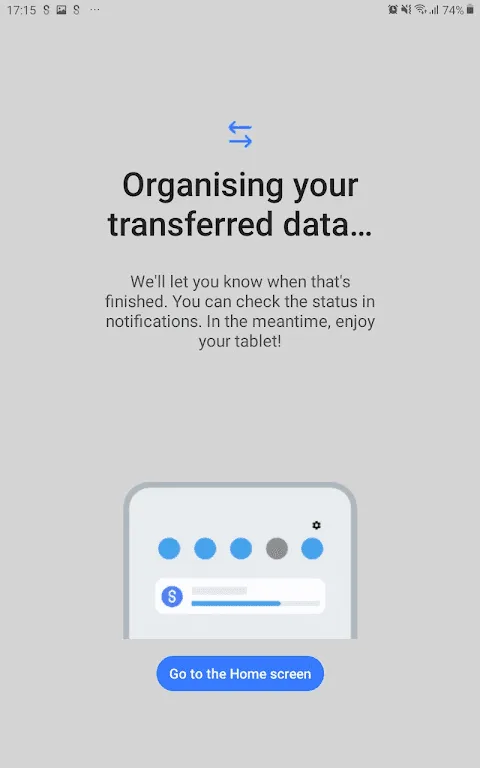
Samsung Smart Switch Mobile requires a Wi-Fi connection. Both devices need to have the app installed and be connected to the same network. The transfer process may take several minutes, depending on file size, but all data will be saved to the new device with the exact same settings as the original device.








