

Firefox Browser is a powerful browser. With its intelligent search function, you can easily find everything you need. Privacy and security are also guaranteed; Firefox Browser's private browsing and tracking protection safeguard your browsing privacy and prevent web tracking. It also easily remembers your device passwords, allowing you to use the password box next time you log in without having to type long passwords! In addition, it offers numerous add-ons, including ad blocking and download management, giving you complete control over your online usage!
Usage
In Firefox, you'll find a variety of options to maximize your privacy while browsing. This browser from Mozilla provides robust protection for your passwords. Also, as is common practice nowadays, you can use Incognito Mode at any time to browse without leaving any trace. This tool protects you from cookies and blocks trackers in your open tabs.
Features
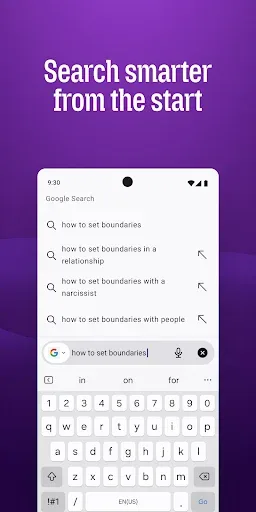
Intelligent Search, Get to Your Destination Faster—Firefox anticipates your needs and intuitively provides multiple suggested results from your preferred search engines and past search results, every time.
Higher Level of Privacy Protection—Your privacy has been fully upgraded. The "Privacy Browsing + Tracking Protection" feature blocks parts of web pages that might track your browsing activity.
Sync Firefox across all your devices—Use your Firefox account to access your desktop history, bookmarks, and open tabs on your smartphone and tablet. Firefox also remembers your passwords across different devices, eliminating the need for manual typing.
Intuitive visual tabs—Intuitive visual tabs and numbered tabs make it easy to find content for future reference.
Easy access to your favorite websites—Spend your time reading on your favorite websites, not searching for them.
Various add-ons—Personalize your Firefox with add-ons like ad blockers, password managers, and download managers to take control of your web experience.
Quick sharing—Firefox remembers apps you've recently used, making it easy to share content.

Download
First, open Android Settings -> Security Settings.
Now scroll down to "Device Management".
Enable the "Unknown sources" option.
Install apps from unknown sources.
Save files to your device's "Downloads" folder.
Locate the file and click it.
Now click “Install” and wait for the installation to complete.
Once installed, open the application and start using it immediately.

FAQs
Does the Firefox browser app support tabbed browsing?
To open a new tab, click the “+” symbol. To access a specific tab, simply click it. To close a tab, simply click the “X” close button in the upper right corner.
Can the Firefox app perform private browsing?
Firefox also offers a privacy mode. In the privacy window, your browsing history is not saved, and you are not tracked.
Will this browser app take up a lot of phone storage?
It takes up very little space and memory, similar to Opera Mini, while still completing all tasks quickly.
Summary
If you value privacy and intelligent search features while browsing the internet, then Firefox is the web browser you should use on your mobile device.








