
Chrome Remote Desktop is a user-friendly remote control software that allows users to remotely access your computer and share their screen anytime, anywhere. Users can perform various remote operations such as browsing the web and downloading files, meeting diverse user needs. The software employs the latest security technologies to ensure a smooth user experience, account security, and privacy, allowing users to connect with peace of mind. Users can share access permissions with other users, enabling them to connect to your device and improving team workflow.
Click to load YouTube / 点击加载视频
YouTube ↗Features of Chrome Remote Desktop:
The app establishes a remote connection through the Chrome Remote Desktop service, enabling users to view and interact with their computer screens as if they were sitting right in front of them. This functionality can be invaluable for accessing files, running applications, or troubleshooting issues from a distance. Setup is straightforward; users need to install the Chrome Remote Desktop app from the Chrome Web Store on their computers and follow the instructions to enable remote access.
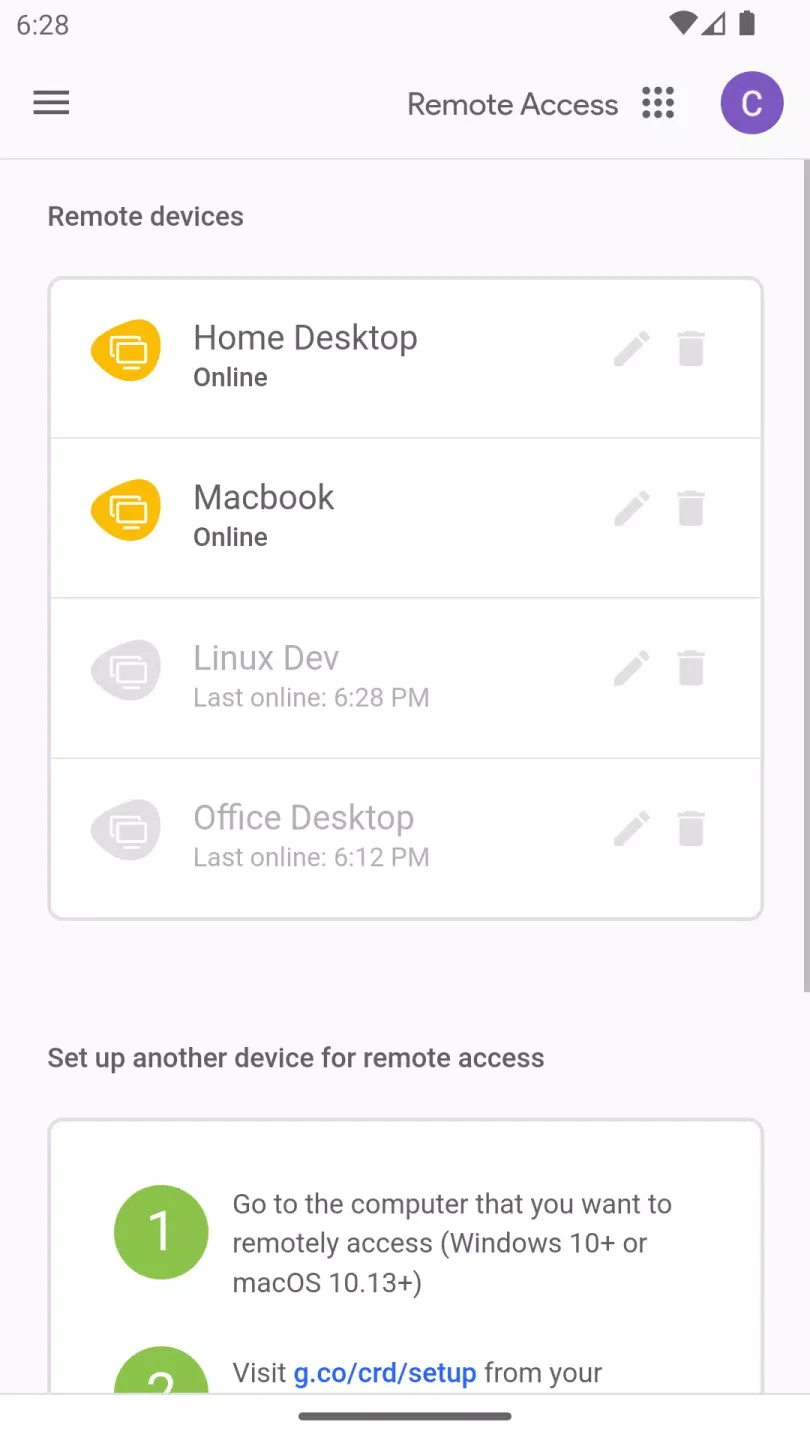
Once the setup is complete, users can easily access their computers by launching the app on their Android devices. The interface displays a list of available online computers, allowing users to select which one they wish to connect to. This process is designed to be intuitive, ensuring that users can quickly establish a connection without needing extensive technical knowledge.
The app employs secure protocols to safeguard user data during remote sessions. This ensures that sensitive information remains protected while accessing computers over the internet. As security is a top priority, users can feel confident knowing that their connections are encrypted.
An additional feature of Chrome Remote Desktop is the ability to share access with other users. This function can be particularly useful in collaborative environments where multiple individuals may need to access the same computer for various tasks. Users can grant others permission to connect to their computers, facilitating teamwork and cooperation without being physically present.
Another aspect of the app is its compatibility with various operating systems. This flexibility allows users to connect to Windows and Mac computers, making it a versatile tool for those who operate in mixed-device environments. Whether using a personal computer or a work device, the app provides a consistent experience across different operating systems.
User Reviews of Chrome Remote Desktop:
it's helpful actually, I've been using it for years and keep installing it when i got a new pc/laptop, cus i can work while lying down or when I'm too lazy to brought my laptop out. but yes, it can't replace ur pc, it just a support tool.
The best remote control app. ever. I have used different variants of remote control apps from my phone to my desktop and none are this good at being super fast (little to no lag), high resolution and sound. It's just awesome. TeamViewer is the staple of remote control and it does not even come close to Chrome Remote Desktop. It's just nuts!
Works well! I tried the new beta (2023 version) but I couldn't connect to any of my computers from my phone, only from another computer.... I also noticed a few other comments where people say they can't access the keyboard settings etc shortly after they start a session as it auto hides, all you need to do is pull down on your screen with three fingers and it will show again!
Works very well for my personal usage after learning the controls such as 2 finger tap to right-click. TeamViewer told me to buy a licence, saying connecting from any non-home network such as public Wi-Fi, mobile data, etc. is commercial use. Not a problem with Chrome and no nagging pop-ups or ads either. The only two improvements I can think of would be sending keyboard shortcuts (Ctrl+C, F keys, etc) and file sending. I use the Windows on-screen keyboard and Google Drive as a workaround.
FAQs of Chrome Remote Desktop:
Is Chrome Remote Desktop still available?
Yes. In your Chrome browser, go to the Chrome web store and search for "Chrome Remote Desktop host installer." Once you locate the extension, you can click "Add to Chrome" to add Google Remote Access to your browser.
Can you remotely control a Chromebook?
Until recently Google Remote Desktop has been available for Windows, Mac, and Linux only. Now it is available for Chromebook as well. You can use the Chrome Remote Desktop installer with Chromebook or from a Chromebook computer to access other types of computers.
Can you transfer files with Chrome Remote Desktop?
For this you can use Google Drive. While you are logged into your Chrome Remote Desktop, just open Google Drive, and drop your file into it. Open Drive on your remote computer, and pull the file out of Drive.
Is Chrome Remote Desktop secure?
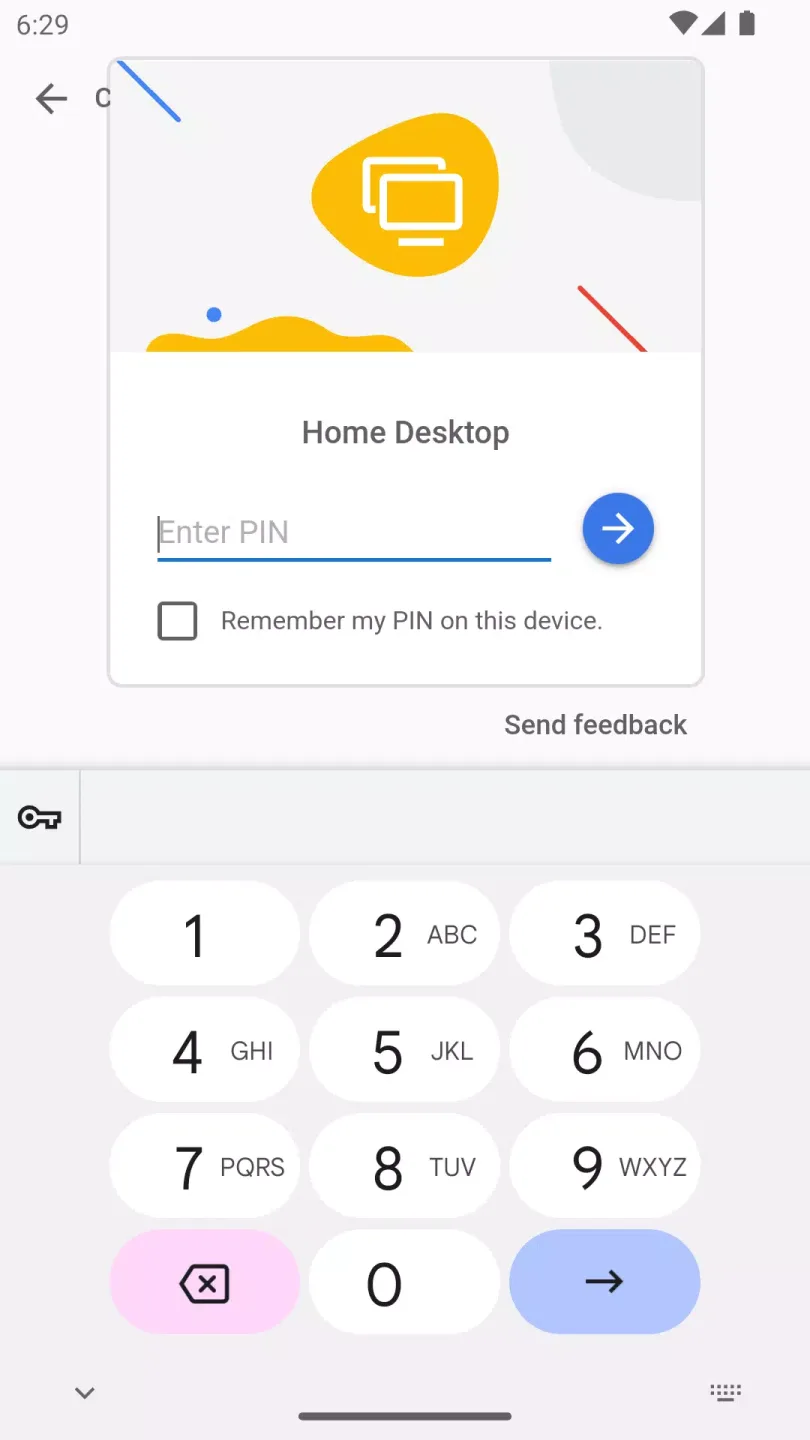
When used among your own computers, Chrome Remote Desktop is protected by a PIN. When opening up your computer to another user, it is dependent on an Access Code.
Can Chrome Remote Desktop wake from sleep?
Chrome Remote Desktop cannot be used to wake and access a sleeping PC.
What does Chrome Remote Desktop do?
Chrome Remote Desktop enables you to access other computers, or allow other users to access your computer securely over the Internet. You can do this through a Chrome browser or a Chromebook.
Summary:
Whether you use Windows, macOS, or Linux, Chrome Remote Desktop is fully compatible. It's a great choice for setting up Chrome Remote Desktop without the technical complexity. Download the Chrome Remote Desktop APK for Android and take full control of your computer—no complicated tools required.








