

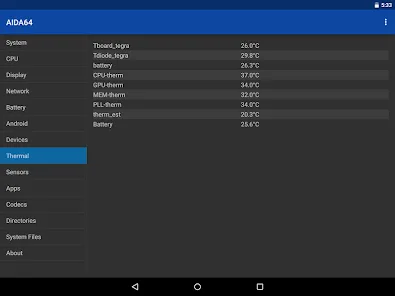
AIDA64 is an application for testing Android devices. Here, you can monitor any data on your phone in real time, including CPU usage, screen size, battery level, temperature monitoring, and more, allowing you to easily manage your phone's performance. The interface is clean and simple, making it easy to find all the data you need, and all the information is very detailed, ensuring you can identify problems meticulously. Not only hardware, but you can also monitor software data, including memory usage and power consumption, to see which app is consuming the most power!
Features
- CPU detection, real-time core clock measurement
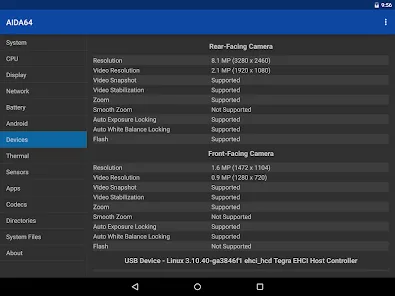
- Screen size, pixel density, and camera information
- Battery level and temperature monitoring
- WiFi and cellular network information
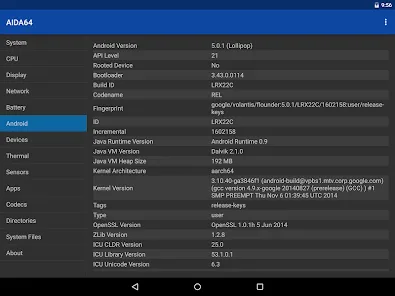
- Android OS and Dalvik attributes
- SoC and device model identification
- Memory and storage utilization
- OpenGL ES GPU details, real-time GPU clock measurement
- Vulkan, OpenCL, CUDA, PCI, and USB device list
- Sensor polling
- List of installed applications, codecs, and system directories
- Android Wear module: Native applications for the watch
Advantages and Disadvantages
Advantages
Clean and concise user interface
Comprehensive hardware and software coverage
Extensive and detailed information
Disadvantages
Some known bugs need to be fixed
FAQs
How much storage space is required to install AIDA64?
Please reserve at least 11.7 MB of space. After installation, please reserve an additional 100-500 MB of space for smooth updates and cache management.
What are the system requirements for AIDA64?
Your device's system version should be Android 4.4 or higher (first released around October 2013). If your phone does not meet the requirements, you can download an older version of the application.
Is AIDA64 safe to download?
Yes, AIDA64's signature has been verified by VirusTotal and is safe and reliable. You can view details by clicking the "Trusted Apps" tab on the application details page.
How long does the download take?
The AIDA64 installation package is 11.7 MB in size. Download time may vary depending on your network connection. Typical speeds are as follows: - 4G: 30-100 MB/s - 5G: 170-400 MB/s - Wi-Fi: 50-500 MB/s
Why can't I download or install it?
Common reasons for download or installation failures include: 1. Insufficient device storage space; 2. Device incompatibility; 3. Poor network connection.
Conclusion
AIDA64 is an excellent Android application with a very low memory footprint. It can tell you everything about your Android device.








