Google Keep is a beloved note-taking app that allows users to record their moods and thoughts, as well as create to-do lists to help organize their lives. When writing notes, users can freely adjust the color, thickness, and style of their handwriting, and add various images and emojis to make their notes more vivid and interesting. Users can also set reminders for notes at specific times or locations, automatically triggering a corresponding list upon arrival, catering to different user needs. Furthermore, users can share their notes with other family members, allowing them to add annotations and emojis, fostering closer relationships.
Click to load YouTube / 点击加载视频
YouTube ↗Features of Google Keep:
Fast capture in text, lists, photos, and audio: You can create a note in seconds. Add checkboxes for a to do list, snap a photo to remember details, or record a voice memo. Audio is transcribed into text so you can scan it later. This reduces typing when you are on the go.
Organize with colors, labels, and search: Google Keep - Notes and lists helps you sort notes without effort. Apply colors to group related items, and add labels to filter by topic. When a notebook grows, the built in search finds notes by keywords, labels, or type. This keeps past information easy to retrieve.
Reminders based on time or place: Set a time alert to surface the right note when you need it. You can also set a location reminder that triggers when you arrive at a store or workplace, which is useful for grocery lists or pickup tasks. Alerts tie to individual notes so context is clear. As a result, the right list appears at the right moment.
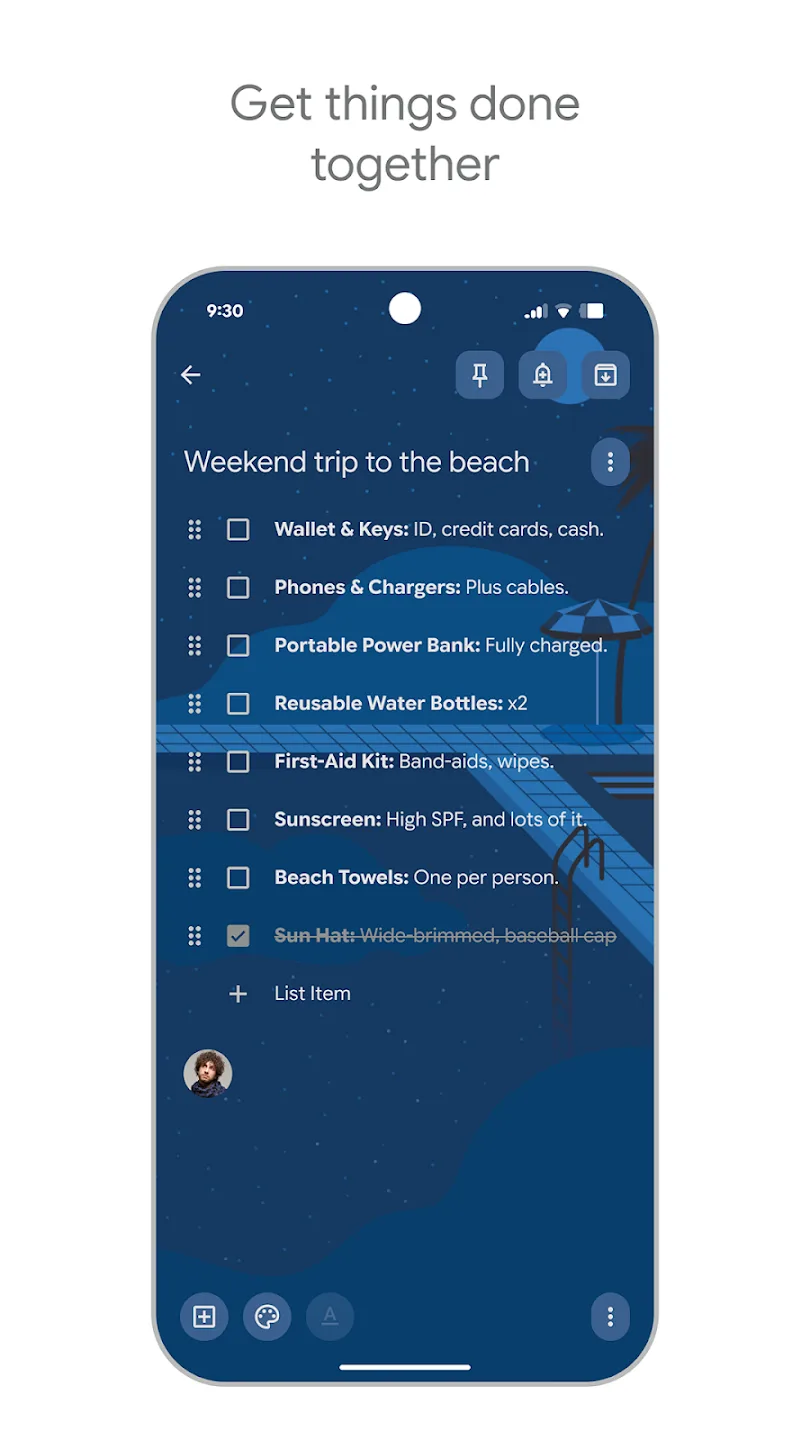
Share notes for real time collaboration: Invite friends, family, or teammates to any note or list. Everyone sees updates instantly, so plans stay aligned while you shop, plan trips, or track chores. You can remove access at any time. Collaboration keeps a single source of truth instead of messaging back and forth.
Highlights of Google Keep:
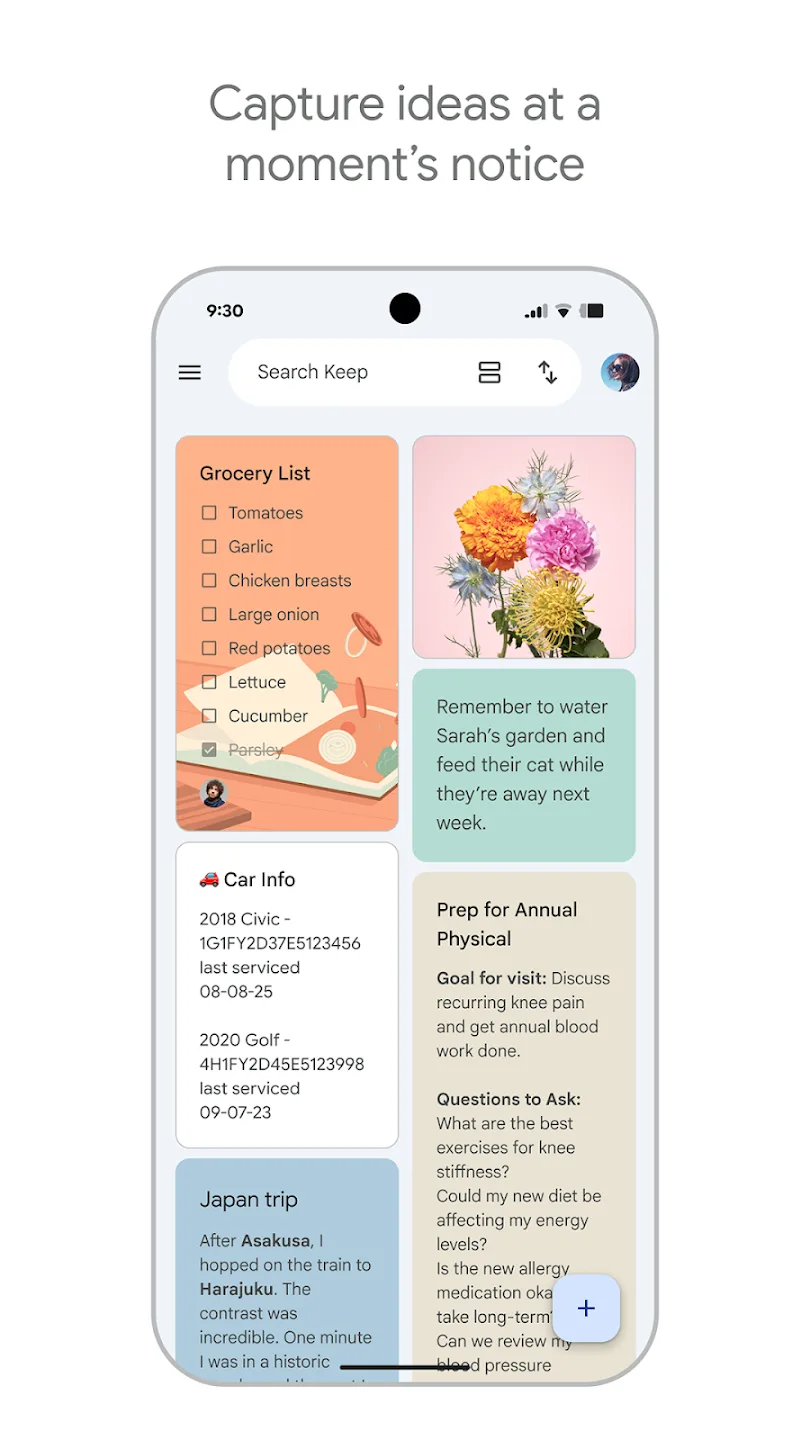
Attach images, audio or links: You can attach all kinds of files to your notes. You can be writing a note and add an accompanying image from the device's gallery, if you want to. You can also attach audio or links. To attach any file, just press the button in the lower left corner of the interface. It should be noted that, thanks to the possibility of using links, you can attach any file uploaded to your Google Drive account.
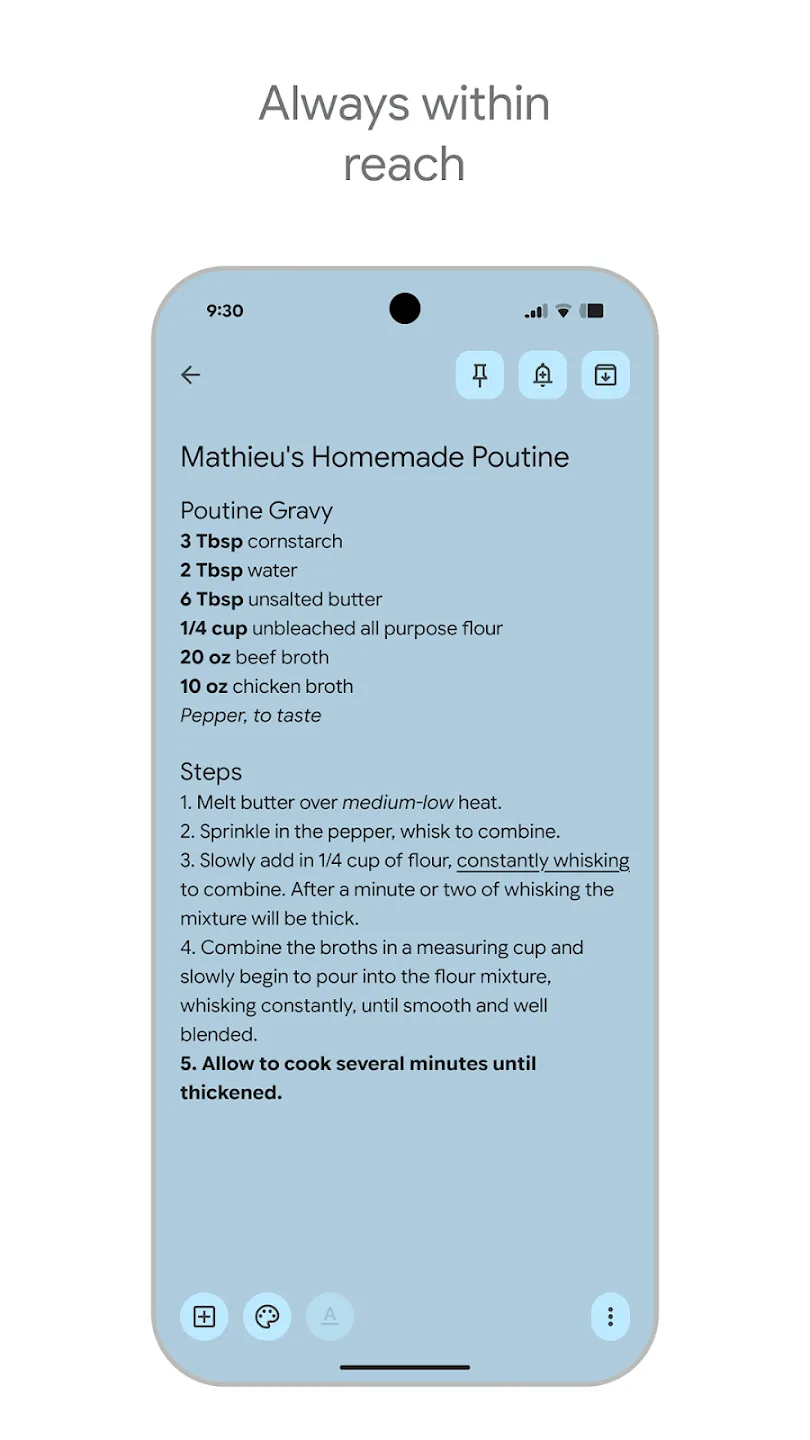
Customize the appearance of each note: In addition to tags, Google Keep offers a very convenient and visual way to distinguish between notes: their color or style. When you have finished taking a note, you can choose a visual style for it. You will have tons of solid colors to choose between, and beautiful background images too. Thanks to this, you can quickly differentiate between which notes are for work, which are related to shopping, and which are recipes.
Synched with your Google account: As an official Google app, all the notes you take here will be automatically synchronized with your Google account. This means that, as long as you are connected to the Internet, all changes you make to your notes will be automatically updated in the cloud. So, if you want to access your notes from any other device or from a web browser, all the changes you have recently made will be reflected there as well.
The easiest and most convenient way to take notes: Download the Google Keep APK and discover an excellent note-taking app so that, with a bit of luck, you never forget to make an appointment or buy milk at the supermarket again. An almost perfect alternative to the classic physical notepad that is becoming more and more obsolete with each passing day. Thanks to the various customization options, the app also looks very neat and polished.
Useful Tips of Google Keep:
Get colorful: In addition to labels, Keep lets you organize notes by color. Maybe all of your work-related notes are green and your personal notes are blue — or maybe urgent notes are red while all others are gray. You can come up with any number of systems to make the colors useful either on their own or in conjunction with the regular text labels.Or maybe you really want to get wild and go with a bold patterned background for a particular note, even. Keep recently added the ability to set note-specific wallpapers in addition to simple single color splashes, so you’ve got plenty of choices to pick from.
Put a pin in it: Keep your most important notes easily accessible by embracing Keep’s pin function: Just tap the pushpin icon in the upper-right corner while editing a note or after selecting it in your main note list. That note will then appear in a special “Pinned” section above all your other notes so it’s never out of reach. (To unpin a note at any time, just tap its pushpin icon again.)
Archive aggressively: When a note no longer needs your immediate attention, get it out of your main note list by swiping it toward the left or the right from that view — or by tapping the archive icon (a folder with a down-pointing arrow on it) in the upper-right corner while you’re editing it. Whichever way you do it, that’ll archive the note — and just like in Gmail, it’ll then remain easily accessible via search or browsing but won’t command prime real estate and clutter up your “inbox.”
Search like a pro: Speaking of search, Keep’s search function can do a lot more than just look for basic text. Tap the search box at the top of the app’s main screen and then scroll down a bit. Among other things, you’ll see tools for filtering your notes to show only those with reminders, lists, images, or URLs attached as well as only notes assigned to a particular color or label.
Check the trash: Make a mental note: If you ever can’t find a recent note, take a peek in Keep’s Trash section to see if it might have gotten deleted by accident. Just tap the three-line menu icon in the app’s upper-left corner and then select Trash from the panel that appears.That’ll let you see every deleted note from the past seven days and optionally restore any item into active status, if you’re so inclined. You can also empty your trash manually while you’re there, in case you ever delete something sensitive and want to make sure it’s completely gone.
User Reviews of Google Keep:
I love this app! The only thing I wish were different is being able to still see all original dates at the bottom of your note(s) instead of the date changing after even the smallest edit. Well, at least if you wanted the original date to stay the same, which could be an option. Also, I've "misplaced" a few notes after changing phones and reinstalling this app. However, it's one of THE best!!! Please... never add ads. Thanks!
I use this app for my grocery shopping, vision board, brainstorms, rough draft, and notes at work. It love the feature that it integrates notes on multiple devices. So if I do a note on my tablet and what to glance at it at work, I can do so on my phone with no problem. Just a quick refresh. One of the most practical apps you can have in your arsenal for organization.
This app makes it easy for me to save images, links, or little notes/reminders. Also, since I can use it in the app or in the browser on my PC, it makes it easy to get that sort of stuff moved from one device to another. Sometimes I use an AI image generator to make simple coloring pages for my preschooler. I usually do this quickly on my phone & save the images to my Keep; later I can open Google Keep on any computer & print several coloring pages.
Keep Notes is an invaluable tool. I use it all the time. If you're a list maker like me you will love it. I have lists for everything. Groceries, Things to do, Christmas Gifts and more. I keep menus lists for different types of parties. All these lists allow me to see what I've done in the past so I can avoid repeating previously given gifts or having to redo commonly used items like Groceries or Things to Bring when going away for long or short trips. The uses are endless.
Final Verdict:
You can create memos for important events and reminders sot hat you don't forget them in the future, or you can create short notes that are shared with others. Most of the notes that you can create are short, but they are usually sufficient for the information that you need to store for a short time. It's not an app that is for those who need to keep a lot of information stored in one place as there simply isn't enough storage available.