

Vivid Navigation Gestures is a highly praised navigation gesture utility that brings you a more convenient and flexible mobile control experience, allowing you to enjoy a wealth of customizable gesture activities and making your device usage effortless. The app presents a powerful yet lightweight and convenient navigation gesture program for a wide range of users. Users can experience smooth operation in a clean and intuitive interface, manage mobile tasks more efficiently, and save valuable personal time. The app supports a rich set of streamlined preset gesture schemes, comprehensively enhancing your device's user experience.
Attractive Features of Vivid Navigation Gestures
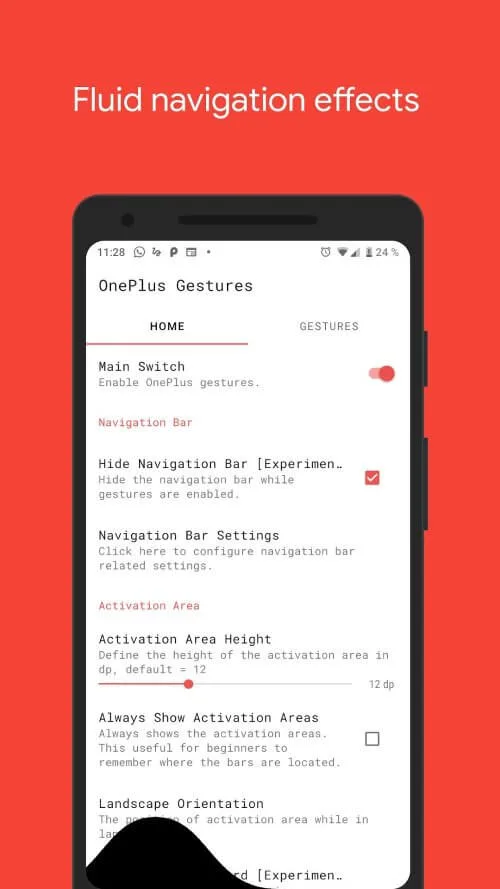
Smooth Effects: A major highlight of "Vivid Navigation Gestures" is its cool visual effects during gesture operations. These smooth animations make navigation more immersive and add a touch of elegance to device interaction.
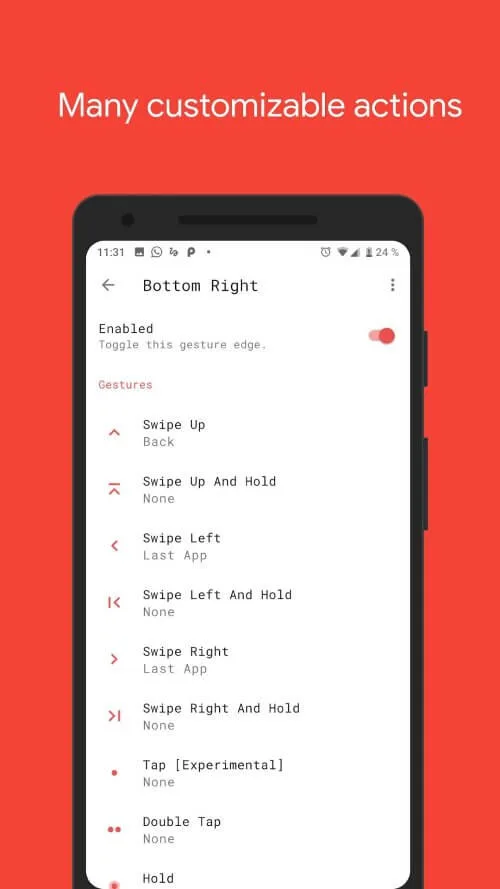
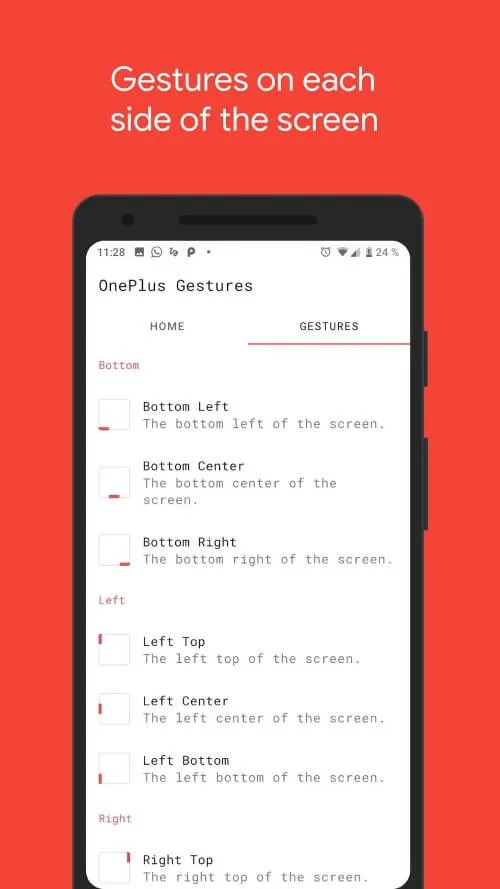
Multiple Gesture Triggers: "Vivid Navigation Gestures" offers a variety of gesture triggers, ensuring you find the most comfortable and convenient gesture position on your device. Whether you prefer gestures at the bottom, left, right, or top of the screen, this app can meet your preferences.
Available Gestures and Actions: This app boasts a wealth of available gestures and actions, allowing you to customize your navigation experience to your needs. You can define how you interact with your device, from simple swipes and taps to more complex multi-step operations. Here are some of the available gestures and actions:
Accessibility Services: "Vivid Navigation Gestures" uses accessibility services to perform actions such as returning to the home screen or accessing quick settings. Note that this app does not collect any data through accessibility services, ensuring your privacy and security.
Hide Navigation Bar: For users who prefer a full-screen experience, "Vivid Navigation Gestures" offers the option to hide the system default navigation bar when gestures are enabled. Depending on your device configuration, you may need ADB (Android Debug Bridge) or root privileges to use this feature.
Fantastic Highlights of Vivid Navigation Gestures
This application simplifies device use with a variety of actions, saving users significant time.
Categorization allows you to customize actions based on different usage categories on your mobile device.
Prepare for device control by selecting and changing default actions.
Users can discover various functions through the app, enhancing its versatility.
All utilities are available for multiple purposes, including operating device functions.
Frequently Asked Questions of Vivid Navigation Gestures
Is my data safe when using this app's accessibility services?
Yes, your data is safe. "Vivid Navigation Gestures" does not collect data through accessibility services, ensuring your privacy is protected.
Can I customize gestures and actions to suit my personal preferences?
Absolutely! "Vivid Navigation Gestures" offers a wealth of customization options, allowing you to tailor gestures and actions to your liking.
User's Comments of Vivid Navigation Gestures
I have a suggestion for a feature that I believe would be very useful. It would be great if, when I swipe and hold, it could trigger one of the contextual menus or quick actions (the ones that appear when you long-press an app icon, which are different from the shortcuts already implemented in this app) allowing you to quickly access specific functions within the apps. In my case, open one of the search functions available in my phone's launcher
Coming from Fluid Navigation Gestures, I love that the developer is active. The thing that got me to switch was that the Last App Switcher works properly on One + Gestures and was very buggy on Fluid NG. That being said, I miss the animations (which are coming soon), the ability to keep the navigation bar when typing, and that the volume changer wasn't hidden in landscape mode. Great app that's worth the purchase!
The swipe up gestures are abit slow, sometimes it takes several tries or i have to slow down before it is registered. And if do slow It works fine when you press the button, but other than slight inconvenience, it's good. Edit: It seems to have fixed the issue I had. It doesn't seem to be working, but I'm not getting the problems anymore.
Final Verdict
"Vivid Navigation Gestures" revolutionizes Android navigation. With smooth effects, rich customization options, and privacy-respecting accessibility features, it offers a compelling alternative to traditional button navigation. Experience a more intuitive and visually appealing way to interact with your Android device. Whether you're an experienced Android user or new to gesture navigation, this app will enhance your smartphone experience. Try "Vivid Navigation Gestures" now and embrace the future of Android navigation!








