

K Lite Codec is a uniquely designed multimedia playback utility that provides users with outstanding media file decoding and playback services, allowing you to enjoy the convenience of playing various media files anytime, anywhere. The application presents a powerful yet lightweight player program for a wide user base. Users can enjoy excellent high-definition video playback, experience subtitle display, and benefit from a clean and intuitive interface design. Users can experience excellent video file management and enjoy a smooth playback experience with accelerated video decoding support, allowing you to enjoy high-quality video playback anytime, anywhere.
Click to load YouTube / 点击加载视频
YouTube ↗Wonderful Performance of K-Lite Codec
Feature-Rich Media Playback
K Lite Codec brings a simple yet powerful media experience to Android users. The application supports multiple audio and video formats, enabling users to easily play almost all multimedia files stored on their devices. Upon launch, K Lite Codec requests access to local media and immediately scans the files, clearly categorizing them into video and audio categories for easy browsing.
User Interface and Controls
This application boasts a clean and concise layout, prioritizing user experience. Media files are logically categorized into tabs, allowing users to play content immediately with a simple click. A familiar set of playback controls—including play, pause, skip, fast forward, rewind, screen resizing, and mute—simplifies navigation and enhances the user experience. To personalize your viewing or listening experience, simply tap the menu icon to access settings such as playback speed and the built-in equalizer.
Library Management and Convenient Features
K Lite Codec's integrated playlist functionality allows users to organize their favorite tracks or videos for quick access. The History tab provides a detailed log of played files, allowing users to revisit content without manual searching. These management tools are especially useful for users with large media libraries, effectively managing and retrieving past and current media sessions.
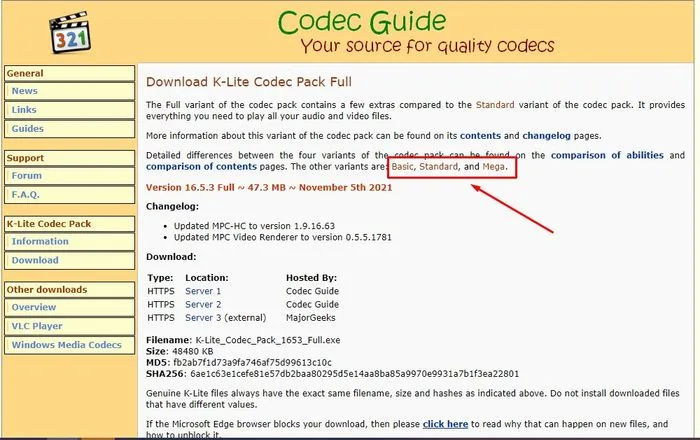
Amazing Highlights of K-Lite Codec
AVI, MKV, MP4, FLV, MPEG, MOV, TS, M2TS, WMV, RM, RMVB, OGM, WebM
MP3, FLAC, M4A, AAC, OGG, 3GP, AMR, APE, MKA, Opus, Wavpack, Musepack
DVD and Blu-ray Discs (decrypted)
And many more audio and video formats!
Attractive Features of K-Lite Codec
HDR Video Playback
Subtitle Display
Hardware-Accelerated Video Decoding
Audio Bitstream
Video Thumbnails in File Explorer
File Association Options
Corrupted Codec Detection
And More!

Pros and Cons of K-Lite Codec
Pros
Supports multiple audio and video formats
User-friendly, clearly laid-out interface
Includes playback speed and equalizer controls
Media library management with playlist and history tabs
Fast and stable operation on most devices
Cons
The free version contains ads that may be distracting
Lacks advanced features such as subtitle management and video quality adjustment
No integrated streaming or network playback options
Conclusion
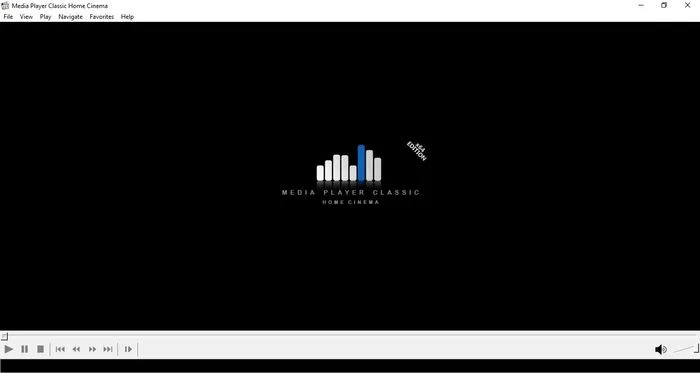
K-Lite Codec is a highly recommended media player and a viable alternative to mainstream players like VLC. If you're not satisfied with your usual media player suite, try this underrated multimedia player and manager. It not only boasts excellent playback capabilities but also offers deep customization settings, allowing you to personalize it to your streaming needs.








