Blox Fruits Script is a gaming tool designed for game enthusiasts, aiming to help users have a better gaming experience and easily dominate in games. The software provides detailed tutorials to help users automate tasks such as monster farming, instant teleportation, and quest completion, saving users time and effort. User account security is also extremely important; the software protects user account security and data privacy in real time, allowing users to play with peace of mind. The software is constantly updated, introducing more practical functions to bring users a more comfortable gaming experience.
Click to load YouTube / 点击加载视频
YouTube ↗Features of Blox Fruits Script:
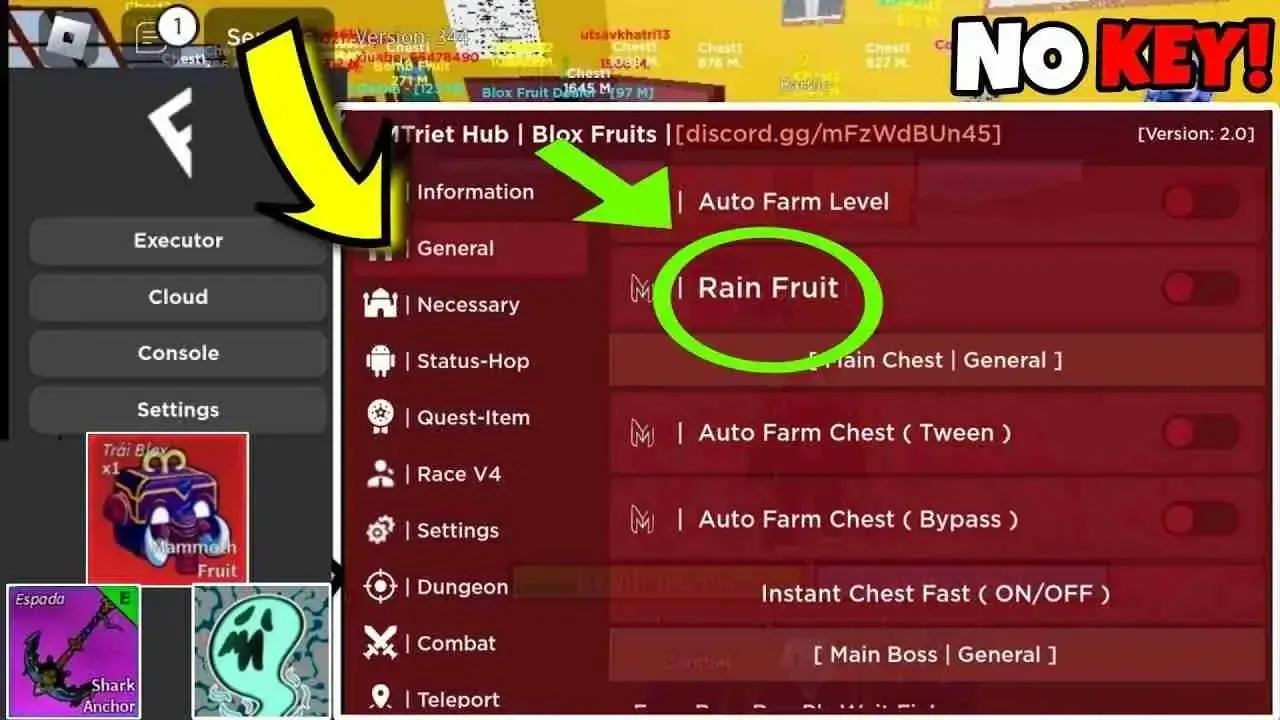
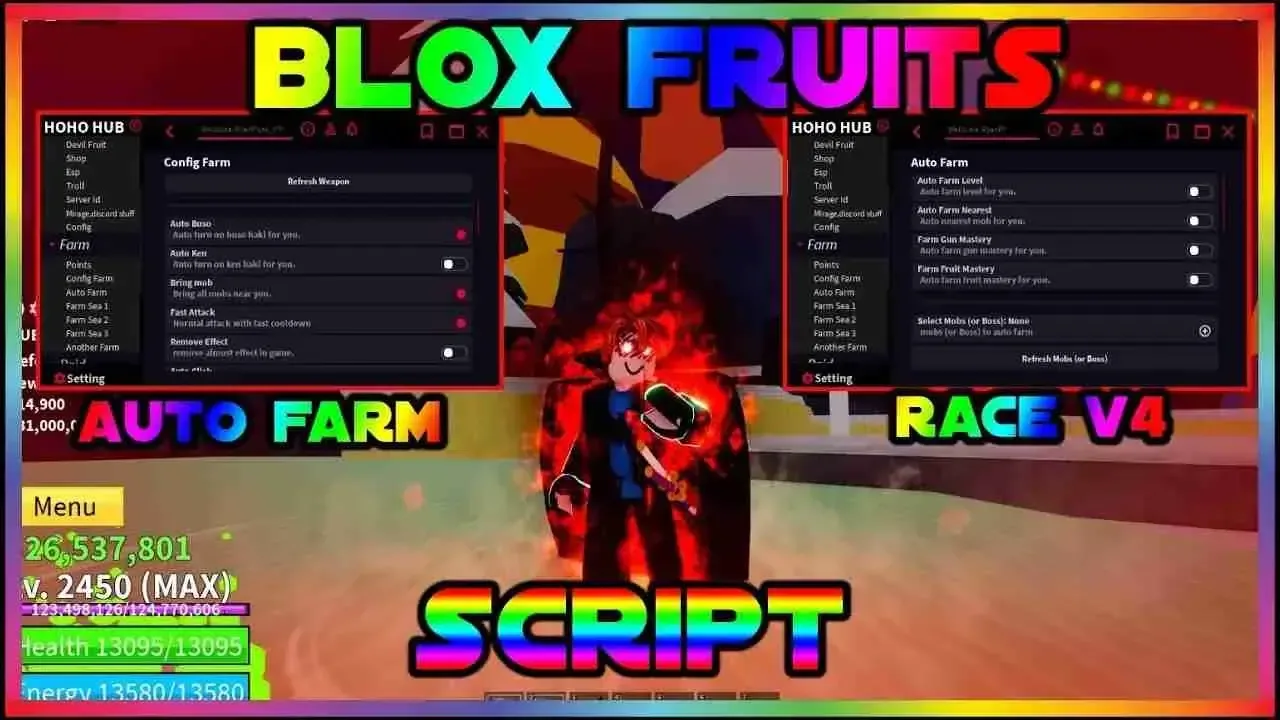
Auto Farm & Level Grinding: Automatically attacks NPCs, collects EXP, and completes quests in a loop. The most commonly used feature — handles the core grind so you can progress without sitting at your keyboard for hours.
Fruit Sniper / Notifier: Detects Devil Fruit spawns across the map in real time and either alerts the player or teleports them directly to the location before other players can grab it. Critical for rare fruit collection.
Auto Raid & Boss Automation: Handles full raid completion and boss combat sequences automatically. Allows farming of rare drops, fragments, and raid-exclusive rewards without manually engaging in high-difficulty fights.
Teleport & Fly System: Enables instant movement across islands, seas, and quest zones. Eliminates the significant travel time involved in navigating Blox Fruits’ large map, especially in the Third Sea.
ESP (Enemy & Item Detection): Highlights enemies, bosses, chests, and Devil Fruits through walls and at long distances. Improves situational awareness for both farming efficiency and PvP engagement.
How Blox Fruits Script Works:
Blox Fruits scripts are not random hacks — they are connected to specific gameplay systems inside the game.
Each feature corresponds to a system:
Auto Farm → Leveling System (kills NPCs, completes quests, gains XP)
Auto Quest → Mission System (accepts and completes quests automatically)
Fruit Sniper / Auto Fruit Finder → Devil Fruit System (detects and collects fruits)
Auto Raid / Auto Boss → Combat & Raid System (clears raids and defeats bosses)
ESP → Detection System (locates enemies, fruits, NPCs, islands)
Teleport / Fly → Movement System (removes travel time between locations)
Auto Stats → Progression System (distributes stat points automatically)
Auto Buy / Auto Trade → Economy System (handles items and trading)
These systems are interconnected, forming a progression loop:
Quest → XP → Level → Fruits → Combat → Boss → Rewards → Repeat
Blox Fruits scripts automate this entire loop, allowing faster progression with minimal manual input.
FAQs of Blox Fruits Script:
How do I install Blox Fruits Script correctly?
Blox Fruits Script installation involves downloading the compressed archive from the official source and extracting files with a reliable extractor like 7-Zip. Users must then enable developer console in Roblox settings before injecting scripts to allow proper execution. Placing scripts directly in the specified Roblox mods folder ensures the loader finds all components. Following these steps avoids common corruptions and loading errors that block script functionality.
How can I resolve conflicts between Blox Fruits Script and other Roblox mods?
Blox Fruits Script users resolving mod conflicts should disable all other NPC-altering mods before adding Blox Fruits Script again, which isolates compatibility issues. Launching Roblox in safe mode helps identify conflicting scripts that cause crashes or silent failures. Removing or updating outdated mods that interfere with Blox Fruits Script API calls prevents overlap errors. Gradually reintroducing mods clarifies which ones clash with the scripts and avoids runtime crashes.
Is there a risk of getting banned using Blox Fruits Script in multiplayer games?
Blox Fruits Script users must exercise caution because using automation in multiplayer sessions risks triggering Roblox anti-cheat systems resulting in temporary or permanent bans. To reduce detection chances, players should limit script usage frequency and avoid suspicious teleport or rapid farming patterns. Enabling stealth modes or random delays minimizes flags from server monitoring algorithms. Staying informed on the latest ban reports helps users adapt script behavior responsibly.
How do I temporarily disable Blox Fruits Script without uninstalling?
Blox Fruits Script users can disable scripts temporarily by toggling off the auto-farm and fruit spawner options in the script configuration menu or config file. Pausing Roblox or closing the game also halts all script operations without removing files. Disabling script injection from launcher settings prevents scripts running on startup. This approach is useful when users want to play vanilla games without script assistance but plan to resume automation later.
Conclusion:
The Blox Fruits Script is like a secret treasure map that leads you to a more exciting and enjoyable gaming experience. With features like auto farming, auto raiding, and more, you can explore the world of Blox Fruits with ease and excitement.Just remember to use it wisely and follow safety tips to make sure your adventures are both fun and safe. So, what are you waiting for? Grab your device, download the APK, and set sail on your next big adventure in Blox Fruits!