Smart Noter is a smart note-taking app that integrates cutting-edge AI technology. Users can record any conversation and quickly and accurately convert the speech into text in over 60 different languages. The app precisely analyzes the voices of different speakers and provides annotations in the text for easy review. The app can also use AI to summarize and conclude recordings, or users can directly ask the AI assistant questions to obtain various knowledge points about the recordings, and export them to different file formats or share them directly with friends.
Click to load YouTube / 点击加载视频
YouTube ↗Features of Smart Noter:
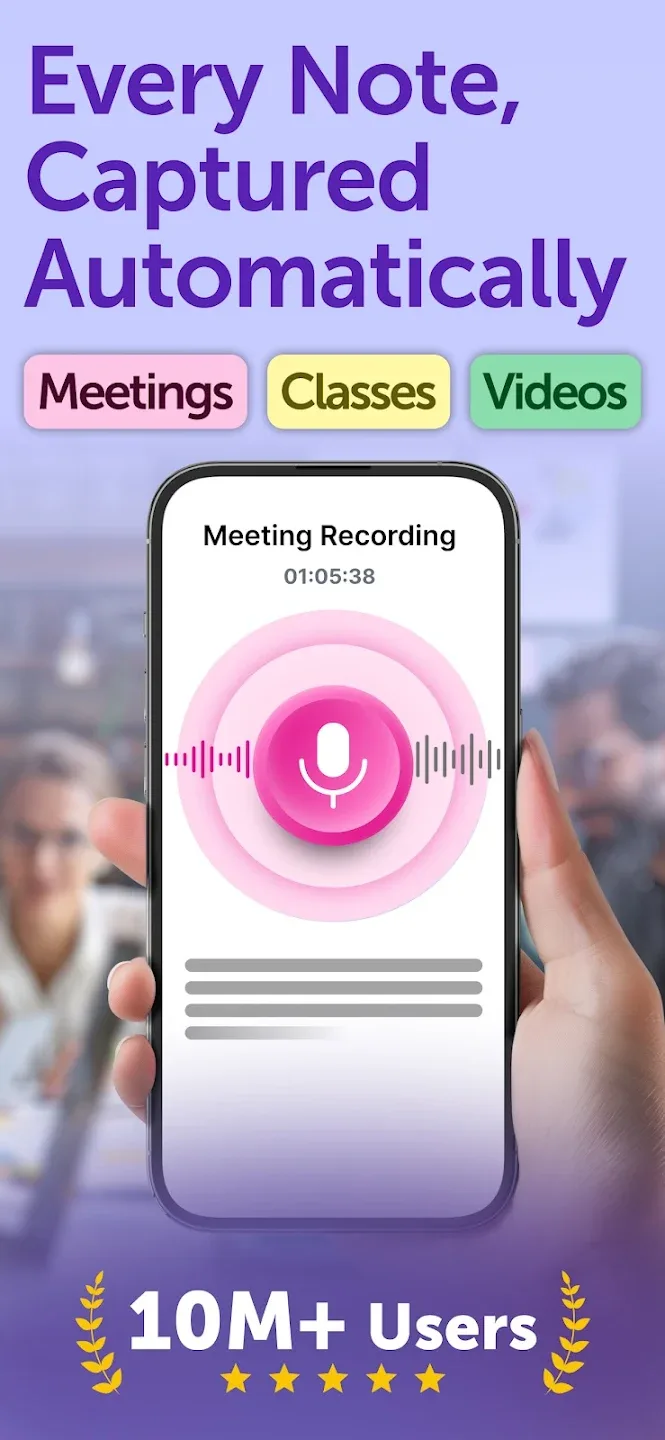
Instant Note Creation: Capture what matters in a flash, whether you’re listening to a professor, attending a conference, or watching a how-to video. One tap, and the essentials are saved.
Live Transcription & Summaries: Don’t stress about catching every word. Record and let the app transcribe in real time, even sorting out who said what along the way.
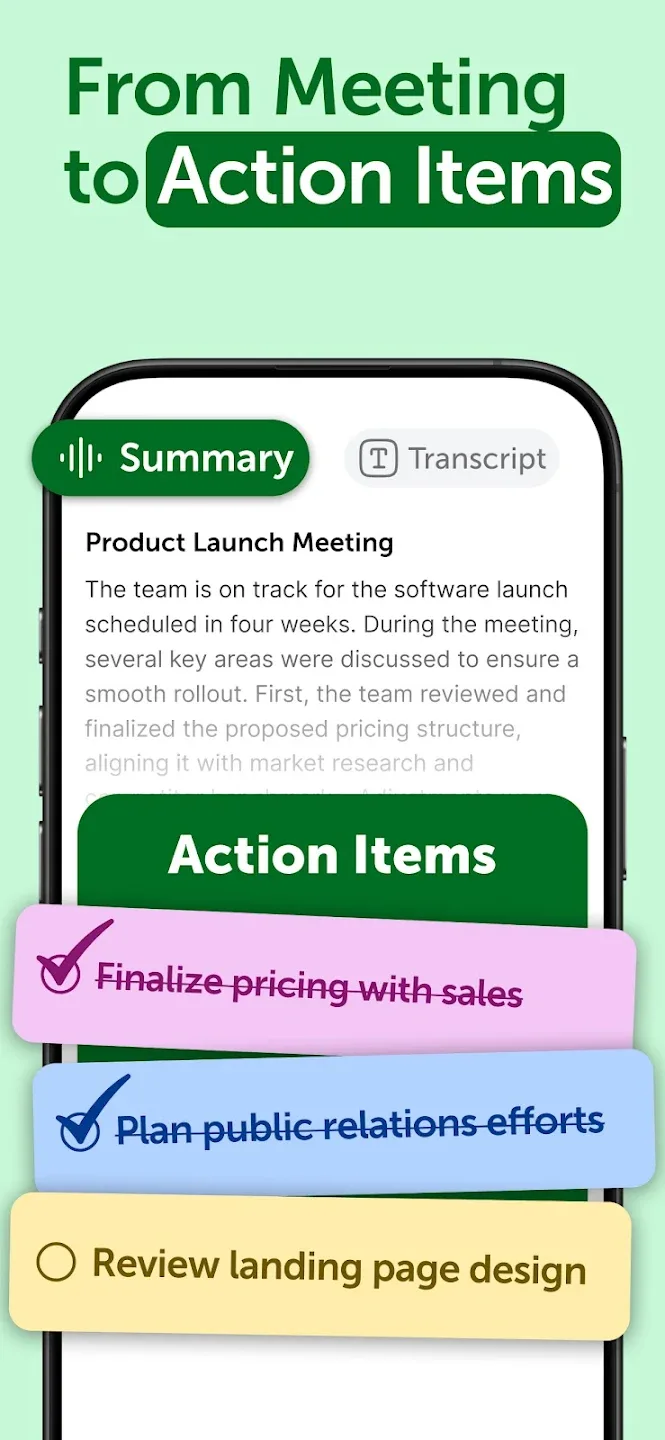
Actionable To-Do Lists: Stay on top of everything with automatic to-do lists and meeting recaps that the app creates straight from your notes.
Neat Organization: Group your notes how you like—by course, project, topic, or anything else. Finding what you need later is a breeze.
Chat With Your Notes: Got a question about something you saved? Ask the app directly—get summaries, pull out key facts, or review highlights without reading the entire document all over again.
Strengths of Smart Noter:
Record & transcribe with precision: Turn any conversation into searchable, speaker-labeled text with Smart Noter’s advanced transcription engine. Use it as a voice recorder for meetings, a lecture recorder for academic sessions, or an audio recorder for interviews and podcasts. The speech-to-text engine automatically recognizes multiple speakers, ensuring your meeting transcription accurately attributes every statement. Import existing audio or video files and receive a complete transcript within minutes.
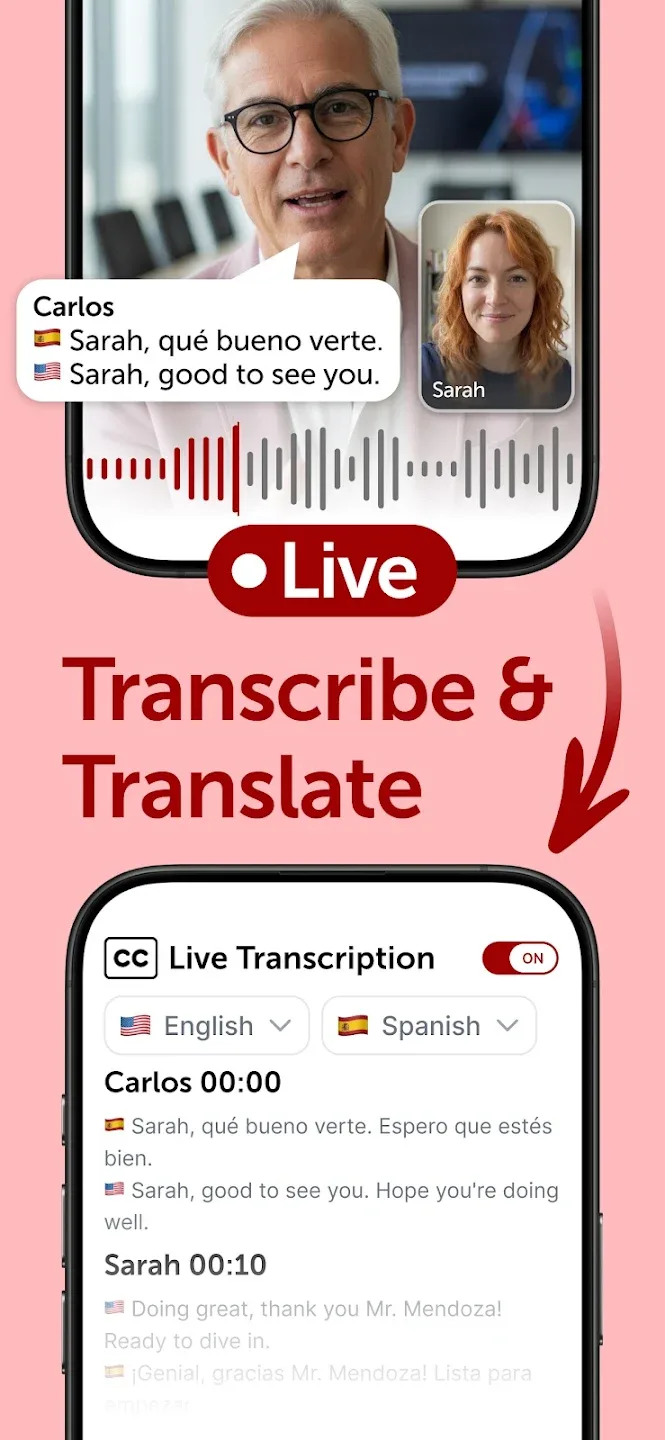
Live translation: Participate in any conversation across language barriers. Smart Noter’s live translation converts spoken words into your preferred language in real time, supporting more than 60 languages. Attend international board meetings, foreign-language lectures, or multilingual conference calls with full understanding. The real-time voice translator works alongside live transcription, giving you both the original transcript and the translated version at the same time. No additional translation tools are required.
Share & collaborate across platforms: Export notes and summaries in multiple formats: PDF, DOCX, TXT, or SRT subtitles. Share directly to Slack, Notion, Google Docs, and other collaboration platforms. Smart Noter fits into your existing workflow without disruption.
Sync across all your devices: Access your notes from phone, tablet, or computer with automatic cloud sync. Connect Google Calendar or Microsoft Outlook, and Smart Noter prepares meeting notes for every scheduled event. Keep your team aligned before, during, and after every meeting.
User Reviews of Smart Noter:
I have tried many, many apps of this short and this one is the best! So many features I cannot mention all of them. I find a PDF reader and summary of option of this outstanding. Again, so many many great option to choose from and very easy to use.**going to work a little more and I will get back and have to this.
wow I'm blown away to be honest this is helping me so so much with my online tafe course if I could rate 10 stars I would I never rate apps or leave replys I have never in 10 years of owning a phone so that in it self goes to show the brilliance in this app nice work.
It is a great app. Can you reduce subscription costs It's way higher for students. Otherwise it's a great tool for learners in that context. I've tried it, I loved it. The hectic hassle of writing can be put aside and concentrate on seeing how the concept works. Very key for it captures the vital info that somehow our minds might forget some details or overlook in the process. DISCOUNT PLEASE!
This app is a lifesaver! I couldn't ask for a more user-friendly interface for taking notes with limited time! I'm an aspiring novelist, research scientist, and academic, and I have a large amount of thoughts and ideas running around my mind, with not much time to jot them down, even in shorthand. With this app, I can hit record, ramble for 5+ minutes, press stop, and within a minute, I have a clear, intelligible, concise, and categorized summary of what I said!
FAQs of Smart Noter:
How do I transcribe a meeting?
To transcribe a meeting, simply start SmartNoter, join your Zoom, Google Meet, or Microsoft Teams call, and it will automatically transcribe the conversation in real time.
How do I turn on transcribe in Google Meet?
To enable transcription in Google Meet, start SmartNoter and join your meeting. It will automatically transcribe the conversation in real time.
How Does AI Chat Help in a Meeting Note Taker?
AI chat enhances a meeting note taker by automatically transcribing conversations, summarizing key points, and identifying action items in real time, making meetings more efficient and organized.
How Can I Organize My Meeting Notes?
SmartNoter automatically structures your meeting notes by summarizing key points, highlighting action items, and categorizing important details, making them easy to review and organize.
Can I connect multiple calendars?
Yes, you can connect both Google Calendar and Microsoft Outlook simultaneously; however, you cannot connect multiple accounts from the same service, whether Google & Microsoft or Zoom.
How Can I Import and Export Note Documents?
You can easily import and export note documents in SmartNoter. Upload your files to transcribe or summarize, and export notes in your preferred format for easy sharing and access.
Conclusion:
Smart Noter is built for professionals and students. Professionals use it as a productivity tool to capture decisions and meeting minutes from calls and meetings. Students use it to turn lectures into transcripts and study notes. It fits anyone who needs to convert speech to text and turn voice into organized, searchable notes.