DWG FastView is an excellent mobile CAD solution application. It offers a variety of design functions, allowing users to quickly view 2D/3D drawings anytime, anywhere, and enjoy a smooth editing experience. With DWG FastView, you can directly view, edit, create, and share DWG and DXF drawings on your phone and tablet. You can also experience fast and accurate viewing, as well as various advanced tools. It is fully compatible with industry-standard DWG and DXF formats, with no practical file size limitations. Furthermore, this application supports cloud synchronization or local storage for offline work and offers export functionality to common image and document formats, simplifying collaboration.
Click to load YouTube / 点击加载视频
YouTube ↗Highlights:
Use previous and presets work
You can work on any saved sketch on your storage device without needing an internet connection, allowing you the flexibility to work on any sketch. Put simply, if you come up with a new idea to change the file, you can continue with your work smoothly. Afterward, the document is placed in the designated storage spot. The application allows users to open and edit DWG files, facilitating collaboration across several platforms. Once the program is installed on your smartphone, you may effortlessly create a sketch and export the file for viewing on the same device.
Use everything at your ease
If you find yourself with extra time or a new idea for improving your product, you may easily resume working on it. You will gain from it irrespective of personal computer ownership. DWG FastView is a CAD viewer designed to help users view and manipulate various designs and CAD files. Furthermore, it is meant to be compatible with a wide range of file formats that are similar, providing users with great flexibility while managing many files simultaneously. You may easily create or modify information in the app due to its advanced capabilities, which enhances the engagement with the content of the files, making it one of the most fascinating features of the application.
Engage with the files using various features
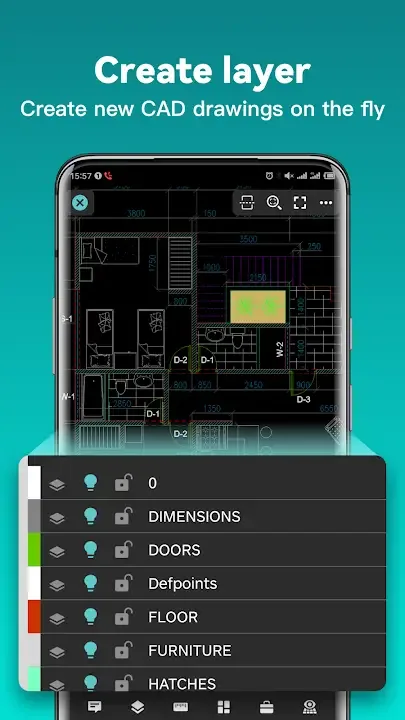
To accomplish CAD work on your mobile device, you must execute tasks like moving, copying, rotating, scaling, coloring, and measuring objects, managing documentation, handling layers, and utilizing Layout. Examples of advanced drawing and editing capabilities include cutting, offsetting, establishing proportions, and discovering text. When displaying coordinates, distances, and angles, you can select the amount of detail to be shown. Changing the scale of a CAD drawing can be done by altering the distance between your fingertips. To show uncommon fonts, it is essential to import or download the CAD drawing along with its fonts and symbols into the font directory.
Features:
Accurate and fast access your drawings.
•Creating, viewing and editing with easy-to-use advanced tools.
• Supports of AutoCAD all DXF&DWG versions with no file-size limit
• View AutoCAD DWG&DXF file easily.Fully compatibility with AutoCAD.
No registration & Offline drawings.
• Simply download DWG FastView and use it immediately with NO REGISTRATION needed.
• Without internet, you are able to save your masterpieces in the local workspace.
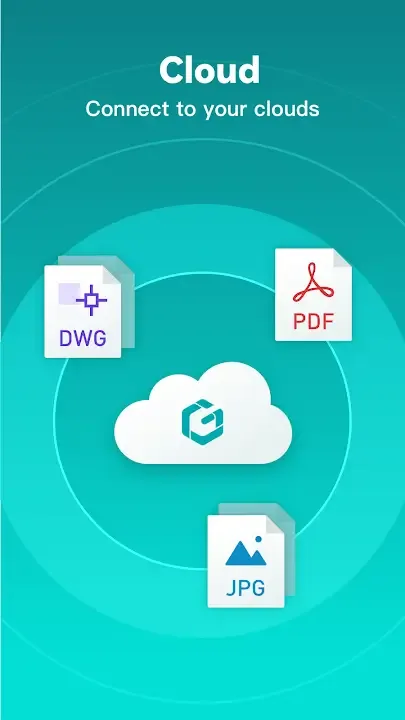
• Drawings from E-mail, Cloud Service or Network Disk like Dropbox, OneDrive, Google Drive, Box or WebDAV can be opened, viewed, edited and shared as well with Internet.
Support export to PDF, BMP, JPG and PNG, and share it to anyone freely.
• Transfer CAD drawings into PDF format and customize its paper size, orientation, color and so on.
•Convert CAD drawings to different versions.
•Convert PDF to DWG.
Do real CAD work on mobile.
• Move, Copy, Rotate, Scale, Color, Measure object, record management results, manage layers and use Layout.
• Advanced drawing and editing tools such as trim, offset, dimension and find text.
•Set precision and display formats of coordinates, distance and angle.
• Zoom in or zoom out a CAD drawing by adjusting the space between two fingers.
• Import or download the CAD drawing with its fonts and symbols to the font’s folder in order to display all uncommon fonts.
Pros & Cons:
Pros
DWG FastView delivers fast access and smooth viewing/editing across devices so you can review and modify drawings anywhere.
No registration is required to start; work can be saved locally for offline productivity and synchronized later.
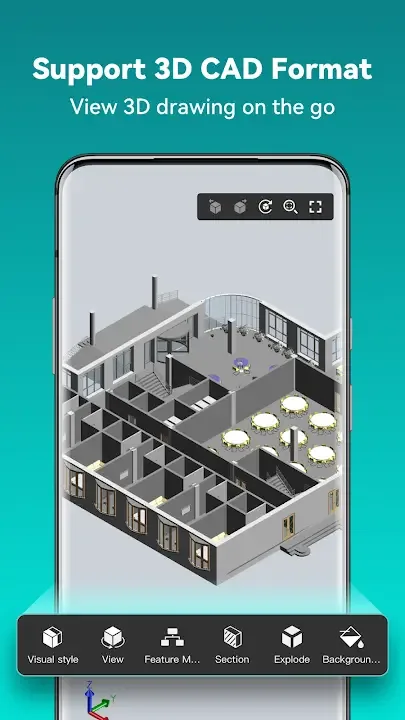
Broad format support covers common 2D and many 3D file types for comprehensive review and collaboration.
A free trial is available and subscription options unlock advanced editing and additional professional tools.
Cons
Advanced editing features and some professional tools are available only after upgrading to a paid subscription.
Cloud synchronization and online sharing require an internet connection, so remote collaboration depends on network access.
Displaying uncommon or custom fonts may require manually importing font files into the app’s font folder for correct rendering.
Final Words:
he app is developed by an experienced CAD software team focused on cross-platform compatibility and mobile drafting workflows, and it includes an in-app feedback mechanism for technical support. DWG FastView-CAD Viewer&Editor is used by millions of designers worldwide and has grown into a popular choice for mobile CAD viewing and light editing thanks to its speed and broad format support.