Octopus is a peripheral connection tool designed specifically for mobile gamers. It's compatible with most brands of gaming peripherals and can be used without root access, making it easy for casual players to use. Furthermore, it offers dedicated game modes for various games, such as advanced shooting modes for FPS games and smart casting modes for MOBA games, significantly improving gameplay and providing a better gaming experience.
Click to load YouTube / 点击加载视频
YouTube ↗How to use:
The setup process is straightforward and does not require root. After you install the Octopus latest version, you can add games, pick a preset, and fine tune controls. The same flow applies whether you use a controller, keyboard, or mouse.
Open Octopus and tap the add button to select the games or apps you want to control. Launch those titles from within Octopus so your keymap loads correctly.
Connect your controller by Bluetooth or plug it in with USB, then confirm that button presses appear in Octopus. If inputs feel misaligned, run controller calibration before you enter a match.
Choose a starter preset for your game. Turn on Advanced Shooting for shooters or Smart Casting for MOBA games so the base layout fits common actions.
Edit the keymap to match your preferences. Move buttons, assign actions, and adjust sensitivity and camera speed. For shooters, set ADS and mouse sensitivity to a comfortable level.
Test the layout in a training room or casual match. In games like Free Fire Max, enable Advanced Shooting, refine aim sensitivity, and confirm recoil control feels right before playing ranked.
Features:
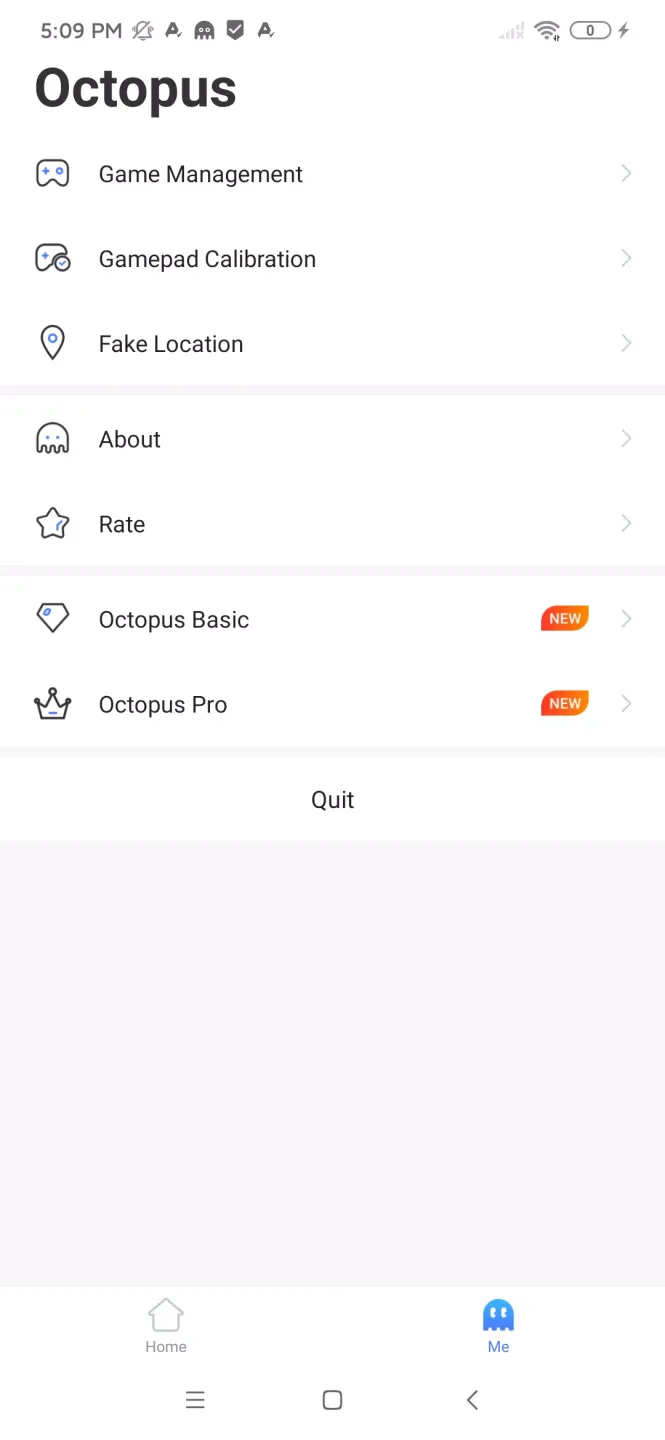
Support All Mainstream Games
It lists all popular mainstream games you can play online with or without your friends. The developers believe it’s hard for everyone to buy all premium games, but here you can get the experience of premium games without any cost.
Customize Buttons
This tool can customize the buttons and controls according to your comfort. You’ll get full access to modify the controls and add new actions or quick moments to your controller to get a better grip on the game.
Multiple Gaming Modes
It has multiple gaming modes where you can play with your friends who have the game extension as you do. In multiplayer mode, you can switch the controls to basic and help your friends complete the tasks.
Add Fake Location
You can change your location with this app if any game isn’t available in your state or country. You don’t have to install any paid VPN here to enjoy unauthorized games.
No Root Required
You don’t have to root your device to install this app on your android. This app is available for all android smartphone and support most of the additional controllers, Gamepad, and keyboards.
No Advertisements
There will be no advertisements on this app, and you can enjoy the gaming experience without dealing with sponsorship or pop-up banners. The tool has a clean and simple environment for gamers.
FAQs:
What is Octopus?
Octopus is a mobile app that lets Android users connect keyboards, mice, and gamepads for better control while playing mobile games.
How does Octopus work on Android devices?
Octopus pairs external controllers with your phone, allowing you to map keys and customize settings for smoother, more precise gameplay.
Is Octopus free to use?
Yes, Octopus offers a free version with extensive features, though some advanced options may require additional upgrades or in-app purchases.
What types of games are compatible with Octopus?
Octopus supports a massive range of games, from shooters and battle royales to strategy and RPGs, making it a versatile tool for all gamers.
Can Octopus cause issues with certain games?
Some online games may restrict the use of external controllers for fairness, so it's smart to double-check a game's policy before using Octopus.
Conclusion:
Overall, Octopus is a great app for Android gamers, that makes it possible to play almost any game with a keyboard or gamepad. Depending on the game, Octopus can give you a significant edge over players using touch controls.