
AndroVid Pro is a powerful video editing application. It boasts a clean and intuitive interface, offering a wealth of video filters and preset themes to effectively simplify the video processing process. With AndroVid Pro, users can easily trim, merge, cut, and optimize video length, reducing the storage space required for uploaded videos. You can customize filters to your liking, choosing from a variety of basic filters and combining them to create unique and creative works. Furthermore, the application provides a variety of free and stylish fonts; choose artistic fonts to highlight your videos, customize font styles, and create even more exquisite videos.
Click to load YouTube / 点击加载视频
YouTube ↗Highlights:
Precise Video Customization: Users have plenty of video cropping options to cut their videos as per their needs. They can customize the duration and arrangement of each photo, and also add lyrics if needed. Hence users can create a video that is most suitable with their intended content and message they want to deliver.
Complex Project Handler: Users can edit multiple tracks at a time for complex video projects. Users can combine multiple videos, audios and images without any in-convenience. This feature is suitable for large projects which in turn facilitate the process of creativity and expressing ideas.
Effortless Clip Arrangement: Drag and drop feature allows users to arrange video clips easy. They can shortly add videos one by one and better organize them for editing.
Efficient Workflow Enabler: Application provides a faster access to the tools which are used frequently. So, user need not spend time on searching for the functions and this increases the performance of editing and user can concentrate more on content creation itself.
Immediate Edit Visualization: Users can see the modifications immediately with this feature. Every edit can be witnessed and accommodated timely. This helps to improve user editing experience and ensure expected quality of final artifact.
Features:
PROCESS VIDEOS WITH SIMPLE TOOLS
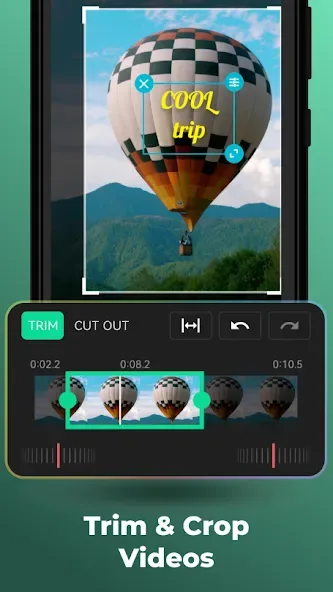
Video processing is important to help you shorten the length properly, focus on what’s important, and optimize the duration effectively. You can use basic features like trim, merge, cut, and more to process videos accurately and reduce the amount of space needed to upload. The application interface is also designed to be user-friendly and accurate, promising to help you make a big difference while processing videos with high precision and specificity without damaging the overall content.
APPLY NUMEROUS VIDEO FILTERS
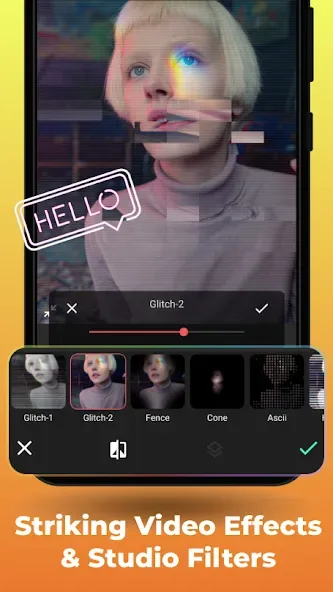
Filters will make your videos stand out as they are designed automatically and save the necessary time. You can also combine filters to create unique and creative results, thereby unlocking more potential from filters. You can customize the filters to your taste and prioritize some of the filters you need so you always create featured videos. In addition to filters, you can add many other materials to take advantage of or promote the inherent capabilities of filters on videos.
UNIQUE VIDEO EFFECTS FOR CAPTIVATION
Video effects also play an important role in grabbing the viewer’s attention and dramatically impacting scenes or more. The system will have an extensive library of effects with countless variations or styles, and you will be fully supported in adding effects to make the video perfect. In addition, you can create your effects with available materials and show your difference by creating unique videos with endless creativity.
GET YOUR HANDS ON FREE STYLISH FONTS
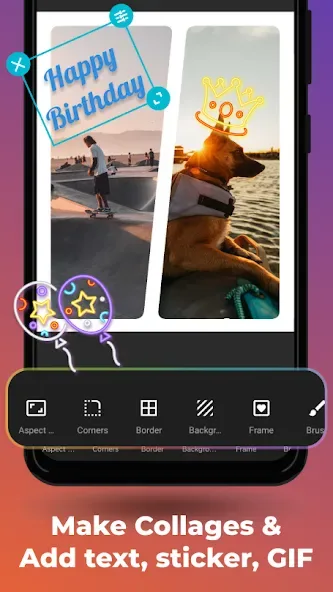
Art fonts are vital resources for highlighting your videos while conveying certain messages or creating mesmerizing collage photos. The customization system also allows you to interact with each content precisely without affecting the overall content or anything related to the text. You can also copy resources from other videos and use them directly in your work, and bring a unique style or accent to every video in an attractive way.
Tips for Users:
Efficient Video Management: With options to trim, cut, and delete sections of videos, AndroVid Pro ensures that users can refine their projects efficiently, focusing on the most important content without distractions.
Plan Your Edits: Before diving into editing, consider the key moments you want to highlight in your video. This foresight will make it easier to use the trimming and cutting tools effectively.
Experiment with Effects: Don’t hesitate to try different filters and effects to see which combinations enhance your video best. AndroVid Pro allows for easy adjustments, so feel free to be creative.
Check Export Settings: When exporting or converting your videos, double-check the resolution and format settings to ensure compatibility with your intended platform, resulting in optimal playback quality.
Conclusion:
Another great feature of AndroVid is the ability to convert your videos to other formats. This function, though only available with the PRO version of the application, enables you to convert your videos to formats like FLV, MP4, MP3, MPEG, and so on. AndroVid is a powerful video editor you can use to cut any video, add captions, apply filters, and much more.








