
VLC is a comprehensive media player software. This application boasts a clean and user-friendly interface and perfectly synchronized subtitles, supports all file formats, and allows users to fully enjoy their favorite movies and TV shows. With VLC, you can browse by folder, album, artist, or genre, easily finding and playing the content you need anytime, anywhere. The application also offers unique gesture control options; simply swipe or tap the screen to easily adjust volume and brightness, and quickly browse videos. Furthermore, the application provides personalization options; you can change the player's appearance with skins, and even create your own skins using the skin editor.
Highlights:
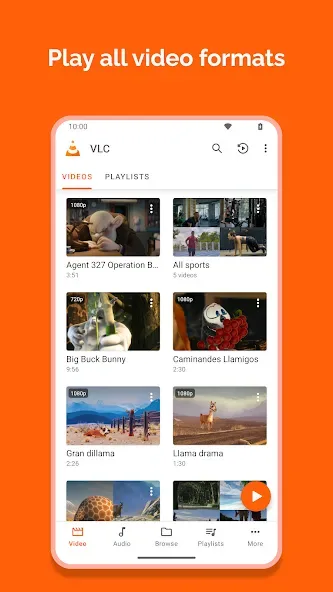
VLC plays most local video and audio files, as well as network streams (including adaptive streaming), DVD ISOs, like the desktop version of VLC. It also support disk shares.
All formats are supported, including MKV, MP4, AVI, MOV, Ogg, FLAC, TS, M2TS, Wv and AAC. All codecs are included with no separate downloads. It supports subtitles, Teletext and Closed Captions.
VLC has a media library for audio and video files, and allows to browse folders directly.
VLC has support for multi-track audio and subtitles. It supports auto-rotation, aspect-ratio adjustments and gestures to control volume, brightness and seeking.
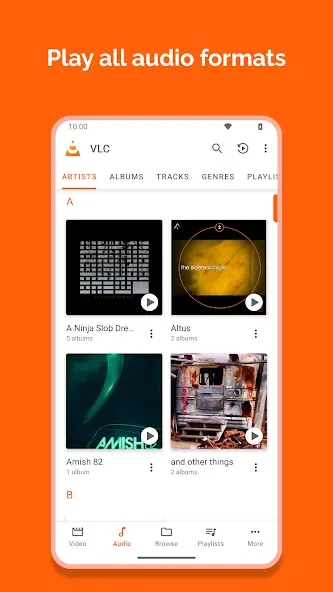
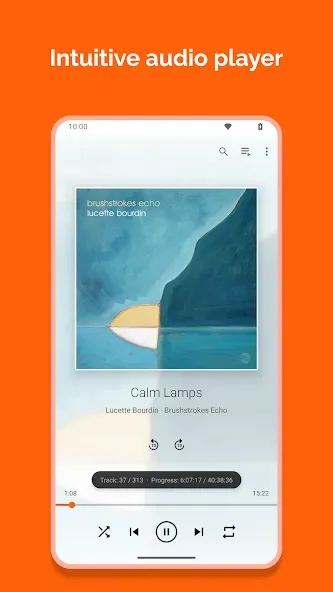
It also includes a widget for audio control, supports audio headsets control, cover art and a complete audio media library.
Features:
Plays all files, in all formats, like the classic VLC.
Audio and video media library, with full search and history.
Support for network streams, including HLS and Dash.
Support for NAS and shared drives browsing.
Supports Android Version 2.2 (platform-8) or later for older versions.
Supports Android Version 4.2 (platform-14) or later for current version.
Supports ARMv7, ARMv8 / AArch64, MIPS and x86.
Support Android TV.
Support Chromebooks.
Tips & Tricks:
Plays most formats with built in codecs
VLC Media Player opens common and niche formats without extra downloads. You can play MKV, MP4, AVI, MOV, Ogg, FLAC, TS, M2TS, Wv, AAC, and more using the codecs included in the app. This helps you avoid hunting for plugins and keeps setup simple. Files stored locally or on removable storage open the same way, so playback starts quickly.
Network streaming and home shares
For network playback, you can open HLS and DASH links directly from the app. VLC Media Player also browses network shares and drives, which makes it easy to reach media on a NAS or a home server. It plays DVD ISO images without conversion, so archived discs remain accessible on your phone or tablet. This approach works well for both quick links and long term libraries.
Full audio player with library and controls
Beyond video, the VLC player app manages your music with a built in media library and cover art. You can fine tune sound with a ten band equalizer and audio filters, then control playback from headset buttons or an audio widget on your home screen. This keeps common actions within reach while you are on the go. Playlists and library browsing keep longer sessions organized.
Subtitles and multiple tracks
When captions are needed, VLC Media Player supports subtitles, Closed Captions, and Teletext. You can switch between multiple audio and subtitle tracks during playback, including tracks from external files. This is useful for multilingual videos or alternate commentary. Loading a local SRT file or choosing an embedded track takes only a few taps.
Chaneglog:
- Equalizer fixes
- Remote access: allow playing audio media in the browser
- Add back the deletion for multiple file sin the browser
- Update the remote access OTP code length
- Improve the feedback UI
- Add more size options for the subtitle size
- Crash fixes
Conclusion:
Finally, you find advanced features you can turn on or off. For example, you can enable hardware acceleration so that the videos you play consume less battery power. You can also deactivate it if you want greater stability or have problems playing any particular content. If you're looking for a simple and complete player for Android, downloading the VLC APK is one of the best options.








