
TapScanner is an excellent document processing application. It offers powerful features, capable of scanning various documents and outputting them as PDFs for convenient use. With TapScanner, users can process PDF files directly on their phones, including merging related files, splitting large files, reordering pages, rotating pages, compressing PDFs, and formatting documents into more user-friendly formats. Furthermore, the application integrates scanning and PDF processing into a single mobile workspace, allowing you to manage common document tasks in one place.
Click to load YouTube / 点击加载视频
YouTube ↗Highlights:
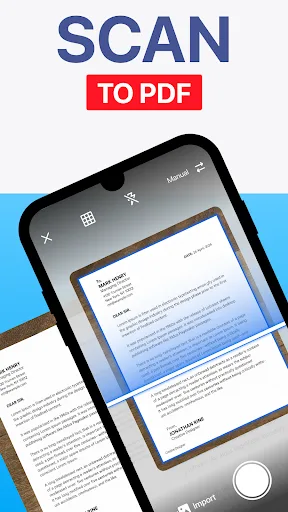
Accurate Conversion: This app can convert images that users scan in real life into PDF versions, and it can also turn PDF files into editable files. The converted version was praised by many people for being quite accurate.
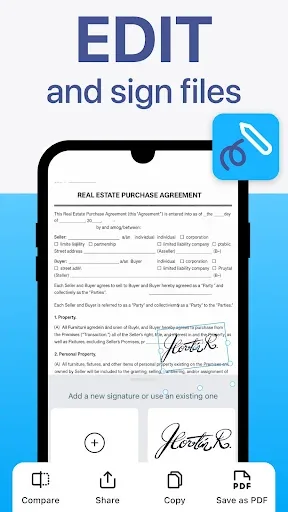
Text Extraction: Users are not only allowed to convert a file to text to edit it, but they can also use that file and share it with others.
Searchable Documents: However, the best benefit of this feature when converting PDF files to text files is that it allows users to use the searching tool. From here, users can search for keywords and find the paragraph they are looking for more easily.
Automatic Borders: Excess borders that users accidentally scan will be automatically detected by the app. Later on, the app will provide a treatment plan for that border.
Time Savings: This really saves a lot of users’ time because now they don’t need to do those things themselves anymore; the app will do it completely automatically.
Polished Scans: The result of this feature is to give users the best possible version by making it neater and cleaner.
Features:
MODERNITY OF APPS
Image quality will make you worry that it will crack or reduce sharpness, but don’t worry about that anymore. Owning TapScanner right away will bring that fear to zero, even helping your photos become sharper and clearer. Traditional PDF conversion will take a lot of time, even affect some of your storage. It will become more cumbersome, and the storage is not really satisfactory; moreover, scanning directly from a lesson plan, a summary, the computer will not be able to do.
Keeping up with that trend, the application has integrated the necessary things to create such greatness. Both can be used on your smartphone and convert to PDF, making the image quality even more unique. The application is fast, compact, and efficient to meet the needs of each user. Moreover, the application is being completely updated every day to give users a more objective view of this unique conversion.
SALIENT FEATURES
The app is suitable for a variety of smartphone devices for a unique effect. Initially, TapScanner has a performance improver that shows it is growing and asserting its own charm. The utility application allows users to scan documents, receipts, or even business cards. Catch up on images quickly, and there’s no blurriness when converted to PDF.
After scanning, the images will be immediately converted to PDF and stored in a closed folder for each user’s work and necessary purposes. After shooting, it also detects the border and covers our image to help us save time cutting margins and editing. Customize each color, different sharpness to serve your photos. It can also use colors to highlight your documents instead of using black and white.
AUTO CONTROL DETECTION
While scanning documents, what worries you is that redundant details will appear in your documents. Still, with TapScanner, it will automatically detect the outline of the document materials and clean handling of unnecessary details. That advantage will help the document after being cleaned more easily to back it up. In addition, with the details in the document that you want to delete, you can also use manual deletion to make it more perfect and satisfactory.
EDIT IMAGES WITH DIFFERENT FILTERS
The documents after scanning are so clear and complete, thanks to the filter of TapScanner. The image is clearer and easier to see with brightness, clarity, contrast, saturation, and warmth adjustment modes. Based on your naked eye, adjust the parameters of the above effects so that the document is bright enough, not too dark or too bright.
FAQs:
Can I convert images to different file formats using TapScanner?
Yes, TapScanner allows you to convert images to high-quality PDF and PNG text formats for efficient document management.
Is TapScanner available in multiple languages?
Yes, TapScanner is a multilanguage application, making it accessible to users from different countries and regions.
Can I scan and print documents directly from my mobile device?
Yes, TapScanner allows you to scan documents using your device's camera and quickly print them out, eliminating the need for complex printing processes.
Final Words:
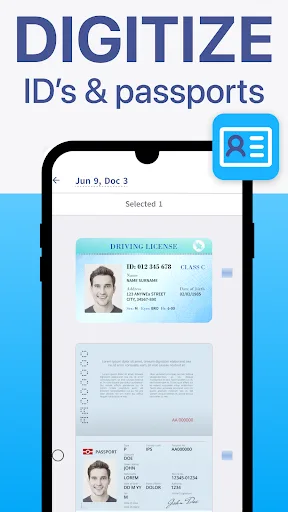
Download Camera Scanner To Pdf - TapScanner's APK for Android if you want to professionally scan any physical document and digitize it, in seconds, from the comfort of your smartphone. You can even use it to identify plants, so you won't have to download other specialized apps such as PlantIn.








