
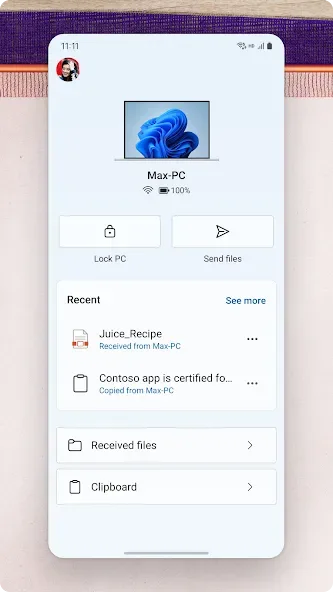
Link to Windows is a powerful utility app designed to enhance connectivity between Android devices and Windows PCs, allowing you to link your phone directly to your computer and use your favorite features right from your desktop. With Link to Windows, you can say goodbye to the hassle of emailing photos to yourself or constantly switching between devices; instead, you can view and reply to text messages, make and receive calls, manage notifications, and use your favorite mobile apps directly on your PC. Whether you are browsing social media, checking emails, or playing games, you can access and use your Android applications right on your computer.
Click to load YouTube / 点击加载视频
YouTube ↗Features:
Text and chat from your PC
Link to Windows lets you view and reply to SMS and MMS directly on your PC. You can keep up with chats and send emojis, GIFs, and media files without unlocking your phone. This reduces interruptions while you work. As conversations update, messages stay in sync between the phone and the computer.
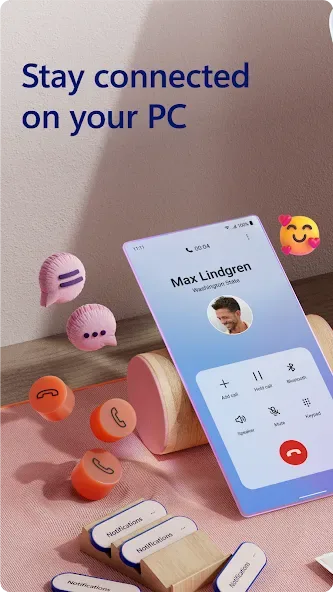
Make and receive calls
Next, you can place and answer phone calls from your computer. Call history appears on the PC so recent numbers are easy to find. For calling to work, ensure Bluetooth is enabled and connected on both devices. This approach keeps voice tasks in one place during busy moments.
Manage notifications with control
You can see, pin, and dismiss Android notifications from your PC. Customize which apps may alert you, then enable Do Not Disturb to pause nonessential messages. This helps you triage alerts quickly without reaching for the phone. Important notices remain visible while less urgent ones can be muted.
Access recent photos and move them easily
Link to Windows provides instant access to your latest photos. You can drag and drop images into emails, documents, or other apps, or copy and paste when needed. This is useful when building a slide deck or sending an update. Transfers happen directly between devices without cables.
Use mobile apps on your PC
Finally, open and interact with favorite mobile apps on your computer. Use keyboard, mouse, or touch to control your phone experience from the desktop. On select Samsung, HONOR, and Surface Duo devices, deeper integration enables features such as Phone screen, Apps, cross device copy and paste, and file drag and drop.
Tips and Tricks:
Familiarize Yourself with Navigation: Take some time to explore the app and understand how to navigate between different features and functionalities. This will help you make the most out of the app and enhance your overall experience.
Customize Notification Settings: Adjust the notification settings in the app to receive only the notifications that are important to you. This way, you can avoid unnecessary distractions and stay focused on your work or other activities on your PC.
Utilize Drag and Drop Functionality: Make use of the drag and drop feature to seamlessly transfer files between your PC and phone. Whether it's photos, documents, or music, you can quickly move them without the need for any cables or additional software.
Optimize App Layout: Organize your favorite mobile apps on your PC for easy access and improved productivity. Create shortcuts or pin frequently used apps to the taskbar for quick launching.
FAQs:
Is the Link to Windows app compatible with all Android devices?
No, the app is integrated with select Microsoft Duo, Samsung, and HONOR phones for an even better experience. You can find the full list and breakdown of compatible devices and capabilities on the aka.ms/phonelinkdevices website.
Do I need to download additional apps from the Play Store to use the app?
No, there is no need to download any additional apps. The app comes integrated with select devices, making it easy to find and access in the Quick Access tray on your Android phone.
Can I use the Phone Link features on any Windows PC?
Calls require a Windows 10 PC with Bluetooth capability. Other features such as drag and drop, Phone screen, and Apps require a compatible Microsoft Duo, Samsung, or HONOR device.
Changelog:
- New UX for the app! We've launched a friendlier, more accessible experience so that you can more easily find the apps you need.
- Minor wording changes to make the experience more understandable.
- Bug fixes.
Final Words:
When you click on any of the ‘install’ buttons, Link to Windows will automatically redirect you to Google Play where you can download the app. In other words, Link to Windows doesn’t actually let you download anything. But, the app is really useful to find out when the apps need to be upgraded. Link to Windows is an app that could use some improvements because it just basically offers direct access to the Google Play list of apps.








