

vFlat Scan is a text scanning tool. Upon launching the app, users are guided through the process of easily scanning data and quickly organizing scanned documents. It features superior OCR (Optical Character Recognition) technology and keyword search capabilities. Users can export high-quality PDFs, optimize file sizes, and convert files to other formats. The app also offers book page correction, removes color casts and traces of fingers, and supports text-to-speech. It produces watermark-free results (though it does contain some intrusive ads) and serves as a versatile, all-in-one application that provides comprehensive assistance to users.
Function
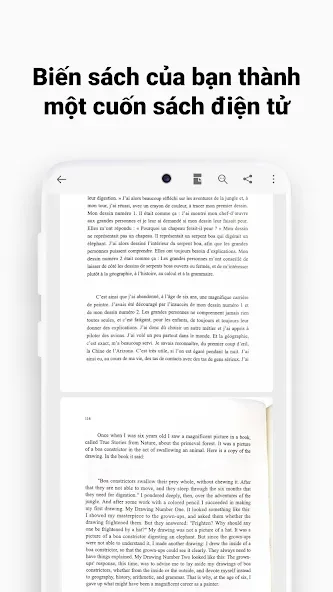
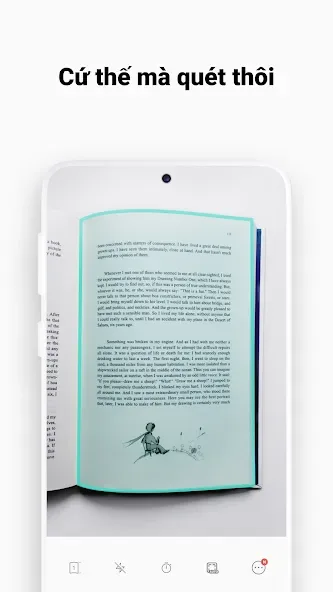
Straightforward, guided process to scan books.
Improved scanning quality by removing shadows, page curve, color, and the user's finger.
Organize your scanned documents.
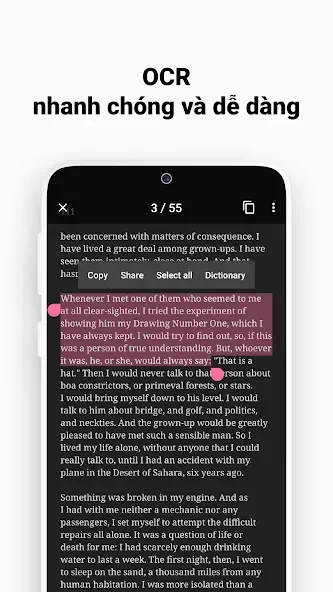
vFlat includes excellent OCR technology.
The resulting documents are editable and searchable.
Highlights
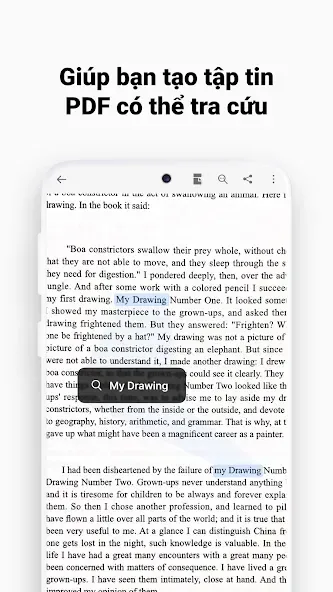
SEARCH SCANNED DOCUMENTS
The application not only recognizes text quickly and free of charge, but can also simply scan documents. You can choose the important keywords you want to search for, and the application will scan and provide document sources for you to refer to. Besides, the application also allows you to upload images of documents, scan them and provide necessary suggestions to serve your search needs.
Search Keywords in Scans: In a document file, there are important keywords whose location you want to find. You can enter that keyword, and the application will search for you.
Quickly Find Relevant Files: The application allows you to enter keywords and it will analyze the data to come up with interesting related references.
EXPORT HIGH-QUALITY PDFS
A special feature that cannot be missed in this application is the quick export of PDF files without leaving typical traces. Normally, when exporting PDF files, normal applications will have to identify annotations at the end and make the text rigid, but this application says no to that. The application maintains the image quality in the PDF file and exports and compresses the file to make the sending process faster.
Retain Image Quality in PDFs: After scanning the text, the application will suggest whether you want to save it as a new image or PDF.
Optimize PDF File Size: The application allows you to convert this PDF file to many different formats, compress the document if the size is too large, and export it easily.
BOOK PAGE CORRECTION
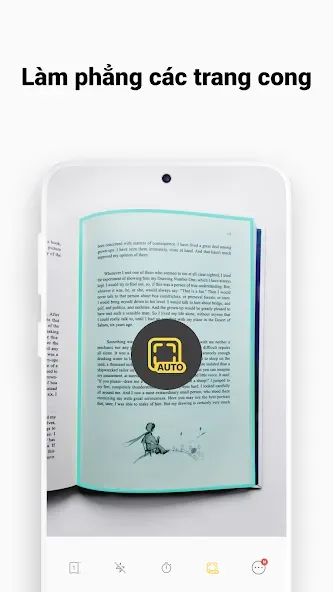
The scanning process becomes simpler and faster thanks to this application. For document pages that are bent or have dirty spots, the application will professionally scan them based on the mobile camera. Besides, when users use their hands to hold book pages or documents, the application allows you to remove fingers from scans as well as fix book corners to become more professional. Users have the power to scan several hundred pages at a time, and the application only takes a few seconds to convert to export data quickly.
Flattens Curved Pages: The application aligns the book pages, prompting you to adjust the camera direction so that the quality of the received PDF meets your goals and expectations.
Erase Fingers from Scans: The application allows you to erase fingerprints on book pages, erase stains in books, and create a quality PDF file.
More features
Finger Removal and Color Enhancement: These features help produce neat, distraction-free scans by removing accidental finger intrusions and enhancing color fidelity, resulting in professional-grade digital copies.
Text-to-Speech: vFlat Scan includes a text-to-speech module, enabling users to listen to scanned content—a helpful accessibility feature for those who prefer audio or are visually impaired.
Translation Support: Users can translate extracted text, though integration relies on having the Google Translate app installed.
Customization & Backup: With dark mode, adjustable scan quality, and customizable page order, the app supports a personalized scanning experience. Backup and restore functionality helps protect your archived scans.
Advantages and disadvantages
Pros
No watermarks or intrusive ads
Precise OCR for converting images to editable text
Finger removal and color enhancement tools
Batch mode and two-page scanning support
Accessible text-to-speech and translation features
User-friendly interface and organization options
Cons
OCR limited to 100 pages without purchasing credits or watching ads
Translation function requires separate app installation
Summarize
vFlat Scan – PDF Scanner, OCR is an app that lets you scan various types of documents, such as books, notes, IDs, and QR codes, and save them as PDF or JPG files. You can also use the app to convert images to text using its OCR feature.








