Send Anywhere is a file transfer assistant tool. It can transfer any type of file without altering the original file's state. A 6-digit key is required for file transfer. It can transfer files to specified devices via an encrypted channel. It requires read/write permissions on the user's phone, as well as some Wi-Fi file sharing permissions. Transfer speeds are very fast, especially locally. This application is fast and convenient, with a simple interface that allows users to quickly get started. It's a clear and practical software with powerful features.
Features
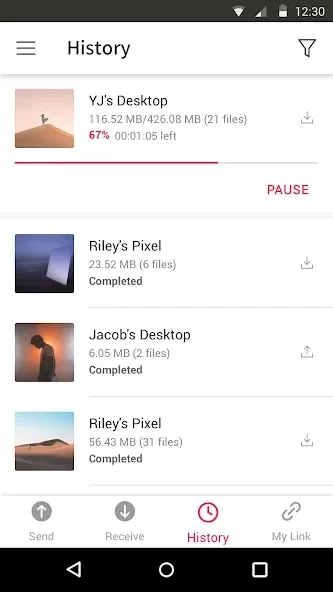
Transfer any file type without altering the original
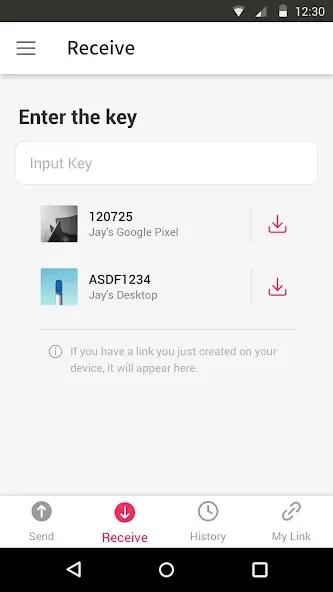
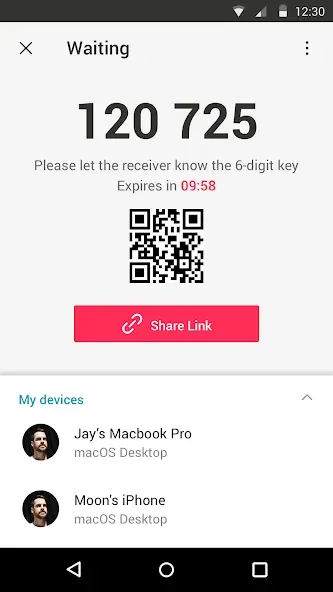
All you need is a one-time 6-digit key for an easy file transfer
Wi-Fi Direct: transfer without using data or the Internet
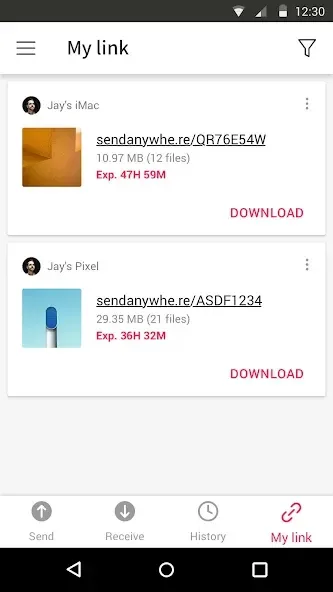
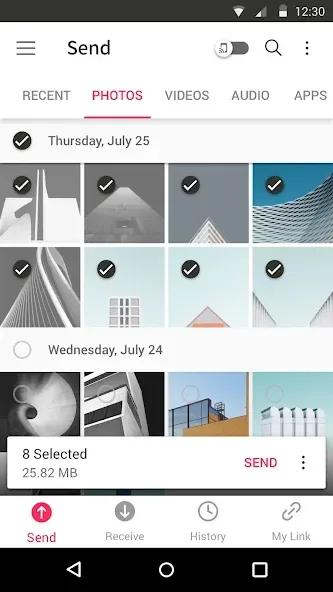
Share files to multi-people at once via a link
Transfer files to a specific device
Reinforced file encryption (256-bit)
Permissions
Write Internal Storage(Required) : To store files that are in internal storage through 'Send Anywhere'
Read Internal Storage(Required) : To send files stored in internal storage through Send Anywhere.
Access to location: To share files by using Wi-Fi Direct that through Google Nearby API.( Bluetooth may be turned on to find and identify near devices, so it may request Bluetooth permissions.)
Write External Storage : To store files that are received through Send Anywhere in external storage (SD Card).
Read External Storage : To send files stored in external storage through Send Anywhere.
Read Contacts : To send contacts stored in your phone.
Camera : For being able to receive files via a QR Code.
Advantages and disadvantages
Pros
Very fast transfers, especially over local Wi-Fi
Handles large folders and multi-gigabyte batches reliably
Works across Android, iOS, and PC laptops
Can share any file type without altering the original
Option to send to specific devices or multiple people via link
Ads are present but not overly intrusive
Cons
Requests many permissions, including storage, location, contacts, and camera
APK sharing across operating systems may not function reliably and raises copyright responsibilities
User comments
I love this app so much beacause it is so quick and easy to use and I use it whenever I need to transfer photos and contacts to a new phone. it's the best app I have used and it even works for iPhones to android which is usually more complicated than it should be
This app is absolutely awesome. It does exactly what it says and it does it really quickly. There are like very little ads and it's straightforward. Good job developer. Works extremely well. Transfer speeds are fast. Does not make you jump through ridiculous hoops like other apps. It just works very well. When I get paid I am going to buy the ad free version just to support. Because this deserves something.
I was having issues backing up larger videos (over 500mb) from my wife's iPhone to our windows computer. I tried another app which was ok, but only sometimes converted them (unplayable). And it was limited use before becoming a paid app. Then I found Send Anywhere. it is like magic. besides solving my original problem, we now use this app to transfer files between multiple devices (iPhone, Android phone, Android tablet, windows 10 computer, laptop). This app handles them all and it's very fast!
Summarize
Send Anywhere is a tool to back up any type of file you have on your device such that it can be downloaded from other devices.a practical app for backing up files, offering a versatile way to send said files to other people.