

AtHome Video Streamer is a remote video monitoring application that utilizes AI and advanced deep learning technology to accurately detect human motion. It enables monitoring from anywhere, allowing users to view live video feeds via 3G, 4G, or Wi-Fi networks. The app features enhanced night vision capabilities and supports two-way audio communication, allowing you to talk to family members in real-time using the camera's built-in microphone and speaker. It also supports multi-view displays, enabling multiple video feeds to be viewed on a single screen. Backed by high-performance cloud services, it ensures comprehensive data protection, making it a highly secure and technologically advanced application.
Features
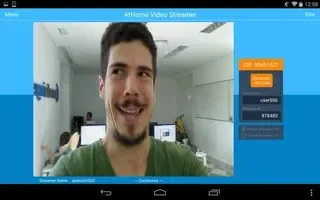
No more false alarms due to advanced AI and Deep Learning technology used to detect motion triggered by humans as opposed to shadows, lights, etc.
Remote monitoring on the go: watch live streaming via 3G/4G or WiFi network from anywhere at anytime;
Enhanced Night Vision: In a lower lighting condition, turn on the "Night Vision" mode will get you a much clear and enhanced video image.
Two-way Talk: communicate with people and pets using the built-in mic and speaker;
Multi-view Display: Watch up to 4 cameras from multiple streamers on one screen simultaneously !
Run at startup and hide on startup: option to run the AtHome Video Streamer in background mode;
Function
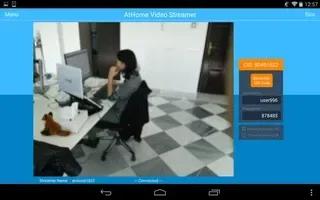
A Highly Secure Cloud Service: Protect all your videos and view them directly in the cloud, enjoy tight security with an easy-to-use interface. All your videos are encrypted before being uploaded to the cloud, preventing critical data being lost of tampered with.
Time-lapse: Time-lapse recording will summarize 24 hours' video into a short video of just several minutes, a faster and easier way to get to know what happened in a day;
Pan/Tilt: remotely control your IP camera left and right or up and down to capture an entire room;
The App runs on PCs, iPhones, smart TV etc.
Secure and private: all connections between your phone and the video streaming device are encrypted.
How to Use
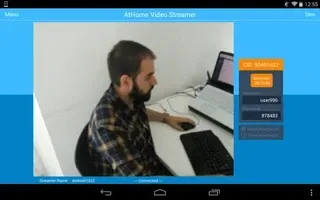
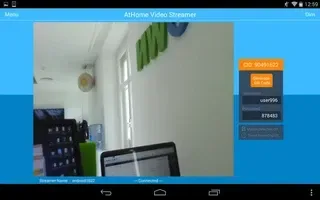
Step 1: Install AtHome Video Streamer App on your Android device. A unique Connection ID (also referred to as CID) will be assigned to the device after the AtHome Video Streamer is launched at the first time;
Step 2: Download and install the viewer app AtHome Camera app onto another device which you want to use as a viewer, open the app, sign up and login;
Step 3: Select "Add by CID" or "By QR Code" to add a camera, you are all set to enjoy the live streaming!
User comments
i find it very easy and hassle free setting this up to work with old smart phones. This particular app is for the phones that are going to act as the camera. One will need another phone with another ATHOME app (the RED house) in order to view. Please keep in mind that both phones need to be connected to internet or wifi. I am using the free version. i love the features. the only trouble i had encounter is keeping the phone (the one use as the camera) standing upright at particular locations.
Awesome app. If it's laggy, it's your internet. I live in a absolutely no service and no wifi area and as long as you have a wifi signal from a hotspot or phone (doesn't have to have connectivity to inet) it still works to record. I think this app is awesome. I was a little upset to see the price hike but, the free options are great and much appreciated!
Apart from the 8 second lag time when using your phone data but very good when using your own wifi. I haven't used other peoples wifi but I am sure it still would be faster then phone data. It is expensive though when using the services available. It is the best freebee I have used so far on my note5 used as the home camera and my ifone xr as the receiver. I would reccomend this app and you can hear the sound and talk to the home camera that can be heard by an intruder.
Summarize
AtHome Video Streamer is an interesting software application that allows a user to convert his or her computer into a live monitoring system. This can be used when one will be away for an extended period of time or if a young child needs to be supervised while a parent is not in the same room. There is no charge to download this virtual camera.








