

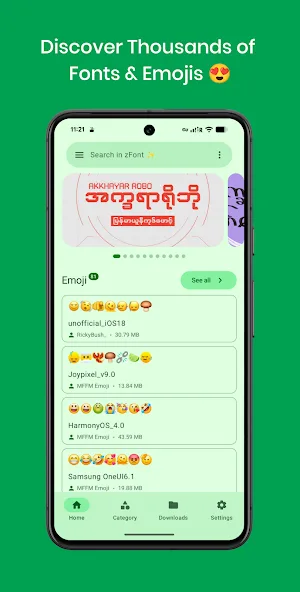
Zfont 3 is a font utility that allows you to easily change the fonts on your Android device without requiring root access. It features a vast built-in font library, supports custom fonts, and offers options to switch between different emoji styles. The app is easy to install and features a user-friendly interface that helps you get started quickly; it also allows you to preview fonts before applying them. Beyond simply setting fonts, the app enables you to export fonts for use in other applications. It is compatible with a wide range of Android devices and brands, and includes regular updates as well as community interaction features.
Features
No Root Required
Change fonts on your Android device without root access, compatible with most Android devices
Extensive Font Library
Access thousands of fonts directly in the app, with regular updates and new additions
Custom Font Support
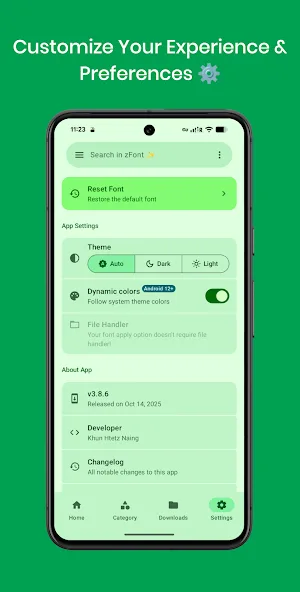
Import your own TTF/OTF font files and apply them system-wide with just a few taps
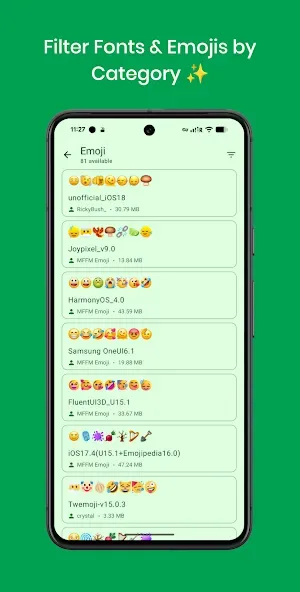
Emoji Replacement
Replace your boring stock Android emojis with stylish alternatives like iOS, Twitter (Twemoji), and more
Easy Installation
Simple, guided process to install and apply fonts with a user-friendly interface
Font Preview
Preview fonts before applying them to ensure you get exactly the look you want
Highlights
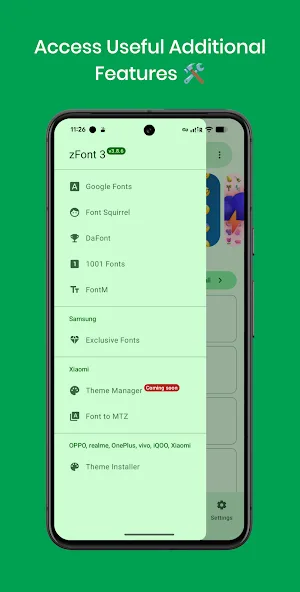
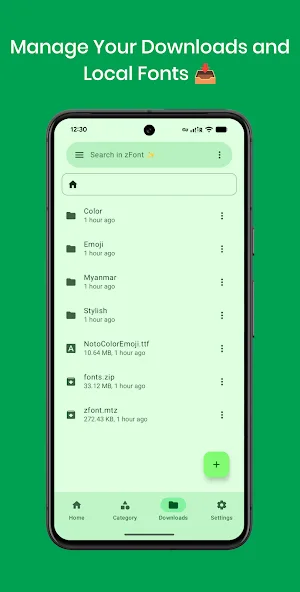
The app extends beyond bundled repositories with an import function that allows users to add emoji sets and font files from any source, provided they're compatible with the app's supported formats. This freedom from the developer's pre-selected collections grants greater control over device appearance, though users remain responsible for verifying file compatibility and ensuring proper formatting for their specific device model and Android version.
For users with root access to their devices, zFont 3 offers the ability to create systemless modules that apply emoji and font changes at the system level using Magisk, KernelSU, or APatch frameworks. These module systems integrate customizations into the system stack without modifying the device's core partition, enabling device-wide changes while maintaining integrity and stability. Users without root access are limited to user-level customization, where changes affect how third-party applications and user-facing interface elements display emojis and fonts, while fundamental system components and protected services remain unaffected by the customization.
Beyond simple device customization, downloaded fonts can be exported from zFont 3 for use in design applications and video editing software. Users can apply the same fonts they've customized on their device to creative projects, creating continuity between personal device styling and professional creative work.
Advantages and disadvantages
Pros
Wide support for popular Android brands and models
Highly organized and extensive font and emoji library
Comprehensive guides and built-in preview feature
Supports a variety of languages and stylings
Regular updates and community support
Cons
Compatibility issues with some older or restricted devices
Ads may disrupt navigation
User comments
To all those having problems using the app, it's quite easy now. Open zfont, download or choose your font, apply it . if you are using infinix go to xtheme and touch the three lines at the top left, you will see fonts, touch it and apply mikota or Alismag depending on what they show you and your new font will be added automatically to your device, same with all phones just go to your font and you will see the font you downloaded. kudos, five star ratings.
Amazing app but I can no longer apply any custom fonts as of late May 2026 knowing that I have Samsung Galaxy A54 android 16 one ui 8.0. I hope there will be a solution to new devices and versions one day. There's no need to give 1 star to the app, it's not their fault that the fonts no longer work.
EDIT: It was a good run. Unfortunately it no longer works for me. Thank you for the years of your work. Appreciate it. ? THIS IS TO ALL THE PEOPLE WHO ARE CRYING...I have a Samsung Galaxy S24 Ultra. Find the font you want, download it. When installing, select "auto" then the checkmark on the bottom right. A warning will pop up, click "install anyway." Exit the app. Go to "settings" then "display" then "font".....annnd bingo, fonts are all here. Quit hating on the developer. Oh, & youre welcome.
Summarize
zFont 3 is a tool you can use to change the font on your Android with total ease. From the fonts available, you just have to choose the one you like most to apply it to the different screens on your smartphone. Moreover, the app is compatible with many leading manufacturers like Samsung, Xiaomi, and Huawei.








