

Lucky Patcher is a software and game modifier designed for mobile devices. It allows users to modify functions and permissions to suit their needs. The software also includes modified versions of many commonly used apps; users can simply enter keywords to find and download the corresponding content to their devices. It helps users easily unlock various game currencies, remove video ads and pop-ups, and change the icons and permissions of different apps to meet personalized usage needs. The software is also highly compatible, able to be installed and run on any Android device.
Click to load YouTube / 点击加载视频
YouTube ↗Features of Lucky patcher:
Guided scan and action indicators: Lucky Patcher analyzes installed apps and highlights what you can do with each one. Color or label indicators help you understand actions at a glance, and tapping an app opens a detailed menu with available tools. The tool encourages making a backup before any edit, then testing results and restoring if needed. Using the Lucky Patcher latest version improves detection accuracy and compatibility.
Ad removal options: You can target ad components on selected apps and games to reduce interruptions on supported titles. The tool explains what type of ad handling is available so you know what to expect before you apply changes. Results can vary by app update or build, so retesting after updates is recommended.
License checks and in app billing handling: On supported titles, Lucky Patcher can try to handle license verification and certain in app billing checks. The app presents patch choices when available and guides you through applying them. Because updates to a game or app may change the way checks work, some patches can stop working until new instructions or patterns are available.
Permission edits and system app control: You can review and edit specific app permissions so you manage what an app can access. On rooted devices, deeper management becomes possible, including disabling or removing some preinstalled system apps where the device allows it. Without root, permission edits and component tweaks may still be available on many apps, but system level removal usually requires root access. The app encourages careful testing after any change.
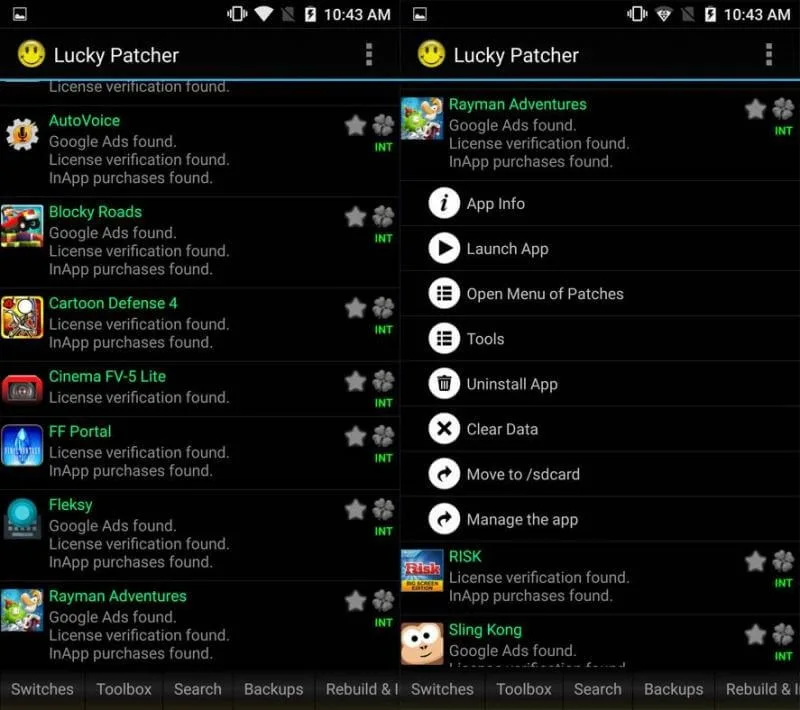
Functions of Lucky patcher:
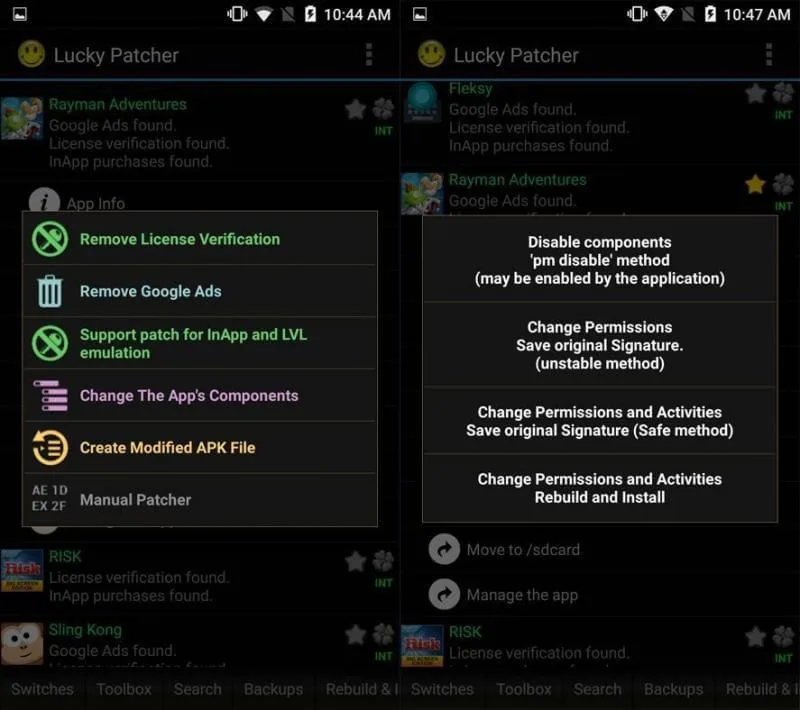
Delete License Verification: With this feature, you can remove license verification from premium apps and games. This is useful if you want to use an app or game without having to pay for it.
Remove Google Ads: In-app ads and banners can be irritating. This application lets you remove them so you can enjoy your app or game without any interruptions. It also saves you data because ads can use a lot of data if you’re not connected to Wi-Fi.
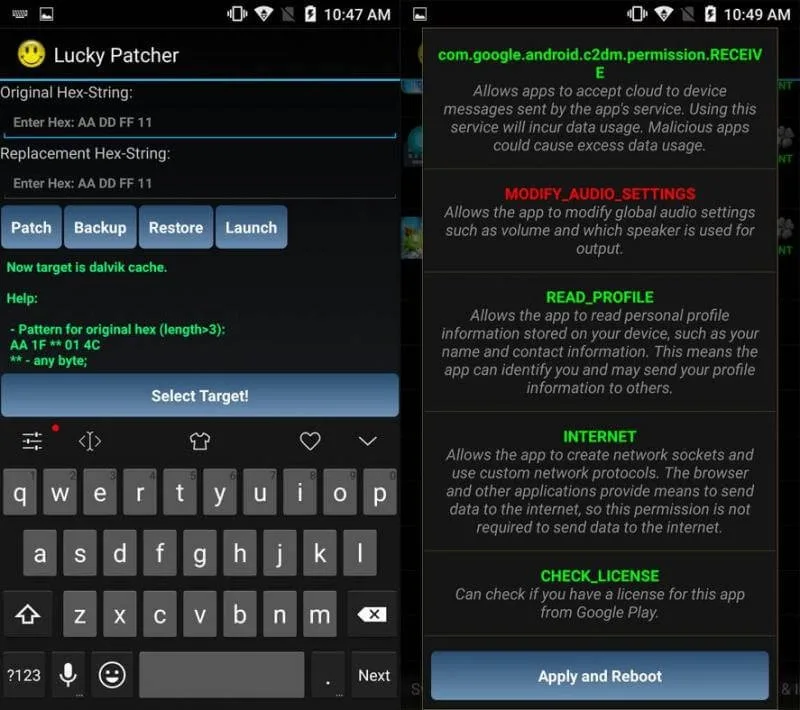
Modify App Permissions: As we mentioned earlier, you can use this app to control which permissions an app has. You decide which information an app can access on your device.
Create Modified APK Files: You can use this app to create modified versions of apps and games. For instance, you can create a version of an app with ads removed or create a game with unlimited in-game resources.
Backup and Restore Apps and Games: With this app, you can back up apps and games so you can restore them if you ever need to. This is useful if you’re going to factory reset your device or if you want to install an app on a different device.
User Reviews of Lucky patcher:
lucky patcher is great app i use it all the time on my phone and its not rooted either it used to hack quite a few apps from playstore but this had been caught and some apps have updated there android version which lucky patcher uses to bypass the payments. I used to have this meditation app called Glen Harold and it was hackable but now hes clicked onto it or updated his apps android version and now uses google pay system and it can not be patched as far as i know i have tried many time many ways and nothing working.I used lucky patcher yesterday on a NORD VPN and it hacked it perfectly with no issues so in 2025 i would say the app still has potential also good for logo making apps and games built of older android versions.
I been using lucky patcher for years on years it is one of those model things though if you get the wrong version it won't work with what you need it to, from my experience I believe 8 and 11 are the versions I used the most to mod games..you just have to research hard because they did have spam sites I'm going to re download right now on my newer phone that's how I found this thread on Google.
Ah, Lucky Patcher! It definitely had its moment back in 2018/2019. Back then, it was quite the tool for disabling various verifications, modifying apps and games, and even attempting to crack in-app purchases. It's a shame that in 2025, it's no longer compatible with most apps and games. Still, you can give it a try, there's no harm in trying you never know! And yes, installing it and granting root permissions are completely safe.
In 2018-19 not really! Lucky Patcher was at it's peak in 2013-14 it was best patching app ever it was used to bypass every offline games available in PlaystoreIt's sad to see what Lucky Patcher has become same goes with Titanium backup hardly doing anything nowadays.
FAQs of Lucky patcher:
Why Lucky patcher Is Not Available On Play Store?
Answer: Lucky Patcher is a patching tools that can be harmful for other app developers. So, Play Store doesn’t support that kind of apps.
Why Lucky Patcher Is Not Working?
Answer: Lucky Patcher can’t patch many apps and games. So, it will not work sometimes. Again many features don’t work without root access.
Why Does Lucky Patcher Can’t Hack Online Games?
Answer: Online games use their own server to store games data. So, Lucky Patcher can’t modify the games data.
What Is The Actual Purpose Of Lucky Patcher?
Answer: Chelpus made the app just for hobby. His main motives are to help the normal Android users and stop the greedy app developers.
Is Lucky Patcher A Safe App To use?
Answer: Lucky Patcher doesn’t collect any sensible user data. So, it’s safe to use. However you should only download the app from our site. Sometimes Play Store defines the app as harmful because actually Google hates Lucky Patcher!!!
What Is A Custom Patch In Lucky Patcher?
Answer: A custom patch is a unique way to patch many apps and games. It will help you to patch many apps and games easily. You can find recently added custom patch here.
Summary:
If you love an app and use it a lot, you won’t want it damaged, so the solution is provided by Lucky Patcher. For this application, you can turn user applications into a system app. You can also use the app’s backup feature to store information about something you use often. From there, you can easily reuse the data you previously stored.








