

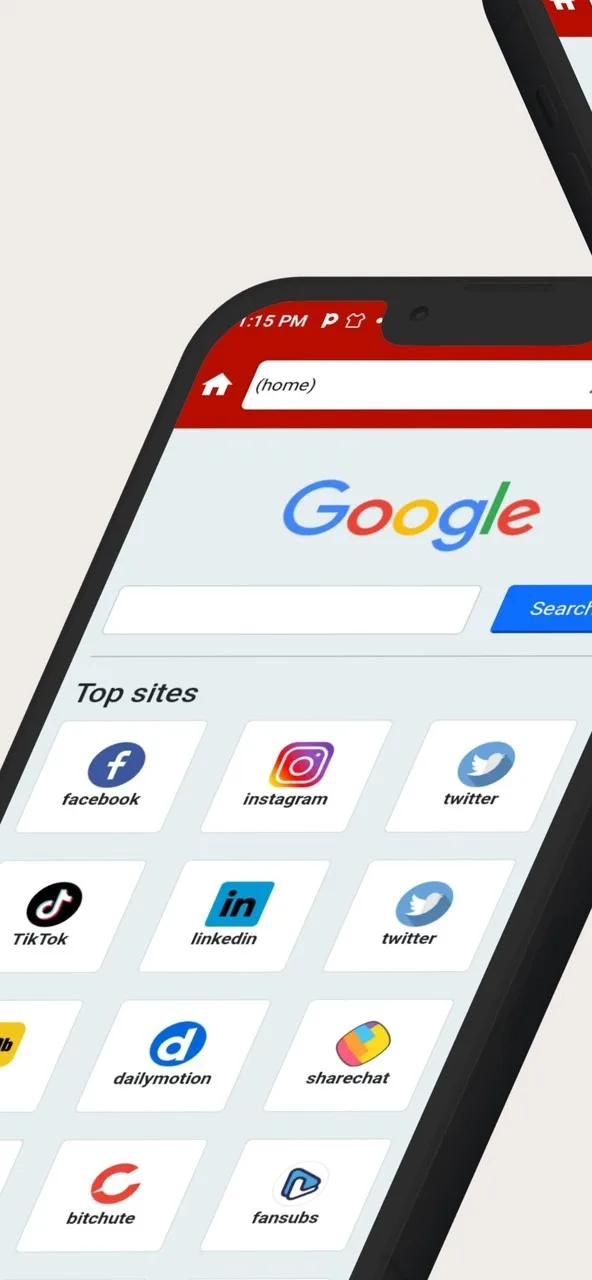
Are you annoyed by the constant ads and pop-ups that appear when you open your browser and software? Then try Ublock Origin Adblocker! This software boasts trap-blocking technology that blocks all types of ad pop-ups and automatically filters various malicious software and fraudulent information, ensuring a safe browsing experience. Not only does it help users save data usage when watching ads, but it also blocks tracking from other websites and third-party cookies, providing a private browsing experience. Furthermore, users can add password protection to important information and files, further protecting their privacy.
Click to load YouTube / 点击加载视频
YouTube ↗Features of Ublock Origin Adblocker:
Filter lists do most of the work: The app checks visited sites against lists such as EasyList, Peter Lowe’s Ad and tracking server list, and Malware domains. These rules identify known advertising servers, trackers, and other unwanted content. Cosmetic filtering then removes associated page elements, including banners and pop-ups, rather than leaving conspicuous empty spaces behind.This approach suits Android users who browse frequently and want fewer interruptions without committing substantial device resources to the task. Most people can rely on the supplied lists, but the ability to create filters makes the app particularly appealing to privacy-minded users who know exactly what they want blocked.
Controls that go beyond banner removal: Whitelisting lets users exempt selected sites, which is useful when a page depends on advertising scripts or when someone wants to support a particular publisher. More advanced controls can block JavaScript and remote fonts, while protection against cross-site scripting adds another privacy and security measure.Those options give Ublock Origin Adblocker more range than a basic pop-up blocker. They also require restraint. Blocking JavaScript indiscriminately can interfere with interactive pages, account tools, video players, or other site features. The app’s flexibility is valuable precisely because its stricter rules aren’t appropriate everywhere.
Effective blocking comes with occasional repairs: No filter system interprets every page perfectly. Some sites may lose necessary elements or display errors when a rule catches more than intended. Non-intrusive ads can also disappear, even if the user would prefer to keep them. Whitelists and custom rules provide a remedy, but resolving a broken page may demand manual adjustment.For readers who want an efficient ad and tracker blocker with room to customize, this is a strong choice. Its broad filtering and relatively light resource demands matter more than its occasional false positives, though anyone unwilling to troubleshoot misbehaving sites may prefer a less aggressive tool.
User Reviews of Ublock Origin Adblocker:
Worked flawlessly on iOS 18 but I upgraded to 26 and it’s slightly broken now. Ads are blocked but it will keep a redirect page in the tab history so if I try to go back it will hit the redirect page and take me to the same page I’m currently on. Inactive tabs will just randomly change to an empty site with some JavaScript text on it related to ublock. Very annoying to deal with, hope it’s fixed soon.
Been my go to on Chrome for a long time and never has failed to keep the annoying ads off my screen. Here on Safari for both MacOS and iOS, the only gripe I have with it which doesn’t make me give it the full 5 stars is that the Adblocker on both platforms doesn’t work when you use Private Windows on Safari despite having the extension to allow it. It only works in regular browsing sessions. When that gets corrected, I’ll update my review and rating.
I used AdGuard before this, without giving it the extra website permissions. It blocked most ads. I tried uBlock without the extra permissions and it actually blocked less ads. However, after giving it access (which I feel comfortable doing given uBlock’s reputation) and setting the block level to optimal it blocks all ads, even on the worst site I use.5/5. Thank you for making this free.
First I want to say that for browsers uBlock Origin is the best by far. However uBlock Origin Lite for Safari has an issue on MacOS where after I checkmark another additional blocklist. It will either perpetually load or the loading circle will disappear, giving the perception that the list has been loaded. But after doing a quit Safari will show that none were saved. Please address this. Thank you.
FAQs of Ublock Origin Adblocker:
What is DNS-level ad blocking?
Every time your device opens a website or app, it first looks up the address of the server it needs to connect to. This lookup is called a DNS query. uBlockDNS checks that lookup against known ad, tracking, and malware domains, and blocks the bad ones before the connection ever happens.
Do I need to install anything?
Not always. Browsers, Android Private DNS, iPhone and iPad profiles, and some routers can use uBlockDNS without extra software. On desktop operating systems and some network setups, you may need the CLI client.
Which devices are supported?
Windows, macOS, Linux, iPhone and iPad, Android, Chrome, Firefox, Edge, and many modern routers and firewalls. Any device that supports encrypted DNS (DNS-over-HTTPS or DNS-over-TLS) works.
Do you support Android Private DNS?
Yes. Android has a built-in Private DNS setting that works with uBlockDNS. Just enter your device hostname. Browsers and iPhones use a URL instead. If you set up the same device on multiple platforms, all activity appears under one device in your dashboard.
Does DNS blocking slow down my internet?
No in normal use. DNS resolution only affects the initial lookup for a domain, typically by a few milliseconds, and blocked domains can resolve faster because no upstream lookup is needed. After that, results are cached on your device and in the resolver. You can also choose the upstream DNS provider that works best for you, which can help overall responsiveness depending on your location and network.
Summary:
The overall experience of using uBlock Origin: AdBlocker app by Ihsankhandeveloper can be positive for users who want to block ads and trackers while browsing the internet on their mobile devices. The app is easy to install and use, and it blocks ads and trackers effectively without using too many system resources. It can improve the browsing experience and provide users with more control over their online privacy.








