

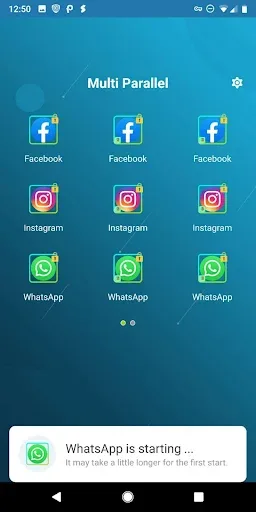
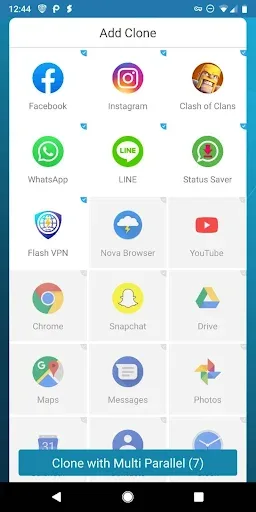
Multi Parallel is a fun and versatile multi-account tool. Designed for users who need to manage multiple accounts on a single device, it offers powerful features that make simultaneous account management convenient. With Multi Parallel, you can clone and run multiple instances of apps on one device, enjoying a seamless experience without the hassle of constantly switching accounts. You can easily toggle between different accounts for social media, games, and even productivity apps—simply open and use them directly, without any complicated steps.
Highlights:
Multi Parallel Apk simplifies the management of multiple social media accounts within a single application. Its intuitive interface ensures ease of use for all users.
The app boasts overwhelmingly positive reviews, highlighting its myriad useful features and functionalities. While some users mentioned ads as a drawback, the option to disable them alleviates this concern.
Downloading and using Multi Parallel Apk is straightforward, offering extensive features tailored for efficient social media account management. Its popularity stems from its ability to streamline users' lives.
This app is a time-saving tool, allowing seamless management of diverse accounts without the hassle of constant logging in and out. With Multi Parallel Apk, keeping track of all your accounts has never been easier!
Features:
Multiple accounts, separate data
Multi Parallel lets you run several accounts simultaneously for social apps and games. Cloned data stays apart from the originals, which helps prevent mix-ups. Common game services inside clones are supported, and regular apps work as expected. Cloned apps run inside Multi Parallel APK, so their information remains isolated. This structure fits users who need clear boundaries between work and personal use.
Quick switching and clear labeling
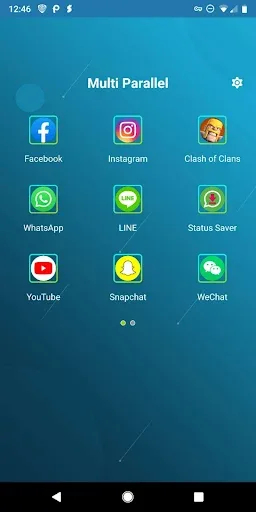
To stay organized, the app creates distinct icons with clone tags. You can move between accounts with one tap. Clear labels and icons make it easy to find the right account when you are busy.
Privacy Locker control
When security matters, set a lock for the main app or lock specific clones. This keeps selected accounts protected if someone else uses your phone. You choose which areas require a passcode before opening.
Lite Mode and resource use
For efficiency, Lite Mode focuses on lower memory and power usage. Multi Parallel stays light and smooth in daily tasks. Add it to your device notification whitelist for reliable alerts, and grant requested permissions so clones run correctly. The app does not collect personal information, and only general usage and device model data are used to improve stability.
Tips and Tricks:
Manage Multiple Accounts: Use the app to easily manage multiple accounts for social networking, gaming, messaging, and more. Access all your accounts at once without the hassle of logging in and out.
Ensure Security: Set separate passwords for each account to enhance security. Multi Parallel's robust security features will protect your personal information and prevent unauthorized access.
Optimize Device Performance: Multi Parallel is a low-volume application that consumes minimal space and power on your device. This allows for smoother performance and efficient use of resources.
Pros & Cons:
Pros
Supports various popular apps and games
Allow for unlimited app cloning
Keeps data separate for each clone
Cons
Slow loading times
Random crashes
Conclusion:
Multi Parallel is an incredibly interesting app. Thanks to this handy tool, you can conveniently manage multiple accounts of any app you have installed on your device. This is especially useful when it comes to using social networks or games, or for anyone who uses their own phone for both home and work.








