

Video Downloader is a video downloader. It includes a built-in browser for online video browsing and a built-in player for playing downloaded media. It supports most video formats. The interface is simple, allowing users to quickly familiarize themselves with its functions. Simply enter the torrent link to automatically detect and download videos. Multi-threaded downloads are supported, and downloaded files can be password protected. The download path can be directly set to the SD card. Downloaded videos support high definition. Users can add their favorite websites and books to the software. It's a very powerful application.
Features
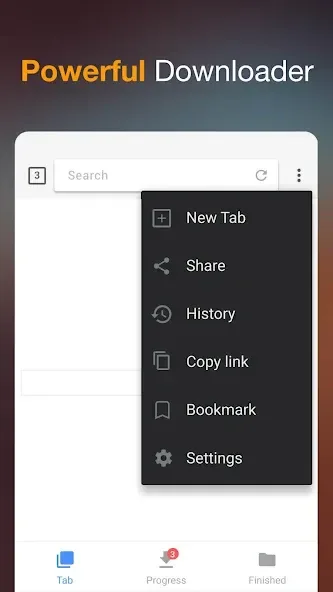
Browse videos with the built-in browser
Play videos offline with the built-in player
All download formats supported, mp3, m4a, mp4, m4v, mov, avi, wmv, doc, xls, pdf, txt, etc.
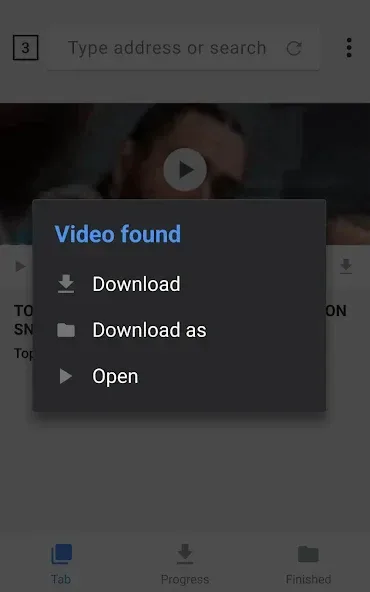
Auto detect videos and easily download
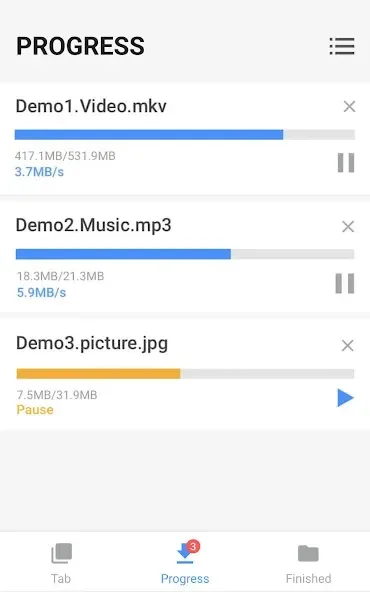
Full-featured download manager to pause, resume and remove downloads
Function
Download several files at the same time
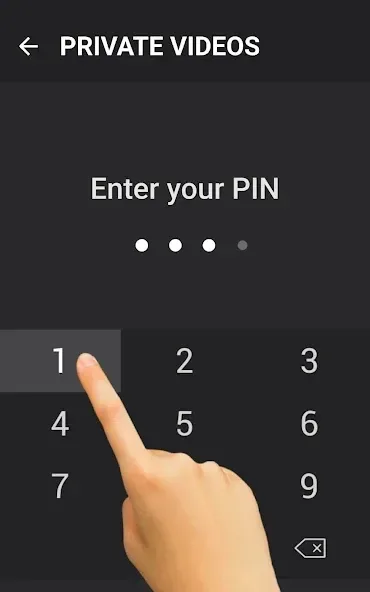
Save downloaded files in a password-protected folder
Download videos in the background
SD card supported
Resume failed downloads
Fast download speed
Check the progress in the download bar
HD video download supported
Large file download supported
Download video, music and pictures
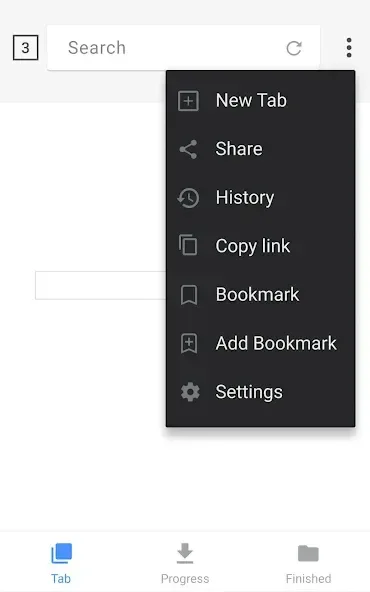
Add bookmarks for your favorite websites
FAQS
Q: What is a Video Downloader Apk?
A: A Video Downloader App (or APK) is an application that allows users to download videos from the Internet onto their devices. It can download online streaming content, such as YouTube or Vimeo videos, directly into your phone’s storage space.
Q: How do I install a Video Downloader Apk on my Android device?
A: Installing a video downloader app on your Android device requires you to enable “Unknown Sources” in settings first before installing any third-party applications outside Google Play Store – this will allow installation without errors due to security restrictions set by default on most devices running stock Android OS versions prior 7+.
Q: Are there any risks associated with using these types of apps?
A: Anytime someone uses software not officially supported nor distributed through official channels, they are taking certain risks related chiefly but not limited to potential malware infections and data loss caused either intentionally or unintentionally.
User comments
The best Video downloader so far, This APP is the simplest and the fastest You'll ever have for video downloading, I only have suggestion for the developer and that is to add an option for you to change where should be the downloaded video will be located, freely choose if it's on other folder or where". But If you're trying to find an app good for video downloading, this APP never disappoints.
This is an awesome app. It downloads videos instantly from different apps, including the Scoopz. However, it needs to be mentioned that it doesn't download Newsbreak or YouTube videos. Other than that, it's marvelous because it downloads fast, easily, and without needing instagram to open. A must for people interested in downloading videos.
Yes it is a nice application with good description and in detail order. This year by the month of July when I installed it there was some message coming that after some days it will be updated. Next week when I open my smart phone a message was showing to update to the next version, so I click on to update something more advanced was coming. Thanks for the kind consideration and have a good weekend.
Summarize
The Video Downloader Apk is an excellent tool for downloading videos online lows. Users to easily and quickly access their favorite content without worrying about downloading or streaming it directly on their devices. With its simple interface, fast speeds, and reliable downloads, this app has become an invaluable asset in many people’s digital lives. Whether you’re looking for music clips or full-length movies, the Video Downloader app can help make your life easier!








