

iScreen is a multifunctional application for Android devices. It offers a variety of lock screen widgets, such as calendars, countdown timers, weather and battery indicators, all customizable. It also features a dynamic island with pets and plants that maintain a consistent appearance, creating a clean and uncluttered space. The software updates its style daily, offering numerous built-in styles, including minimalist, pink, and black. It also includes dedicated DIY tools to add dynamic effects. Users can exchange messages on the app. And the software is free to use.
Features
500+ widgets for Home and Lock Screen
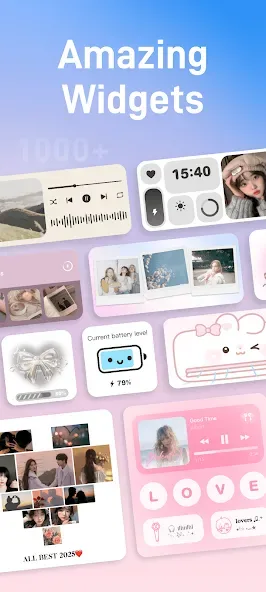
iScreen offers clocks, calendars, countdowns, weather, battery, photo walls, to-dos, and notes, along with digital clock and X Panel widgets. You can also add lighthearted elements like a fan, AC, Ferris wheel, or windmill. Widgets come in multiple sizes and support transparent styles. This range makes it easier to build a layout that fits both daily tasks and quick glances.
Dynamic Island and quick tools
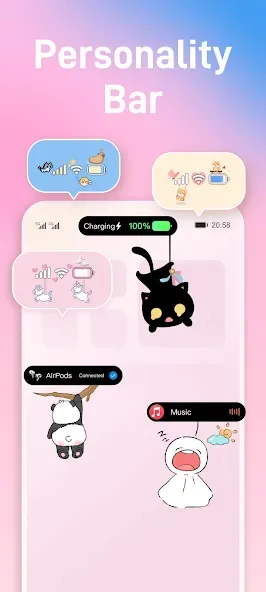
iScreen supports Dynamic Island experiences with pets or plants and themed islands for animations, weather, calendar, or app launching. Control Center customization adds handy tools like Counter, Water Reminder, Dice, Book of Answers, and Quick Launch. You can set custom icons inside these panels for a consistent look. The result is a compact space where you can check status or act quickly without opening full apps.
Themes, wallpapers, and icon packs
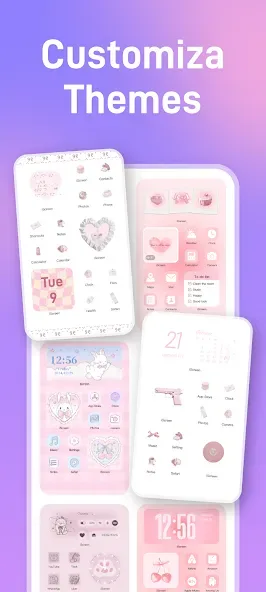
iScreen updates styles every day, including minimalist, Ins style, pink or black themes, paper cut looks, and AI art options. There are more than one thousand 3D space wallpapers for a vivid background library. You can apply matching icons for over 70 apps with a single tap. This helps tie the whole screen together with minimal effort.
DIY creation tools for static and dynamic looks
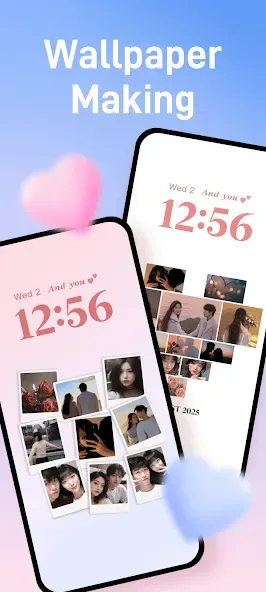
iScreen lets you design wallpapers with templates such as Polaroid frames, heart puzzles, and flip cards. For motion effects, you can use animated marquee and ticker styles. These tools allow quick edits, so you can swap photos, change text, and adjust layouts in minutes. It is useful when you want a custom touch without learning a full editor.
Social, interactive, and extra personalization
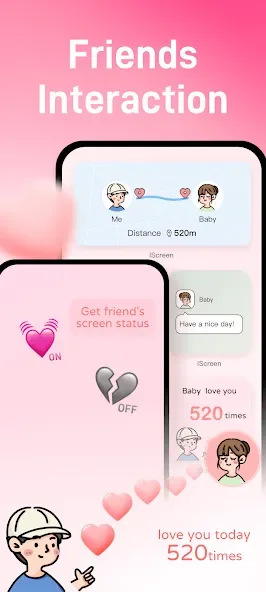
Couple and Close Friend widgets let you exchange messages or photos and check distance right on the Home Screen. Interactive widgets support quick check-ins and small mini games for short breaks during the day. You can also add charging animations, status bar stickers, and place unlimited widgets across pages. Virtual pets and plant growth add a small sense of progress as you use the phone.
How to use
First, open iScreen and grant the requested permissions for widgets, notifications, or weather so information updates correctly.
Next, browse Widgets and pick a style for clock, weather, battery, or to do. Then add it to your Home or Lock Screen and choose a size.
After that, go to Themes or Wallpapers to select a daily style or a 3D space image. Apply matching icons with one tap if you want consistent visuals.
Then, explore Dynamic Island and Control Center tools. Add a pet or plant, and set quick actions like Counter or Quick Launch for frequent tasks.
Finally, try DIY templates such as Polaroid or marquee to create a custom wallpaper. Save your design and set it as the background.
FAQS
What is iScreen?
iScreen is a powerful home screen customization app for Android and iOS, offering widgets, wallpapers, themes, and dynamic island features.
Is iScreen free to use?
iScreen offers a free version with basic features, and a premium subscription for access to all premium content and features.
Which devices are supported?
iScreen supports both Android and iOS devices. For iOS, dynamic island features are only available on iPhone models that support dynamic island.
User comments
The app was fun to use. It has amazing widgets that range from super cute to super functional and the balance between that is perfect. easy to use, free, not many ads, there's no pop up ads on your home screen so you don't have to worry about that! overall 10/10 recommend!
I love this app so much it gives me so many widgets and ideas to put for my wallpaper and widgets the widgets are so interesting and cute while the wall paper are so cute and aesthetic but some off them need VIP and need to watch ad .But even though you watch ad you can't really get it but I love the others that don't have VIP
its rlly good. It works rlly well when paired with the app mico. They both make my screen look RLLY cute while being easy to use. The ads get annoying sure but once you're finished you don't have to open the app again until you wanna change it
Summarize
iScreen APK, developed and published by iScreen, emerges as a captivating game that redefines your digital space. It falls under the genre of casual and customization games, offering users the ability to personalize their home screens with a variety of widgets and themes. This game not only caters to those who delight in personalizing their device but also appeals broadly to creative minds looking to inject a bit of flair and functionality into their everyday digital interactions.








