
BrandSpot365 is a poster creation platform designed specifically for SMEs and designers. By leveraging a wide range of built-in templates and assets, it empowers users to achieve enterprise-level marketing capabilities at a minimal cost. The software streamlines the creative process, offering numerous "magic" features and options—including the ability to create custom templates. Users can easily add various font styles, images, and information to produce high-quality posters, which can then be shared on social media or exported directly to their devices.
Click to load YouTube / 点击加载视频
YouTube ↗Features of BrandSpot365:
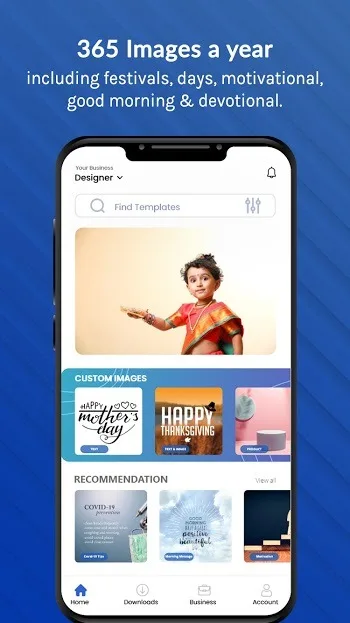
Different categories: The app has thousands of templates that you can readily use for whatever occasion. It has a lot of different categories such as greetings, posts, posters, quotes and more. Basically, whatever post you need for your social media page and site, you can find it here. And you don’t have to worry a lot since the app personalizes these with your logo and brand details.
Install easily: Using an app like this is as easy as downloading any other app! Just download it here, install it and provide the necessary details about your business so the app knows what you might need. Then, you just select from the ready-made templates and download!
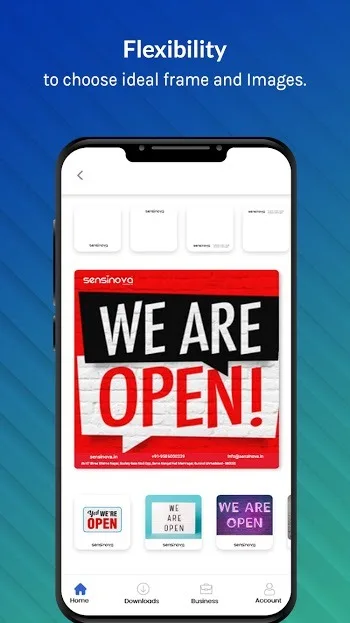
Customizable: This app is perfect for every industry your business might be in. Whether you’re in the business of internet services, real estate, jewelry, solar power, and many more – you can find everything you need here. Engage your online audience now with personalized posts!
User Reviews of BrandSpot365:
I use BrandSpot365 to create posters, flyers, and social media posts. The templates are clean, professional, and super easy to customize. It saves a lot of time — really useful for small businesses! The app offers a wide range of trendy templates, including styles inspired by fashion magazines, movie posters, and ad designs. You can also easily edit the ready-made poster templates. Overall, a great app to use.
BrandSpot365 to create posters, flyers, media posts. The templates are clean, professional, and very easy to customize. It saves a lot of time. Really useful app for small businesses! I've been using.. This app offers a wide range of trendy templates, including styles inspired by fashion magazines, movie posters, and advertising designs. And very clear way.lt also allows you to edit the ready-made poster templates.
BrandSpot365 is a very useful app for creating attractive posters, flyers, and social media content. The templates look modern and professional, and they are very easy to customize according to different needs. I really like the variety of creative designs available, including promotional posts, business posters, and stylish social media templates. The ready-made templates save a lot of time and make designing simple even for beginners. Overall, it is a smooth, convenient.
FAQs of BrandSpot365:
How do I update business details like address, phone number, website, or business name?
Open More → My Businesses → Edit and simply update the fields you want to change—business name, address, phone number, website, etc. After editing, tap Submit to save your updated business profile.
How can I change or upload my business logo?
To update your logo, open the More menu and go to My Businesses → Edit → Logo. Here you can either upload a logo from your gallery or create a new one using the app tools. You will also get an option to remove the background, which helps your logo look cleaner on templates. Once done, just tap Continue to save your changes.
How do I change my business category?
Open the My Businesses section and select Category. You will see a list of industries—simply choose the one that best matches your business type. This helps you get more accurate and relevant templates inside the app.
How do I adjust my logo inside a frame?
Go to More → Business Profile → Edit and choose the frame you want to customize. You can then resize, move, or reposition your logo and other elements inside the frame to fit perfectly. Once the adjustments look good, tap Submit to update your profile visuals.
Summary:
BrandSpot365 also provides Readymade Festival Poster Maker, Readymade Daily Post, Readymade Days Post, Readymade Social Media Post, and Readymade Business Marketing Post with your business logo and details.








