

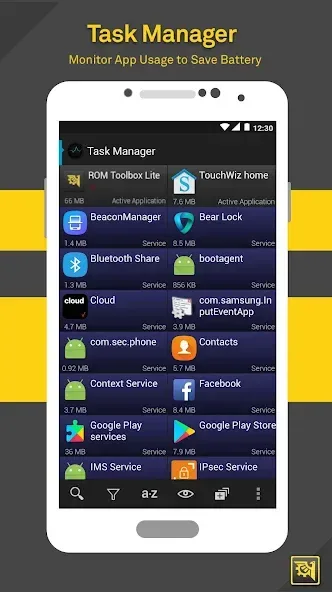
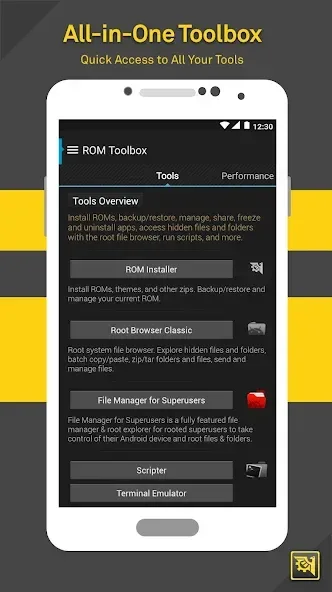
ROM Toolbox is a toolbox for Android devices. It allows for the proper use of root privileges. Within this application, users can freely customize cool boot screens. It features a variety of animation libraries that users can freely customize. The status bar can also be customized, allowing users to add their desired elements. It provides CPU statistics and summaries, allowing users to intuitively view their CPU information. Kernel tuning can improve device performance. It also makes uninstalling and installing software easier.
Features
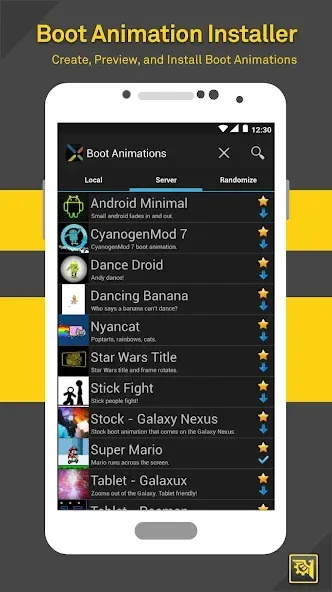
Enjoy the app with awesome boot animations
In addition, for those of you who’re interested in customizing your phone’s boot animations and logo, you can always make use of ROM Toolbox to install new ones. Feel free to select your custom boot animations from the included collections or load them directly from your SD Card. And if you want to, using your favorite GIF file is also a viable option. Or alternatively, choose your random boot animations, which would differentiate each time you reboot your device. And last but not least, with the Boot Logo Changer, you can easily customize your device’s logo as you open it up.
Customize your themes with certain options
And to make your devices look better and more personalized, it’s also possible to make use of multiple customization options in the app. Feel free to choose your favorite options in the included theme library. Customize your Statusbar Icon with certain changes to make your device more unique. Create and install your own themes with many available options. And if you want to, you can always look for new themes in the endless lists on T-Mobile Theme Chooser.
Adjust your CPU with different profiles
For those of you who’re interested, you can easily adjust and make changes to your CPU by having different profiles on it. Start by scanning your system and checking your CPU’s stats. You can then move on to setting your CPU profiles. Perform certain changes and tweaks on the kernel to effectively speed up your device and set the scaling governor to optimize its performance without damaging the hardware.
Customize your Build. prop for fun and certain customizations
To make things even more fun and interesting, it’s also possible for Android users in ROM Toolbox to make changes to their build. prop presets. Having said that, you can easily use the Build. prop Editor to effectively change the resolutions on the screen, increase battery life with certain optimizations, and boost your performance by deleting unnecessary processes.
Advantages and disadvantages
Pros
All in one toolbox combining ROM management, app control, performance tuning, and interface customization
ROM manager makes it easier to install, remove, and manage different ROMs
App manager includes advanced options like APK exploration, cache cleaning, and converting apps to system apps
Performance tab allows CPU tuning for either better speed or longer battery life
Cons
Most features require a rooted device, so it is not suitable for standard Android setups
Depth of system access means changes can have serious effects if used without proper knowledge
User comments
Bought this many times, I truly did not mind about paying more than once, for it was working well even before I paid to be the pro. Worthy all-in-one tool to keep it on your machine, always useful when you need it to be.
Ability to remove apps that don't do anything and also modify them if I decide to keep them
great app, has so many tools, ahould be included in every Android as stock app
Summarize
ROM Toolbox is, as its name indicates, a proper toolbox for Android users, especially those who have rooted devices. Inside you'll find a ROM manager, an app manager, and a wide variety of additional features.








