

OiTube is a user-friendly video player that allows you to import video files in various formats, enabling you to enjoy your favorite shows anytime, anywhere. The app supports versatile playback modes, including background playback and a floating window view; while watching, you can customize settings such as screen size, image quality, and playback speed to ensure a comfortable viewing experience. It features a built-in search function that lets you find content by simply entering keywords, and as you watch more, the app provides personalized recommendations based on your preferences to keep your viewing experience fresh and exciting.
Click to load YouTube / 点击加载视频
YouTube ↗Features of OiTube:
Offline Media Player: Even without an internet connection, you can enjoy them smoothly on the go after importing.
Background Play: Let audio or video content to continue playing even when the device's screen is turned off
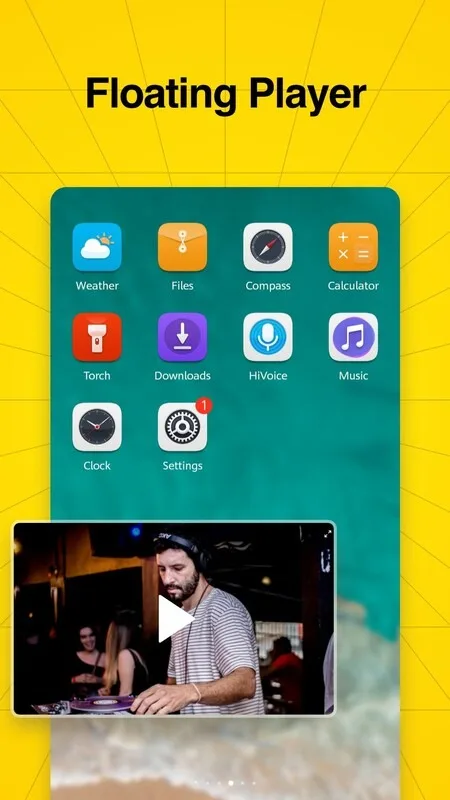
Floating Play: Resizable window that overlays other content on the screen
Dark Mode: Switching from traditional light color themes to darker color schemes can alleviate eye strain for users, especially in low-light or nighttime conditions.
Multi-formats Supported: Supports all audio & video file formats, such as MP3, M4A, WMA, WAV, FLAC, MP4, AVI, and more.
Highlights of OiTube:
Stream videos from YouTube in high quality.
Access to millions of music and video content on the go.
Create playlists with your favourite songs or movies for easy access later.
Shows etc., and easily find what you are looking for quickly without any hassle!
Get personalized recommendations based on your watch history so that you can discover new interesting content every day!
Download videos directly onto your device to enjoy them even when offline!
Share & comment on other users’ posts within the app itself – engage with fellow OiTubers around the world instantly!
User Reviews of OiTube:
Great app, but it would be nice if you added subtitles in languages other than just the original video subtitles. This would make it easier to watch videos from foreign channels and would make a huge difference to the platform. Aside from that, I really like the app and have been using it for almost a year; it saves me a lot from YouTube's intrusive ads.
The app has everything that is important. Excellent for that. The thing that REALLY annoying is the volume of the adds when they appear! The adds are much much louder than the videos and the mute button do not save the muted option.
Almost Perfect. Most adds are in between videos, so no need to watch. I'll change to 5 stars if you cancel all adds when opening the app, those are super annoying.
It's a nice app but doesn't work with the screen turned of in my tablet, while it does in my phone. There's some bugs with video format that it starts stuttering, even at 360p while I know my internet can handle that Random ads started appearing out of nowhere.
You should clarify that it is not completely free of advertisements. The only distinction between this platform and YouTube is that the video continues to play in the background when ads appear. But are short ads and much better watch on oi tube ads than yotube.
FAQs of OiTube:
Q: What is the app?
A: It is an app that blocks ads, supports floating play, and handles various video formats to enhance your video-watching experience.
Q: Can I use the app while using other apps?
A: Its floating play feature lets you watch videos using other apps.
Q: What video formats does the app support?
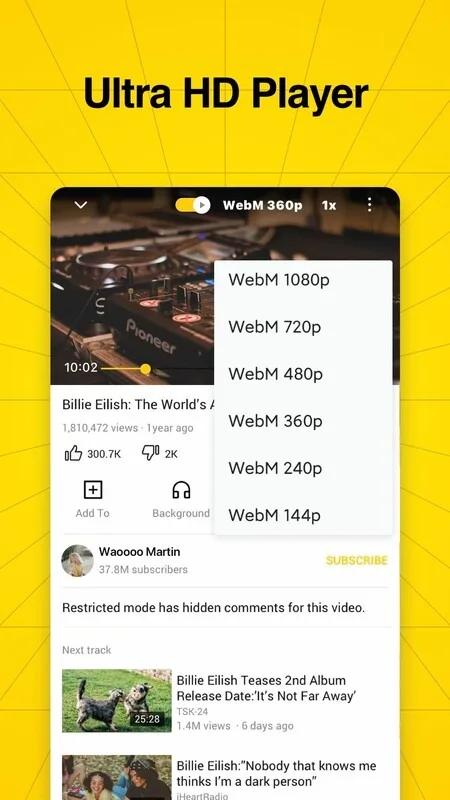
A: It supports HD, 4K, and Ultra HD video formats.
Q: Do I need a premium subscription to use the app?
A: It does not require a premium subscription for its features.
Conclusion:
Finally, OiTube offers another interesting feature, which is that it allows you to block all video advertising. Of course, this option can be enabled and disabled at any time, but it will be enabled by default.OiTube is an alternative YouTube client that offers the most necessary and useful feature that, unfortunately, the official application is not able to offer: the ability to play a video in the background or with the screen off if you only want the sound.








