

Assistive Volume Button is an excellent volume utility. It transforms your volume buttons into multifunctional tools, allowing you to easily customize and optimize device functions; move beyond traditional volume control and enjoy a smoother user experience. With Assistive Volume Button, you can tailor the volume button functions to your preferences, gaining personalized control over various audio settings and features. From customizable volume buttons to a convenient screen-wake sensor, this app helps you optimize how you use your device.
Highlights:
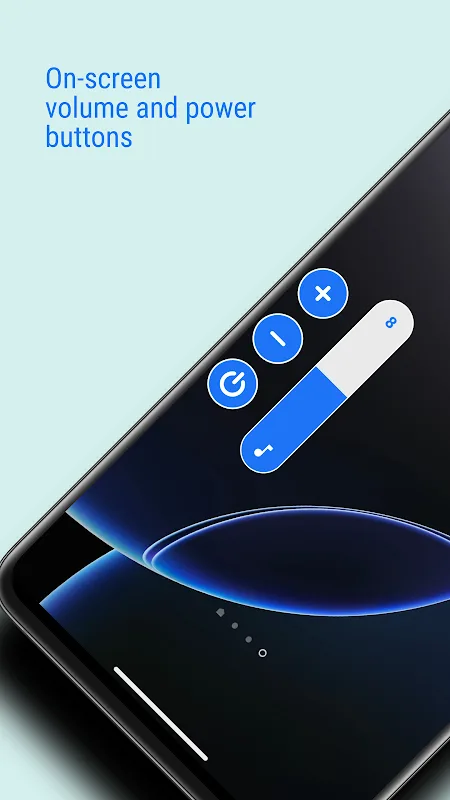
Provides an on-screen volume button for easy control.
Works as an alternative to physical volume buttons.
Allows you to adjust the button’s size and position.
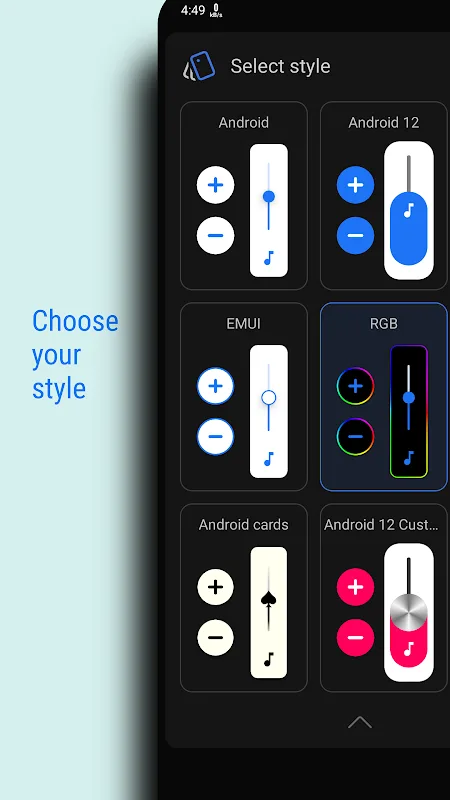
Offers different volume styles for personalization.
Enables you to quickly adjust media, ringtone, and system volume.
Runs efficiently without using much battery.
Features:
On-screen volume buttons: This app displays virtual volume buttons on the screen, simulating the functionality of physical volume keys.
Customizable controls: The on-screen buttons can be resized, and their transparency, color, and style theme can be customized to suit your preferences.
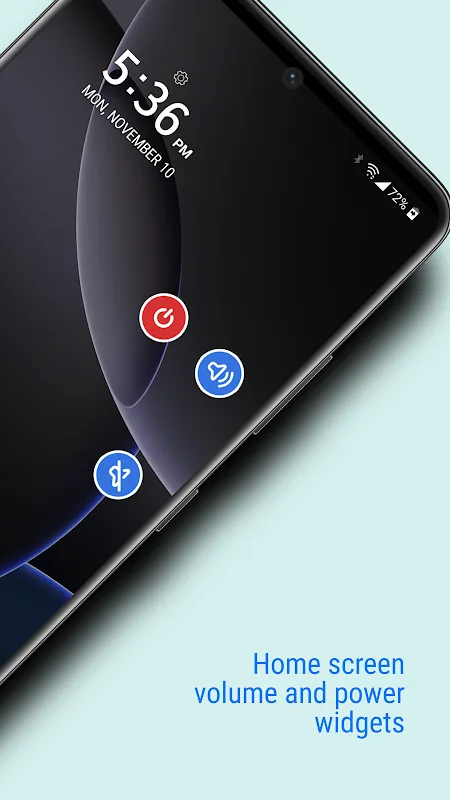
Screen on/off functionality: The virtual power buttons allow you to turn the screen on or off, making it convenient when the physical power button is difficult to access.
Volume booster: The app includes a volume booster feature that can increase the sound beyond its normal maximum level for better clarity when needed.
Low brightness settings: The app allows you to lower the brightness of your device further than usual, perfect for using in dark rooms or during nighttime.
Per-app settings: You can customize the volume, brightness, and visibility levels for each individual app, ensuring that your preferred settings activate automatically when launching specific applications.
Tips for Users:
Floating volume control and virtual power button
This handy tool overlays a movable button above other apps, making quick adjustments during videos, games, or calls easy. You can drag it to any edge or position where one-hand use feels natural, then tap to change volume instantly. A built-in virtual power button lets you turn the display off with a tap, removing the need to press your physical power key.
Customization, setup, and accessibility options
Personalize the interface with Android, iOS, MIUI, and RGB styles, plus fine-grained appearance controls. Setup is straightforward: install, grant permissions, enable the floating control, and you are done. Assistive Volume Button supports quick repositioning so you can find a comfortable spot on any screen. The program also serves users with accessibility needs or damaged buttons, delivering convenient, on-screen volume management that works across apps.
Premium features and flexible access
Upgrade the software to unlock Volume Booster for louder audio, Ultra-Low Brightness for gentler nighttime viewing, and Auto Screen On or Off using the proximity sensor. You can access premium by upgrading or by watching a short ad, with no forced paywalls. You get reliable volume control, device protection, and extras. Get Assistive Volume Button on android and start managing sound without wearing out your buttons.
FAQs:
Can I customize Assistive Volume Button earance of the volume button?
Yes, you can choose the shape and size of the volume button to suit your preferences.
Does Assistive Volume Button require access to my device's system settings?
Yes, Assistive Volume Button needs access to system settings to make adjustments to volume, brightness, and other features.
Is the sensor wake-up feature reliable and responsive?
Yes, the sensor wake-up feature is designed to be quick and responsive, making it convenient to access your device.
Conclusion:
Users can also set per-app volume, brightness, and button visibility, and the app's keyboard feature automatically moves the buttons up when the keyboard opens to avoid interruption in typing. However, users should note that the app requires permission to run the service in the background, which some phones may stop. Overall, Assistive Volume Button is a convenient tool for Android users who want to control their phone's volume with ease.








