

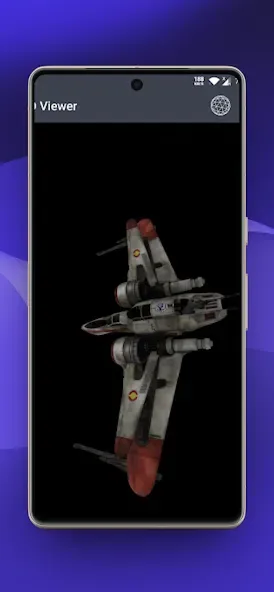
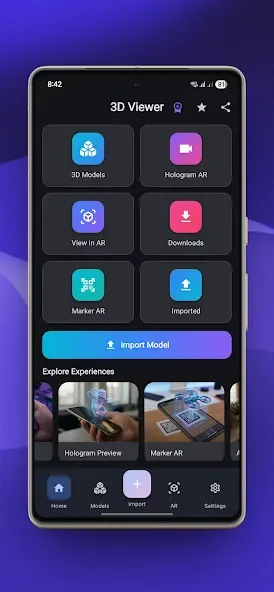
3D Photo Viewer is a photo editing tool designed for Android devices. It offers a wide range of image manipulation features, such as setting images as wallpapers and configuring the action bar (including auto-hide options). Users can also customize their photo albums. The app supports all image formats and includes built-in editing tools like cropping, rotation, and filters. Once editing is complete, photos can be shared instantly to social media platforms. Additionally, the app allows for the adjustment of pixel parameters and the creation of 3D models, with a primary focus on handling 3D files.
Features
Auto-style change on position/orientation change of device.
Start browsing photos in gallery where you have left last time instead of starting again from first image
Set any image as Background
Configurable Auto Hide Action bar
Customise as your choice from gallery settings
How to Use
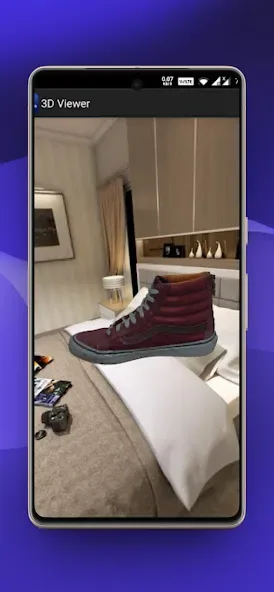
use gestures to zoom, move into x and y axis and rotate the photo view in z axis
the bottom left on screen joystick may be used to rotate the view in the x and y axis
the bottom right on screen joystick may be used to move the view onto the z and x axis
double tap into the screen to reset view into the default initial position
FAQS
Q: Does the app support all image and video formats?
A: It supports many popular image and video formats.
Q: Can I edit photos within the app?
A: It provides essential editing tools such as cropping, rotating, and applying filters.
Q: Can I share photos and videos directly from the app?
A: You can easily share your photos and videos with friends and family via various social media platforms and messaging apps.
Q: Is the app free to use?
A: It is free to download and use on your Android device.
User comments
I thought this app was exceptional for being able to interact with 3D files on my phone for free. I hope more development is put into this app to improve on the experience. I would like to see custom lighting, image backgrounds, the setting to save the changes made to a file and find recently imported files easily. I make 3D objects and I want to show them off without importing and reloading textures of 3d files separately every time.
Very nice application but the biggest problem is that models exported to STL or OBJ from SDF3D to 3D Model Viewer for unknown reason dont load and the resolution of export is only small 2500 pixels instead of 7500 pixels and not as transparent PNG or at least black blue green screen for some further enhancement in Photoshop or Medibangpaint. Is there a way to export it in higher resolution and PNG etc like I have mentioned above? Thanks Kylie Desire
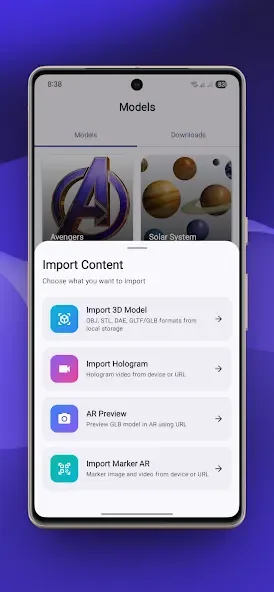
Excellent 3D viewer app. Clean UI, smooth navigation, and supports common formats like OBJ and GLB. Model loading is fast, and the controls are intuitive even for large files. Great for developers, designers, and anyone who needs to preview 3D models on the go. Looking forward to more format support and performance improvements.
Summarize
3D Photo Viewer is a free multimedia application designed for Android devices, focusing on enhancing the way users interact with their photos. This app allows users to view images in three-dimensional formats, providing a unique visual experience that goes beyond traditional photo viewing. With straightforward navigation and user-friendly controls, it caters to a wide range of users interested in digital photography and multimedia presentation.








