
DIY Wallpaper is a personalized wallpaper app that offers thousands of stunning high-definition images. It combines an intuitive collage editor with basic photo-editing tools, giving users unique options for customizing their screens. With DIY Wallpaper, there is no need to master complex software; users can easily add custom backgrounds to suit a wide range of styles. Additionally, the app features built-in editing tools that allow you to crop, rotate, and enhance images before creating collages, ensuring the visuals look perfect on modern smartphone screens.
Highlights:
Make custom wallpapers from your own photos
Create beautiful photo collage backgrounds
Decorate screens with stickers, frames, and layouts
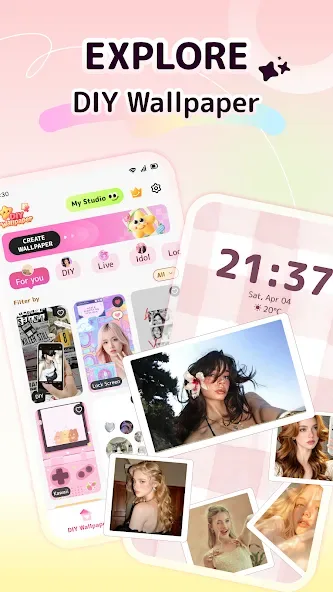
Explore cute, aesthetic, and trendy styles
Personalize your lock screen and home screen
Easy to use, fun to create, and quick to save
Features:
Photo frame wallpaper creation
DIY Wallpaper lets you place personal photos inside dynamic or static frame styles. You can choose templates, change backgrounds, adjust colors, and add patterns or textures to shape the final look. This is useful when you want a phone wallpaper based on a selfie, pet photo, family picture, or memory without starting from a blank screen.
Freeform collage wallpaper craft
You can import several photos and arrange them as a collage for your screen. DIY Wallpaper supports resizing, rotating, layering, and moving each image, so the layout can fit a home screen or lock screen more closely. In addition, the freeform style gives you room to make simple photo grids or more playful arrangements.
Text and brush tools
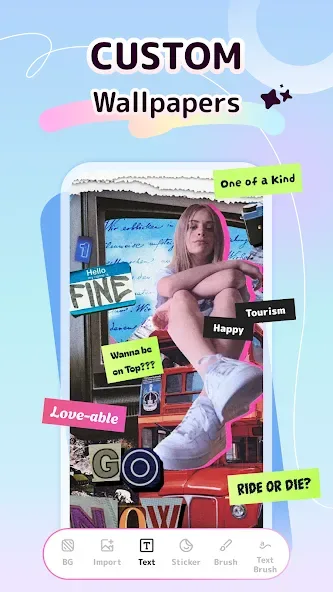
DIY Wallpaper includes tools for adding quotes, short messages, doodles, highlights, and small drawn details. You can work with fonts, colors, brush strokes, and patterns directly on the collage or wallpaper design. This helps when you want to add a name, a reminder, a short phrase, or a hand drawn accent to the background.
Stickers, filters, and visual styles
You can use stickers, filters, frames, and trendy decorative elements while editing. DIY Wallpaper supports styles such as cute, anime, meme, dark, minimalist, animal, and aesthetic wallpaper designs. Because these elements are available inside the editor, you can adjust the mood of a wallpaper without switching between separate editing apps.
Ready to use wallpaper gallery
DIY Wallpaper also provides a curated wallpaper gallery for users who do not want to build a design from scratch. The gallery includes free wallpapers and refreshed mobile culture styles. This gives you a faster option when you only want to browse, pick a background, and apply it to your phone.
Tips and Tricks:
Open DIY Wallpaper and choose whether to create a new wallpaper, make a photo collage, or browse the wallpaper gallery.
Select photos from your device if you are making a personal wallpaper, then place them into a frame or collage layout.
Resize, rotate, layer, and move the photos until the design fits the screen area you want to use.
Add text, brush marks, stickers, filters, colors, patterns, or frames to finish the background in the app editor.
Preview the result, then use the available option to apply it to the home screen or lock screen, or save it if the app allows that on your device.
Benefits:
Collage Wallpaper Maker: turn photos into perfectly sized mobile wallpapers using DIY Wallpaper Collage Maker's editor.
Multiple grid layouts: dozens of preset grids, free-style designs and scrapbook-style arrangements.
Custom backgrounds & colors: apply solid fills, gradients or stylish backdrops to match your theme.
DIY editing tools: adjust spacing, borders, rounded corners and alignment with simple controls.
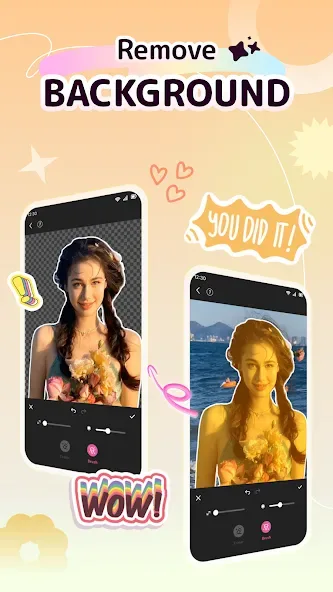
Built-in photo editor: crop, rotate and enhance images before placing them into collages.
Explore trending wallpapers: browse HD, 4K, live, parallax, 3D, anime and kawaii backgrounds.
Conclusion:
Explore themes like anime, dreamy pastels, playful memes, or dark battery-friendly designs. With frequent updates featuring the latest trends, there’s always inspiration at your fingertips. Download the DIY Wallpaper app today and transform your phone into a canvas for endless creative possibilities!








