

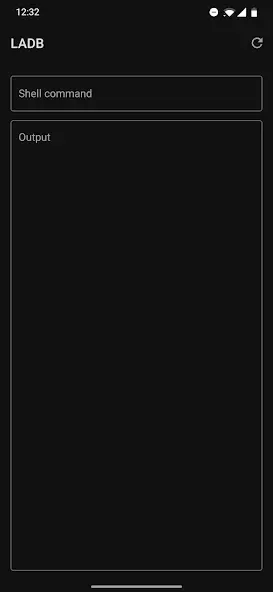
LADB is a professional-grade utility app that brings ADB functionality directly to your mobile device. It allows users to execute ADB commands right on the device—eliminating the need for a computer connection—thereby enabling efficient command management and execution. With LADB, users can achieve seamless communication between the client and server without a physical connection, improving the flexibility of the debugging process. Additionally, the app includes a comprehensive troubleshooting guide that offers step-by-step solutions for common issues, such as installation problems and unauthorized device connections, ensuring a smoother user experience.
Highlights:
Easy-to-use interface: The Ladb app has a user-friendly, intuitive design that makes navigating easy for users of all ages and experience levels.
Streamlined workflow: With the Ladb app, tasks can be completed quickly and efficiently with minimal effort from the user.
Secure data storage: All information in the Ladb app is encrypted using industry-standard encryption protocols, so you know your data is safe and secure.
Automated backups: Automatic backup features ensure that no important files or documents are lost if something goes wrong with your device or network connection.
Features:
Wireless ADB: LADB allows users to connect wirelessly to their Android devices without a USB cable. This is particularly useful for debugging and testing apps, as it eliminates the need to connect and disconnect the device constantly.
File Transfer: LADB makes transferring files between the local computer and Android device easy. This feature comes in handy when users move large files, such as videos or images, from their device to the computer or vice versa.
App Installation: With LADB, users can install and uninstall apps on their Android device directly from their computer. This is particularly useful for developers who must test their apps on different devices.
Screen Mirroring: LADB allows users to mirror their Android device's screen on their computer, making it easier to record videos or take screenshots.
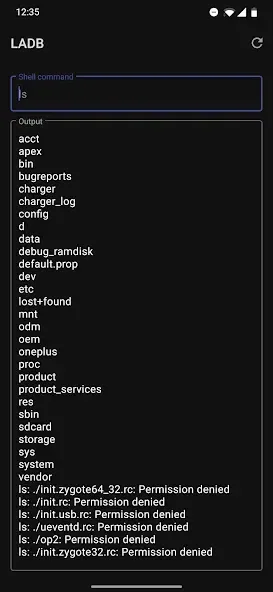
Command-line Interface: LADB provides a command-line interface for users to execute ADB commands directly from their computer. This is particularly useful for advanced users who need to perform complex tasks.
Tips and Tricks:
First, open Settings, go to Developer options, and turn on Wireless debugging.
Next, tap “Pair device with pairing code” to show the pairing code and the pairing port.
Then use split screen to keep Settings and Local ADB (Android 11+) open together. In the app, choose Pair and enter the code and port without closing the dialog in Settings.
After that, wait for the local shell to connect and display a prompt. You can now run the commands you need for installs, logs, or file actions.
Finally, when you finish, turn off Wireless debugging or remove the connection in Settings to keep your device tidy.
Conclusion:
LADB APK is most useful for Android developers, testers, modding fans, and power users who want direct ADB access without a computer. It is less suitable for people who have never used commands before, because wrong commands can change settings in ways that are hard to reverse. Used carefully, it gives Android users a clean and practical way to manage deeper device functions.








