

Clone Master - Multi Dual Space is a cloning tool designed for mobile devices, enabling users to log into multiple accounts for various apps and games simultaneously on a single device. It is compatible with a wide range of popular applications and games, and can be installed and run without requiring root access. During the cloning process, the software offers extensive customization options; you can assign unique labels, icons, and names to each account, making it easy to distinguish between them. Furthermore, the data for each account remains entirely independent, ensuring a secure and worry-free user experience.
Click to load YouTube / 点击加载视频
YouTube ↗Features of Clone Master- Multi Dual Space:
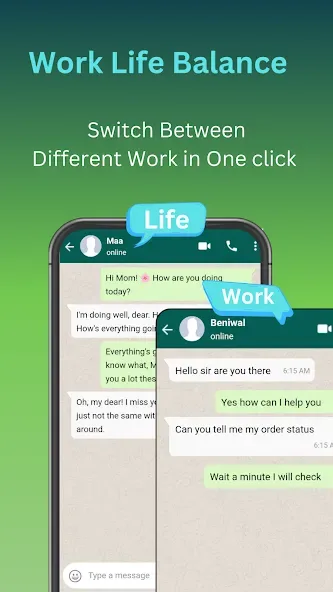
Use multiple accounts at once: Clone Master- Multi Dual Space lets you run more than one account for supported apps at the same time. You can keep separate profiles for WhatsApp, Facebook, Instagram, Telegram, Signal, LINE, Imo, Snapchat, and similar services. This app cloner can help when you need one profile for work and another for personal conversations.
Keep profile spaces separate: Clone Master- Multi Dual Space can create different spaces for social, messaging, streaming, productivity, and gaming apps. For example, you can separate a personal Netflix login from another profile, or keep Google Workspace, Google Sheets, and Google Meet accounts apart. As a result, you do not need to repeatedly switch the main app between accounts.
Store data independently: Each clone keeps its own app data, cache, cookies, and login session. Clone Master- Multi Dual Space separates these details from the original app and from other cloned copies. This means signing out of one profile does not automatically sign out of another profile in a separate clone.
Label each cloned app: You can rename a clone and assign it a different icon to make profiles easier to identify. This is useful when several copies of the same app appear on your phone. A clear name such as Work Chat or Personal Chat can help you open the intended account more quickly.
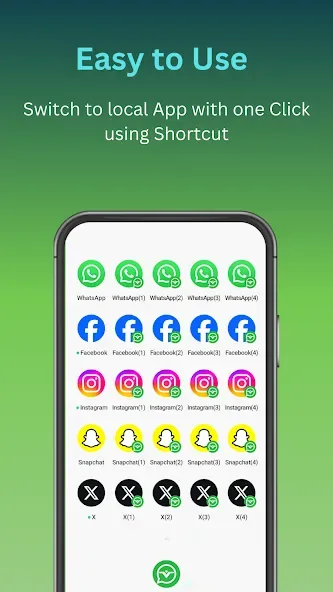
Manage clones without root access: Clone Master- Multi Dual Space provides controls to create, open, switch, and remove cloned apps without root access. You can also add home screen shortcuts for profiles you use often. In addition, the app includes permission controls and incognito login options for users who want more control over each separate space.
Highlights of Clone Master- Multi Dual Space:
Separate icons replace constant account switching: The home screen lists installed apps, letting you choose which ones to clone and place their copies on the phone’s screen. This can accommodate separate profiles for services such as WhatsApp, Gmail, Telegram, Instagram, and Netflix without rooting the device. Clone permissions and notifications can also be adjusted individually.That approach particularly suits anyone juggling work and personal messaging, multiple social profiles, or separate gaming accounts.
Simple setup and everyday use: The app supports cloning popular social, messaging, and gaming programs so you can stay logged into several profiles simultaneously. The setup is kept deliberately straightforward: create a clone, assign a distinct name and icon if desired, and start using it. That basic customization helps you tell multiple copies apart at a glance.Keep in mind that cloning is not guaranteed for every application — services with tighter security or custom login flows may block or behave inconsistently when duplicated.
Data separation and privacy notes: A primary benefit of cloning is separating data between the original app and its duplicates, which helps keep accounts organized and reduces accidental cross-contamination of personal and professional content. The utility emphasizes compatibility with recent Android releases to improve reliability.However, the privacy gains mostly come from clearer organization and isolated app storage rather than from advanced security features (such as sandbox hardening or encrypted containers). Treat it as a convenience tool for account management rather than a security suite.
User Reviews of Clone Master- Multi Dual Space:
More than 5 stars everyone should install, no disturbance, No more ad & no crash issue. I have been using it for last 3 years.
The app really works and does exactly what it promises. I’m very satisfied with it and would definitely recommend it. My only issue is that there are quite a lot of ads, which can sometimes be distracting. If the ads were reduced, the experience would be even better. Overall, a great and useful app!
absolutely the best dual space app I've tried and I've tried alot. has ads but only runs one before you open your space and I can understand the need to have them. interface and user experience is superior to most.
so reliable, smooth, doesn't affect my phone's battery life and causes absolutely no lags or unexpected errors. literally a 2nd phone within my device. 100% recommended.
good, but can't take up to 40 apps straight, if goes beyond 35apps it begins to logged itself out. so correct that disturbing issues. Thank you...
Final Verdict:
Overall, Clone Master- Multi Dual Space offers a straightforward way to keep multiple accounts active without constant logins and logouts. Its cloning and labeling tools support users who want clearer separation between profiles, especially for work and personal routines. Limits show up when certain apps resist cloning or when multiple instances put pressure on storage and performance. For day-to-day account switching, it stays a useful, focused option.








