

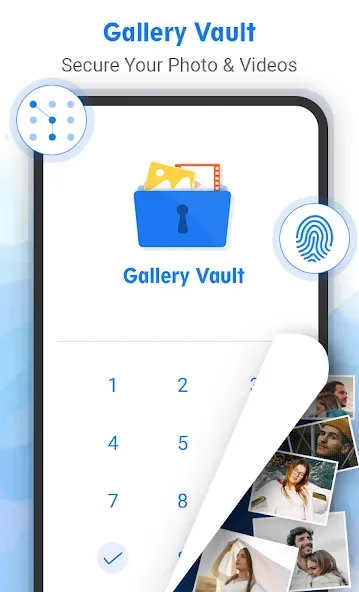
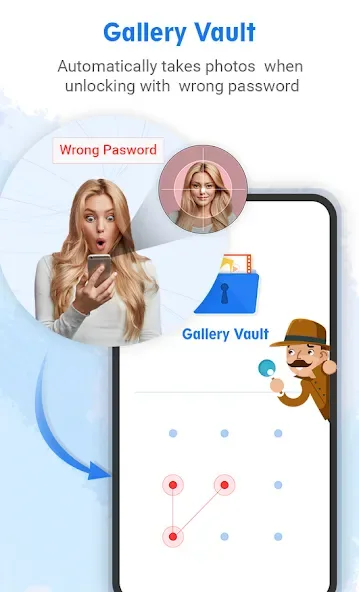
Gallery Vault is a privacy protection app designed for mobile devices. It allows users to hide photos, videos, apps, games, and other content they wish to keep private. Users can also apply an app lock, ensuring that the content remains secure and accessible only by entering a password. The app features a built-in browser, enabling users to visit various websites by entering keywords, while strictly keeping all browsing history and data confidential. Furthermore, if someone else attempts to access the app, it will automatically take a photo of the intruder and send an alert to the user; the user can then quickly present "fake" content to mislead the unauthorized person.
Click to load YouTube / 点击加载视频
YouTube ↗Features of Gallery Vault:
Hide Photos, Videos & Docs: Stash away your private images, videos, or essential documents—they’re locked behind a PIN and hidden from snooping eyes.
Photo & Video Locker: Use a personal vault to keep your secret albums tucked away. Only you know where they are, and only you can get in.
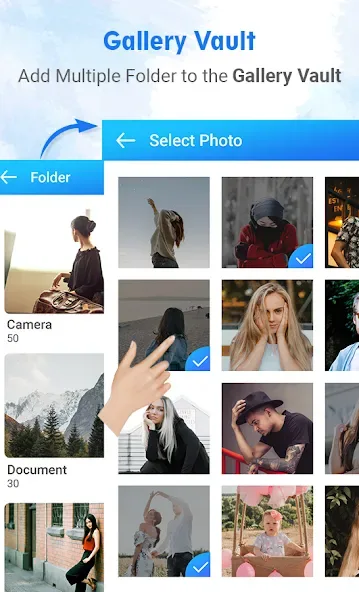
Custom Folders: Create as many secret albums as you like to organize your hidden content. Sort by event, person, or whatever else makes sense to you.
PIN Protection: Pick a passcode that works for you, and rest easy knowing nobody else can access what you’ve locked away.
Smooth Browsing: Flip through your hidden library just like your phone’s regular gallery—no lag, no weird layouts.
Restore & Share Options: Want to bring something back into your regular gallery or send a hidden pic to a friend? It just takes a couple of taps.
Easy Import: Drop any photo, video, or doc straight into Gallery Vault with a few quick steps—no messing around in settings.
Highlights of Gallery Vault:
Advanced Stealth & Disguise: The most unique feature is the ‘Calculator Mask.’ To any casual observer, the app appears as a fully functional, innocent calculator. Only by entering your secret passcode into the numeric pad can you reveal the hidden vault within.
Military-Grade Encryption: Your files aren’t just moved; they are transformed. Gallery Vault uses robust encryption protocols to scramble your photos and videos, ensuring that even if your device’s storage is accessed via a PC, your hidden files remain unreadable.
Biometric Security Integration: Enjoy lightning-fast access without compromising safety. The app supports fingerprint scanning and facial recognition, allowing you to unlock your vault in a split second while keeping intruders locked out.
Intruder Alerts & Stealth Selfies: Stay informed about who is trying to peek into your business. If an incorrect PIN is entered, the app automatically captures a photo of the intruder using the front-facing camera and logs the time of the attempt.
Fake Vault & Decoy PIN: If you are ever forced to open the app under pressure, use a decoy PIN. This opens a ‘fake’ gallery containing harmless content, while your real private files remain safely hidden in a separate, invisible partition.
Seamless Media Management: Organize your private life with ease. Create custom folders, rename files, and move media between the vault and your public gallery with a single tap.
User Reviews of Gallery Vault:
Before deleting we must restore stuff otherwise everything will be lost with little alert it is best app that I am using 2-3 years not found any problem. Now there is a cloud sink facility but not tested.
This is a best app to keep your photos and videos securly now the premium is available after seeing videos and if any intruder try to open it captures photo this update is awe some thank you...gallery vault.
Includes ability to disquise the app and locking of files with either 4 digit pin or drawn pattern. Minimal ads occur with very little usage interruption. Large and complex data encryption may seem frozen but you need to be patient. Excellent app with rich features.
It is a very useful app for me as it helps me to hide photo easily and make it private. Gallery vault is best when it comes to safeguard my pictures.
This app is great for hiding your cestratus. In this app, we can also save our password So that no one can steal our password And the best app to hide photos and videos.
FAQs of Gallery Vault:
Are my hidden files stored online?
No. Your files are stored only on your device, so please make sure to back up all your hidden files before transferring them to a new device or factory reset.
How to launch GalleryVault if GalleryVault is hidden?
Tap the "Manage Space" button on the System App Detail Info page of Gallery Vault (System Setting->Apps->GalleryVault)
What can I do if I forgot my passcode?
Please find the latest mail we send to you (by searching the keyword thinkyeah in your mailbox), and follow the steps in the mail to reset your passcode.If you cannot find the mail, you can send another one by the following steps:
- Launch Gallery Vault locking page.
If your icon is hidden, tap the "Manage Space" button on the System App Detail Info page of Gallery Vault (System Setting->Apps->GalleryVault).
- Try to unlock and fail 2 times, then a Forgot button will show.
- Tap the "Forgot" button and tap the "Resend Auth Email" button in the dialog.
Does GalleryVault support cloud storage?
Yes, GalleryVault supports backup options to cloud storage services, enabling users to securely store and recover their hidden media.
Are there any limits on how many files I can hide?
The free version may have certain limitations on the number of files you can hide, while the premium version allows for more extensive usage.
Can anyone access my hidden files if I lose my phone?
Without access to your password or fingerprint, others cannot view your hidden files. However, it is crucial to secure your device with a PIN or password as well.
Conclusion:
Gallery Vault can hide your privacy absolutely safe. In which you can hide your multimedia content. It provides you a smooth and amazing media browse experience. GalleryVault also encrypts all your files to prevent unauthorized access. It is only you can access the content and can create many folders as you need.








