
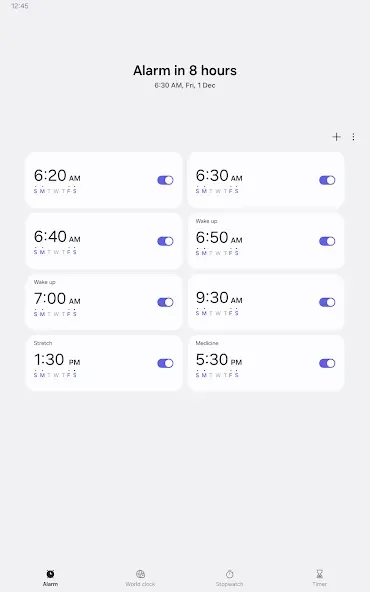
Samsung Clock is a clock utility designed for the Android operating system. It allows users to create custom alarms and set multiple alerts—a highly useful feature for working professionals. The app also supports viewing the time in locations around the world, helping users stay connected with friends and contacts in different regions. Additionally, it offers precise time-measurement tools to assist with daily activities. The app also prioritizes your sleep experience; you can set a designated bedtime, and the application will send reminders to help you head to bed—an excellent tool for fostering self-discipline. With its lightweight design, it is well-suited for all types of users.
Features
Wake up your way
Samsung Clock offers highly customizable alarm settings. You can set multiple alarms, each with its own unique ringtone, specific days of the week, and custom snooze durations. This ensures you can wake up exactly when and how you prefer, tailored to your personal sleep patterns and needs.
View global time
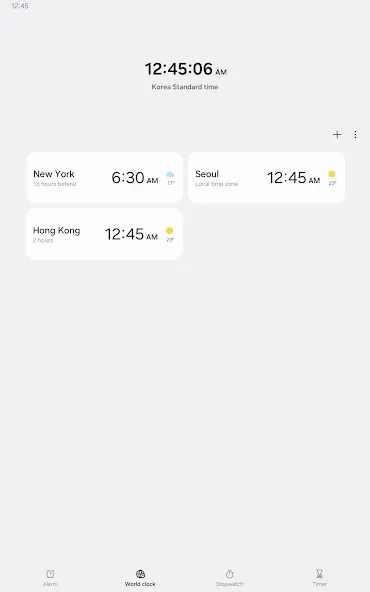
Stay in touch with friends, family, or colleagues across different time zones. The "World Clock" feature lets you add multiple cities and view the current time in each location at a glance, simplifying international communication and travel planning.
Precise time measurement
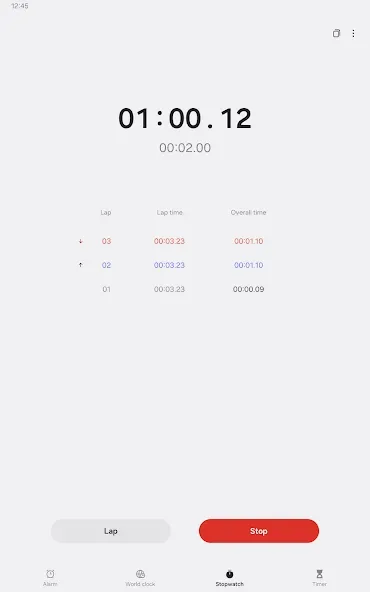
The built-in stopwatch provides accurate timing for a wide range of activities. Whether you are timing a workout, cooking, or conducting an experiment, the stopwatch can record lap and split times for detailed analysis.
Set task timers
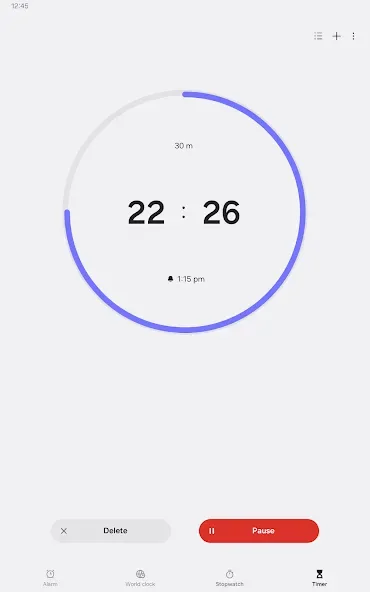
The timer function is perfect for managing cooking times, study sessions, or any activity that requires precise duration tracking. You can set multiple timers simultaneously and receive notifications when each one expires, helping you stay efficient and avoid overcooking your meals.
Sleep-friendly features for a restful night
Often integrated into the clock app, "Bedtime" or sleep-focused modes help you build healthy sleep habits. These features can track your sleep patterns, remind you when it’s time to go to bed, and even silence notifications during your scheduled sleep hours—promoting better rest and overall well-being.
Pros and Cons
Pros:
Combines alarms, a world clock, a stopwatch, and timers into a single system application.
Alarms support advanced options such as selecting specific dates, setting recurring schedules, and skipping individual occurrences. The snooze feature allows for the configuration of multiple consecutive alarms.
The world clock displays the time and weather for various cities using a globe-based view.
The timer includes preset options, and multiple timers can run simultaneously.
You can choose to use local audio files; furthermore, on Android 14 and later, you can even incorporate images and videos for a more personalized alarm experience.
Cons:
There have been reports of alarms failing to sound entirely, even when they are enabled.
In some instances, if an alarm goes off silently, there is no subsequent notification or icon to indicate that an alarm was missed.
FAQs
Can I customize the alarm volume?
Yes, Samsung Clock allows you to choose from a variety of pre-installed sounds, or even use your own music as an alarm tone.
Does the world clock update automatically?
Yes, the world clock updates automatically to reflect the current time in each selected city, accounting for daylight saving time changes.
Can I use the timer and the stopwatch at the same time?
Yes, Samsung Clock allows you to use both the timer and stopwatch functions simultaneously, enabling you to efficiently manage multiple time-sensitive tasks.
Conclusion
Samsung Clock is the default timekeeping application on many Samsung Android phones, integrating an alarm clock, world clock, stopwatch, and timer into one package. It is an excellent choice for Samsung users who prefer to have their daily time-management tools built directly into the system, without the need for additional third-party apps.








