

µTorrent® is a powerful file downloader. It allows users to download a wide variety of large files and supports the use of torrent files. Utilizing a robust protocol, the tool ensures efficient downloading and data transfer. Files can be managed and downloaded directly via your browser. There are no restrictions on download speeds or file sizes, and the app supports various compressed file formats; you can also monitor your download progress in the background. The app offers both Wi-Fi-only and mobile data download modes, allowing you to choose the option that best suits your needs. Additionally, it features a built-in audio and video player, enabling you to enjoy the content you have downloaded.
Features
Official BitTorrent Client with High-Speed P2P Support
The µTorrent® downloader uses the BitTorrent peer-to-peer protocol to break files into smaller segments, facilitating efficient transfer. By connecting to multiple nodes and "seeds," it ensures stable and rapid download speeds. This official client reliably handles magnet links and torrent files on Android devices. Simply add tasks via your browser or file manager, and let the app take care of the rest.
No Speed or File Size Limits
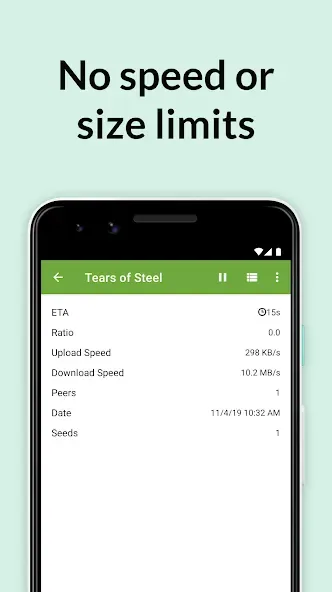
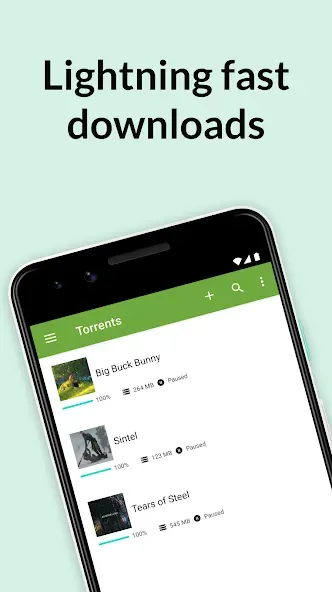
Download torrent files within the app with no speed caps. There are no limits on file size, making it perfect for large videos and compressed archives—even when your download queue contains a mix of small and large files. You can keep long-running downloads active in the background and check their progress at any time.
Mobile Control and Storage Options
Before starting a download, you can select individual files from within a torrent. The app allows you to choose the storage location on your device based on available space. You can easily pause, resume, or set priorities for your files as needed. These convenient controls help you manage your storage space while keeping your downloads organized.
Built-in Audio and Video Playback
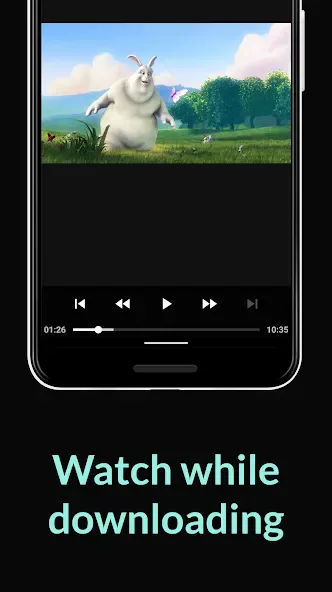
µTorrent® includes an integrated media player for quick viewing and browsing. You can listen to music or watch videos directly within the app—no need to switch to another program. If a torrent contains multiple tracks, you can play them as a playlist. Playback controls are simple and accessible directly from the download interface.
Data-Saving Options and Easy Discovery
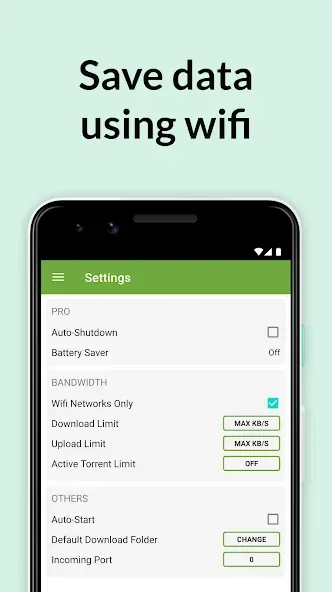
You can enable a Wi-Fi-only mode to ensure that downloads do not consume your mobile data. When cleaning up, you can choose to delete just the torrent entry, or remove both the torrent entry and its associated files to free up storage space. Adding content is straightforward: simply click on a magnet link in your browser or open a .torrent file from your device's storage. The app supports sharing files or torrents directly from your device, offers a multi-language interface, and provides access to legitimate media content via BitTorrent Now.
Usage
Open the app, review any prompts, and adjust your settings—for example, you can switch to "Wi-Fi only" mode if you want to save on mobile data.
Next, add a torrent by clicking a magnet link in your browser or opening a .torrent file from your device's storage.
Select the specific files you want to download from the torrent and choose a download location that fits your available storage space.
Start the download and monitor its progress via the progress bar. You can pause, resume, or reorder downloads as needed.
Finally, you can check your files by playing audio or video directly within the app. Once finished, you can choose to delete either just the torrent entry or both the torrent entry and all its associated files.
Pros and Cons
Pros:
Extremely low impact on system memory
Advanced scheduling for automated file management
Remote access via web browser
Robust bulk downloading and bandwidth optimization
Cons:
The free version contains distracting advertisements
User Reviews
Still my favorite torrent client for Android! It hasn't changed a bit since I first started using uTorrent for Android on my very first Android phone—the Galaxy S1—back in the day, lol.
The best torrent app out there; I always recommend it for downloading movies and videos of memorable events. 10 stars!
I like uTorrent because it’s simple enough for anyone with a little bit of experience to use for fast downloads. Many thanks to the torrent community for providing high-quality media to users online.
Conclusion
µTorrent® helps you download large files directly to your phone, eliminating the need for a computer. It follows the familiar peer-to-peer download model and is simple and intuitive to use. Designed with a focus on practical controls and straightforward media playback, it is well-suited for everyday use.








