

Google Authenticator is a security tool for Android that generates 6-digit verification codes for your online accounts. It functions entirely offline, requiring no internet or mobile data connection. The app also supports syncing your codes across multiple devices. In addition to generating codes, it features a QR code scanner, which simplifies the process of migrating your accounts to a new phone—once the data is imported, all your account information is synced. The app is designed to manage multiple accounts efficiently while maintaining a minimal memory footprint.
Features
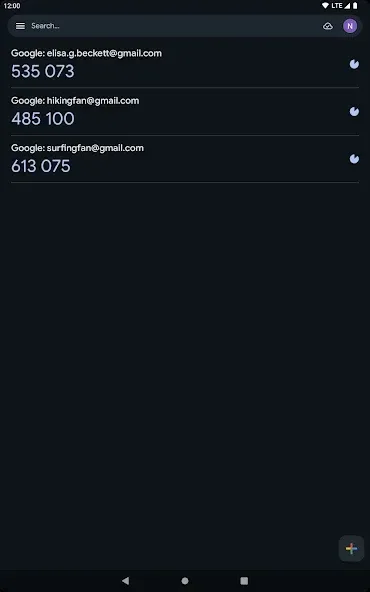
Offline One-Time Codes
Google Authenticator generates 6-digit verification codes without needing an internet or mobile data connection. It supports both time-based and counter-based codes, making it compatible with a wide range of services. If a code is rejected, please ensure your device’s time is set accurately and that automatic time synchronization is enabled, as any time discrepancy can cause verification to fail.
Encrypted Cross-Device Sync
You can sign in with your Google account to sync your verification codes across different phones. This encrypted synchronization helps prevent you from being locked out if you lose your device or upgrade to a new one, as you can simply sign in to recover your codes. Alternatively, you can choose not to sign in, keeping your codes stored exclusively on your device for local control.
Quick Setup via QR Code or Manual Entry
Adding a new account is fast and simple. Use your device’s camera to scan a QR code provided by the service, or enter a setup key manually if scanning isn't possible. The app guides you through each step and displays an account label, ensuring you add the correct item.
Multi-Account Management
Google Authenticator keeps all your accounts in one list, allowing you to quickly locate the code you need. You can edit labels, reorder entries (to keep important ones at the top), and use the search function to jump directly to a specific account. These tools make it easy to navigate your collection, even as it grows.
Easy Transfer to New Devices
When switching to a new phone, you can export selected accounts from your old device as a QR code and scan it with your new device to import them. If you are using encrypted sync, your accounts will appear automatically once you sign in on your new phone. This eliminates the need to manually re-register each service.

Usage
Open the app and choose to continue without an account (for local use only), or sign in to enable encrypted synchronization.
Tap the "Add" button, then scan the QR code for the service you wish to add—or, if scanning isn't possible, enter the setup key manually.
Review the label and save. You can edit labels or reorder entries as needed to keep your most frequently used accounts at the top.
When logging in, open the app, locate the relevant account, and enter the six-digit verification code before it refreshes. If the code is rejected, check your device's time settings.
When switching phones, you can export selected accounts from your old device and import them to your new one—either by scanning a QR code or signing in—to automatically sync your data.
Pros and Cons
Pros:
Supports synchronization and QR code-based backups.
Clean, user-friendly interface.
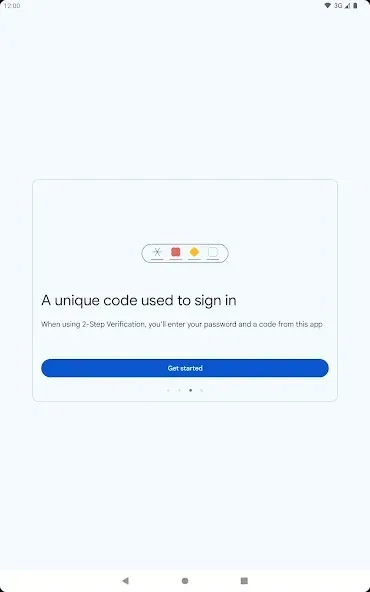
Protects your services and apps using quickly generated two-factor authentication (2FA) codes.
Works offline; no internet connection required.
Includes a dark mode option.
Cons:
Lacks a built-in master password or app lock feature.
Backups rely on manual export/import processes.
User Reviews
Open-source, highly functional, convenient, and secure—it’s excellent. However, since all data is stored in the cloud, it can be a bit inconvenient when there’s no internet access.
Overall, it’s great. I personally find it more convenient and secure than using a phone number for two-step verification. I’ve been using it for years and it’s truly reliable, though I’ve noticed some differences in functionality on this particular phone.
Very useful; I personally find it more convenient and secure than using SMS-based verification codes for two-step authentication.
Conclusion
Google Authenticator provides robust security, protecting against password theft and hacking, while allowing you to store multiple accounts. It is very easy to set up and use. The app utilizes a two-factor authentication (2FA) mechanism to offer enhanced security protection.








