
90 FPS is a powerful auxiliary tool. This application offers the option to unlock 90FPS, resulting in smoother gameplay and allowing users to say goodbye to lag and cluttered visuals, enjoying an extremely smooth gaming experience. With 90 FPS, users can enjoy a smooth FPS experience on any device, maximizing screen utilization and delivering a more outstanding visual effect. As an unofficial tool, it offers specific enhancements and optimizations for certain games, helping you gain a competitive edge during your matches.
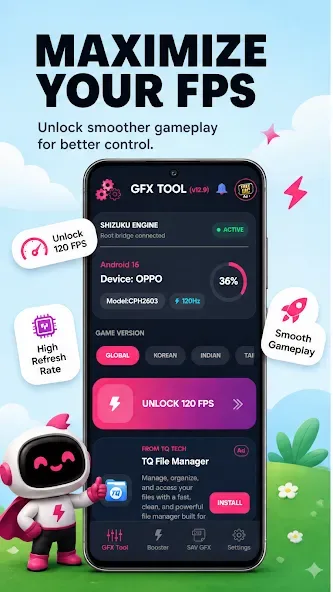
Highlights:
Seamless Visual Fidelity
Beyond just gaming, the application contributes to an overall improvement in the device’s visual fidelity. Scrolling through menus, browsing the web, or watching high-frame-rate video content becomes noticeably smoother and more pleasant to the eye. The increased refresh rate minimizes stutter and tearing, ensuring that every interaction with the device’s display is crisp, clear, and remarkably fluid, contributing to a premium user experience.
Intuitive User Interface
Designed with user simplicity in mind, the platform features a straightforward and uncluttered interface. Activating the desired refresh rate is a hassle-free process, requiring minimal steps to configure. Users can easily toggle between standard and enhanced refresh rates, allowing for quick adjustments based on their current activity or preference, without navigating through complex settings menus or requiring technical expertise.
Optimized for Android Devices
This specialized utility is engineered to seamlessly integrate with a wide array of Android smartphones and tablets that possess the hardware capability to support higher refresh rates. The tool works by unlocking the existing potential within these devices, ensuring stable performance and compatibility without compromising system integrity. It’s a testament to fine-tuned optimization, delivering a significant upgrade to the device’s display output.
Features:
Improved visual quality: 90 FPS can enhance the visual quality of video games, movies, and other forms of media by providing smoother motion and reducing motion blur.
Enhanced gameplay experience: Gamers can benefit from a higher FPS as it can improve responsiveness and control in gameplay, leading to a more enjoyable gaming experience.
Reduced eye strain: Higher FPS can reduce eye strain and fatigue, making it more comfortable to view content for extended periods of time.
Future-proofing: With technology advancing rapidly, having content that supports higher FPS can help future-proof your viewing experience and ensure compatibility with upcoming devices and technologies.
FAQs:
What is 90 FPS?
90 FPS is a utility app for Android that improves mobile gaming by increasing frame rates and offering a tablet-style screen layout.
Does 90 FPS APK work on every Android phone?
It works on many mid- to high-end Android devices, but results can vary depending on hardware and software compatibility.
Can I use 90 FPS APK without rooting my phone?
Yes, the app doesn’t require root access. It’s designed to be user-friendly and works with standard Android permissions.
What are the key features of 90 FPS APK?
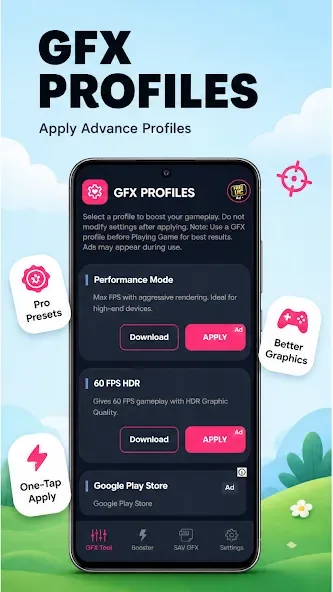
It boosts frame rates up to 90 FPS, includes an iPad View mode for a larger display, and allows custom graphics and resolution settings.
Changelog:
Added Flash support.
Added mulitple language support.
Updated for version 4.6 for Global and Indian.
Fixed Bugs.
Conclusion:
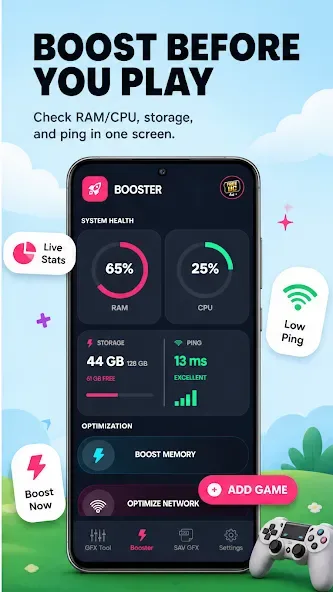
Also, it’s best to keep in mind that the app suffers from frequent disconnections when launching other games and apps. If you need a booster tool to achieve a higher frame rate or get a bigger screen size for your gaming or other needs, then 90 FPS is a good option to check out. It boasts an easy-to-use interface and the basic features necessary.








