
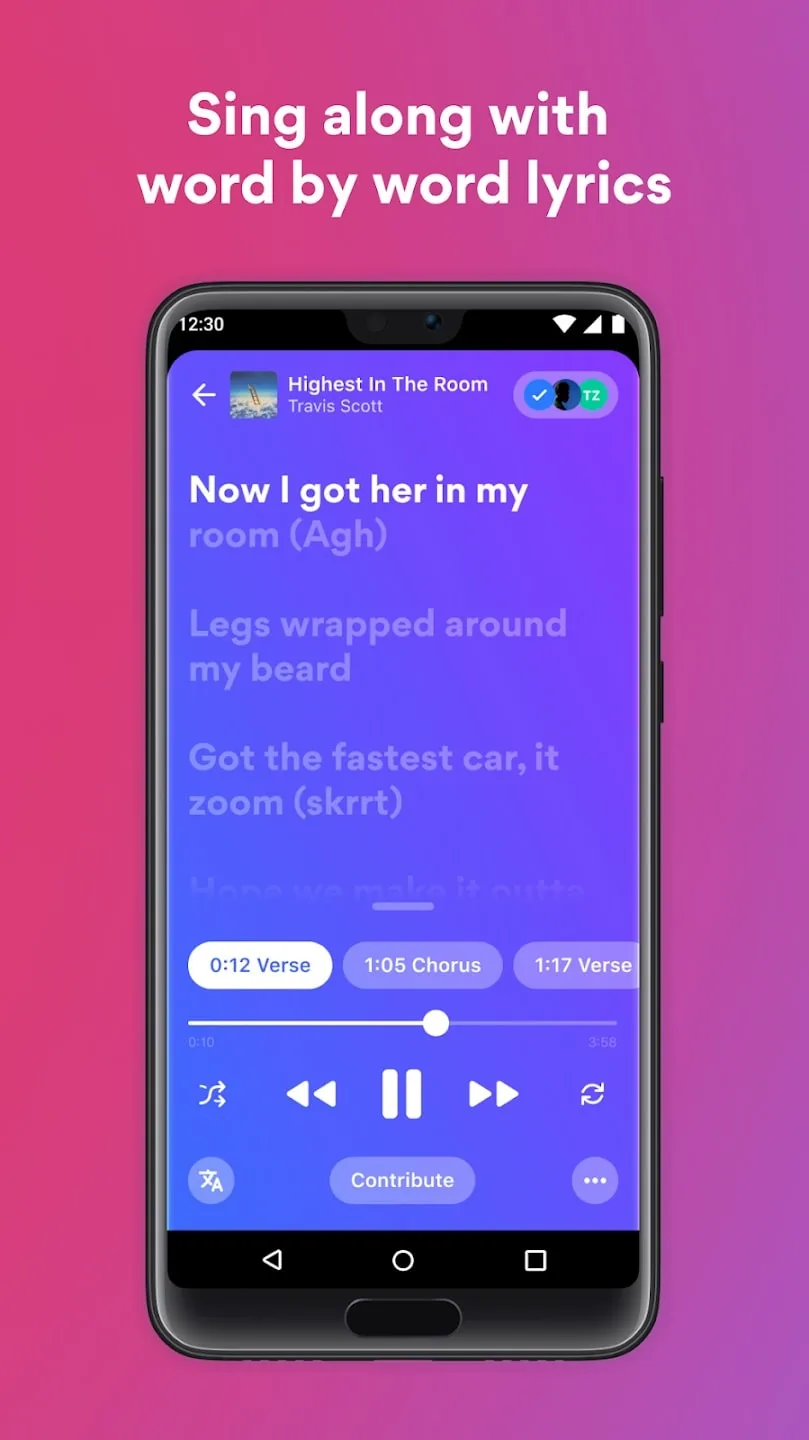
Musixmatch is an application that, combined with the music of your device, gives you the possibility to read the lyrics of all your favorite songs directly from the screen of your Android device. The application has the lyrics of more than seven million songs, so it makes it easy to find the lyrics of practically every song you are interested in. The application is really simple: you play a song, activate the reading of the lyrics and you will directly see an image of the respective band or song, with the lyrics appearing. That way, in theory, you can even do karaoke from the device. Musixmatch is completely compatible with lots of music applications for Android like Winamp, Google Music, WIMP, bTunes, Archos Music Player or Spotify. You can listen to music through these applications and even then keep playing the lyrics from the app.
Features:
Find song lyrics quickly
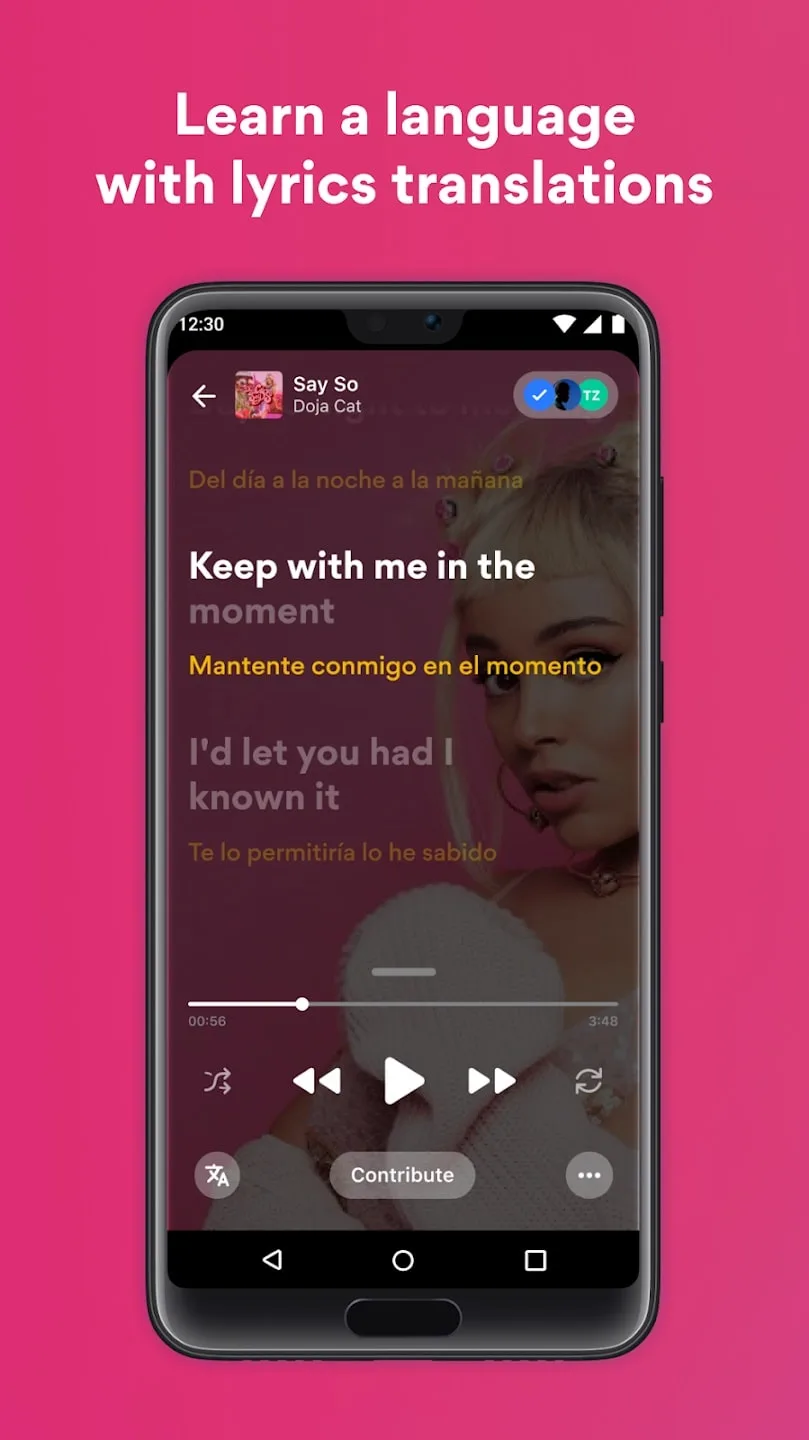
Musixmatch has a huge collection of lyrics. With a large database, the app can easily provide the lyrics of any song. You just need to open the music on top music streaming apps like Spotify, YouTube, Apple Music, SoundCloud, Pandora, etc. Then, Musixmatch will display the lyrics running along with the music. How convenient, right? All lyrics also have many translations contributed by the user community. You can listen to the music while viewing the translation to learn more about foreign music.
Musixmatch is also useful in a wider environment. If you hear a song in public but don’t know the name or lyrics, just open the app. Hold up your phone and let Musixmatch listen to a snippet of audio. It will then tell you what song it is, who it’s by, and what the lyrics are. The results are fast and accurate. However, you need to make sure the source has good audio quality for more accurate results.
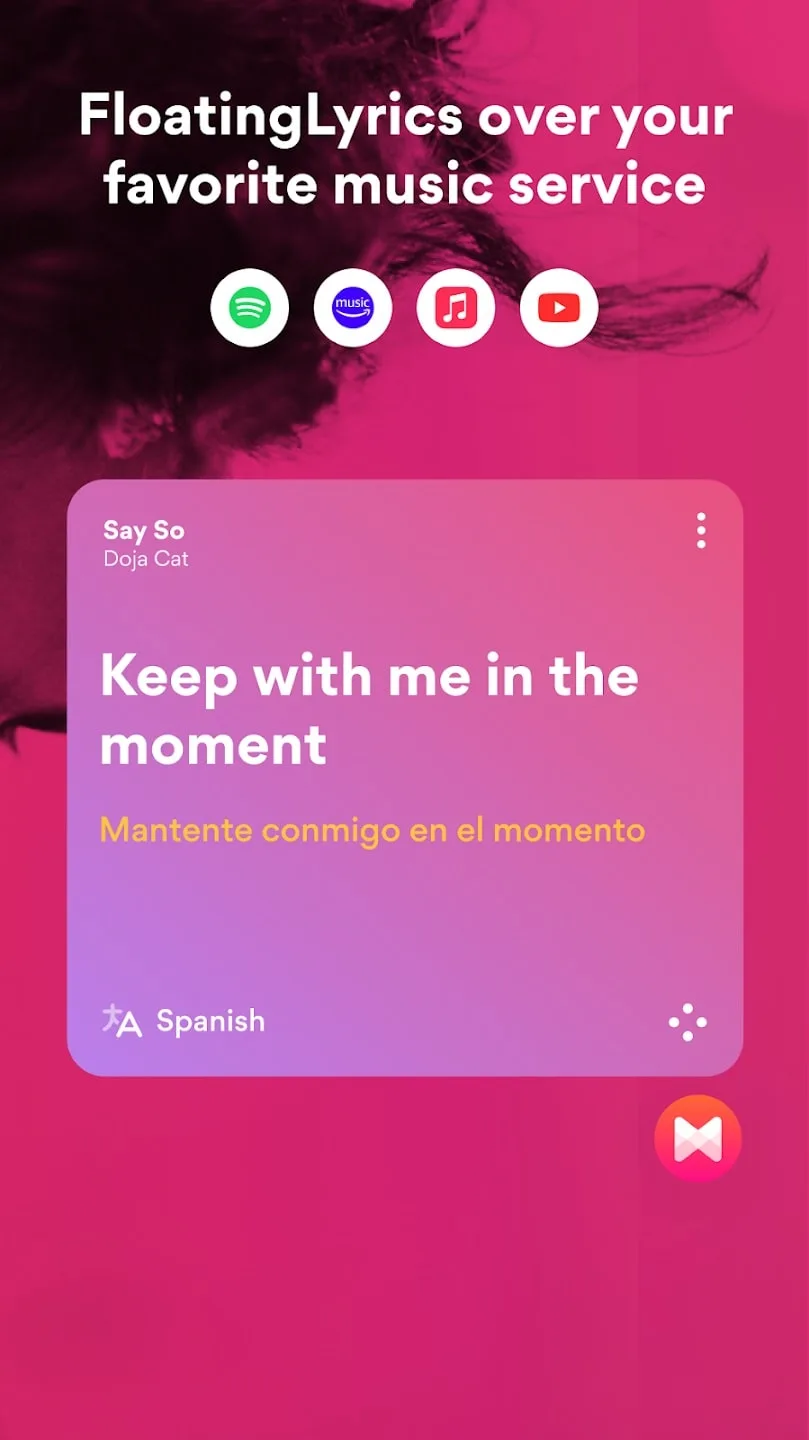
Lyrics floating on screen
Musixmatch offers a “Floating Lyrics” feature that lets you view song lyrics directly on your notification shade. You don’t need to go into the app to easily follow the lyrics. Just open your phone screen and tap to turn the lyrics on, off, or forward.
This feature is especially useful when listening to music on YouTube. You can open YouTube videos in full screen and see the lyrics floating over the video. How convenient and awesome!
Customize your profile
Each user has a personalized profile, making the experience better every day. Smart search helps you find and get results quickly, save them for analysis and new content recommendations. You can follow artists and get the latest notifications from them. Save your favorite lyrics and translations for anytime access.
Share music with the online community
This app has a large community for users. You can find people with similar music tastes, share songs, and get reviews from people. You can also share lyrics or customize them with beautiful fonts, images, and quotes. Be creative and impress the online music community.
Multi-device connection
This app can be opened on multiple devices. Just download the app to your phone to enjoy the lyrics anytime, anywhere. You can also display the lyrics on your TV screen via Chromecast. The app also connects to your Android smartwatch, making it easy to view lyrics or look up music anywhere. Your profile will be synced across all devices.
Highlights:
Syncing: When you play music, the lyrics will simultaneously appear in scrolling form for users to follow. Lyrics are displayed in real-time to serve the user’s tracking process.
Visibility: The synchronization process between song and lyrics is simple, highly effective and does not miss a single word in the lyrics.
Convenience: Users listen to melodies and sing along to their favorite songs in an enjoyable way.
Pop-up: After you select a song and play it, the lyrics display feature will immediately appear at the same time.
Customizable: The floating lyrics widget will appear on the home page and you can move the floating lyrics anywhere on the screen. The flexible movement feature will help make the tracking process more convenient.
Multi-tasking: The application allows you to listen to music and use another application. The lyrics will also appear in the window when you use other applications.
Languages: Users can view translations in many different languages, and the application supports translating multiple languages at the same time.
Learning: In the information section, there will be a short paragraph summarizing the meaning of the song. You can take a look and learn more through the lyrics.
Syncing: View the translation and original version of the song in real time so you can sing along, study documents, etc.
Recognition: The application provides information about songs playing near you so users can easily understand.
Discovery: The application supports quick search for songs you like or have heard but forgot the name.
Playlists: You are allowed to choose your favorite songs and then move them to separate albums for special storage.
Breadth: The application provides you with many songs that are diverse in genres and topics for you to choose from.
Depth: Difficult songs or complex lyrics are also quickly searched by the application and displayed right in the lyrics scroll.
Convenience: The application supports finding words quickly. Instead of having to search on other websites, you can search right in the word search section easily.
FAQs:
How can I upload my lyrics to Musixmatch?
You can upload your lyrics to Musixmatch following a very simple process. All you have to do is search for the lyrics of the song you want to add, synchronize them and start enjoying this resource.
Is Musixmatch a free app?
Yes, Musixmatch is a free app. You won't have to pay a dime to enjoy this tool through which you can see the lyrics of your favorite songs while listening to them.
How long does it take to be verified in Musixmatch?
The time it takes to be verified in Musixmatch will always depend on the revisions made by the app team. Once our song is uploaded, the wait can take hours or days.
Can I use Musixmatch in Spotify?
Yes, you can use Musixmatch in Spotify. You will be able to see the lyrics of all the songs you are listening to directly in the music app player. To do this, you will need to link both tools from the smartphone.
Conclusion:
In conclusion, Musixmatch is the greatest music companion programme, offering a broad range of functions to satisfy music enthusiasts worldwide. With its massive database of synced lyrics, real-time synchronisation, and offline access, It helps clients enjoy their favourite songs online and offline. The app's curated playlists, customised recommendations, and social sharing enable users to discover new music and share wonderful musical experiences.








