Pick up your sword and destroy all enemies it points at! In Grimvalor, only you can save the world, and to do so, you must defeat the King of the Kingdom of Veler. However, he has a massive guard, and you'll need to constantly defeat all enemies. Bare-handed combat won't cut it; you'll need to acquire weapons, upgrade them, and enhance your abilities. The game controls are perfectly optimized for touchscreen devices, and the game features an invincible dodge frame, guaranteeing a cool gaming experience. Furthermore, you can enjoy offline gameplay, even during your commute!
Click to load YouTube / 点击加载视频
YouTube ↗Story
The game tells the story of a dark force attempting to destroy the world, and only you can save it. To do this, you must find the King of Veler, as he is responsible for the kingdom's destruction. But this will be no easy task, as you will clash with the king's guards. A series of levels await you, where you will engage in fierce battles against hordes of enemies and powerful bosses. During the game, you can improve your character's abilities and upgrade your equipment.
Gameplay
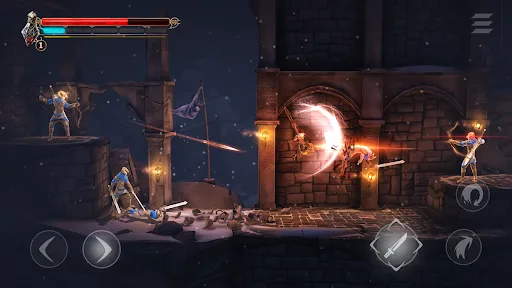
Grimvalor's control system is perfectly optimized for touchscreen devices. The left side of the screen has movement buttons, while the right side has jump, dodge, and attack buttons. Tap and slide the attack button to dodge at the right moment and unleash a special attack. Similarly, tapping the dodge button the instant an enemy attacks grants a few seconds of invincibility—just like in Bayonetta.
Features
Android gamepad support
Precise and customizable touch controls
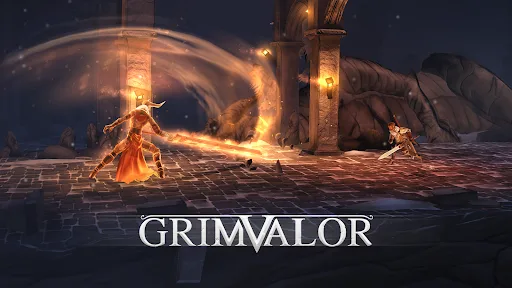
Epic boss battles
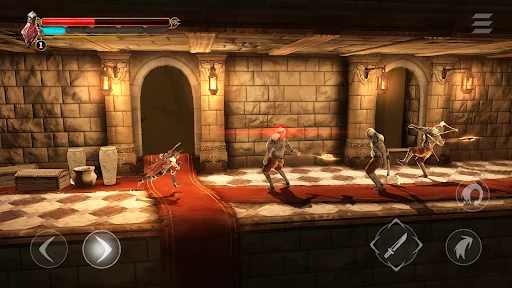
Stunning 3D graphics optimized for various Android devices
Sync saves across different devices using the Play game save feature
Offline play - perfect for commutes
FAQs
Which Android version is required to install Grimvalor?
Grimvalor requires Android 7.0 Nougat or higher to install and run. This ensures compatibility of game features and performance. To check your device's Android version, go to Settings > About phone > Software information. If your device is running an earlier version, consider updating to meet the game's requirements.
Why can't I install the Grimvalor app on my Android device?
Installation of Grimvalor may fail due to insufficient storage space, poor network connection, or incompatibility with your Android device. To resolve this issue, please ensure your device meets the minimum system requirements before attempting installation.
How large is the Grimvalor file size?
Grimvalor takes up approximately 667.19 MB of storage space.
Conclusion
After playing Grimvalor for over 20 hours, you'll definitely say "very satisfied." Such a frenetic and exhilarating hack-and-slash action game is truly rare. If you want to experience top-tier gore and action games, don't miss Grimvalor.