
Savefrom.Net is a popular and user-friendly video downloader that helps users easily download high-quality video media files from popular social media platform YouTube, providing excellent local playback and management features. The application offers a powerful and easy-to-use video downloader, allowing users to quickly start using it in simple steps, experience rich customizable download settings, and enjoy high-speed downloads and high-definition playback quality. It also provides excellent audio conversion services, allowing you to access uninterrupted video content anytime, anywhere.
Click to load YouTube / 点击加载视频
YouTube ↗Fantastic Highlights of Savefrom.Net
Save any media to your device, including videos, movies, music, YouTube channels, and content from other major platforms (Vimeo, Instagram, Facebook, Twitter, etc.).
Download directly to your device with one click.
Download videos in the background.
User-friendly file manager for easy file searching and management.
Watch all your favorite content offline anytime, anywhere.
Convert to MP4 files compatible with your audio player.
Amazing Features of Savefrom.Net
Free Download: You don't need to spend a penny; everything is free!
Extensive Website Selection: Over 100 websites are at your fingertips, including popular sites like Facebook, Instagram, and Vimeo.
HD Videos: Download HD videos for crystal-clear, sharp visuals.
Multiple Formats: Choose from various video formats to suit your needs.
Easy to Use: The app is incredibly user-friendly, making video downloading a breeze.
Helpful Tips of Savefrom.Net
Install the YouTube Video Downloader app on your Android smartphone.
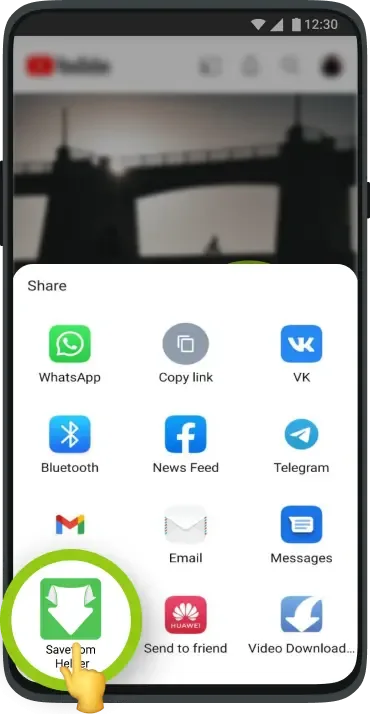
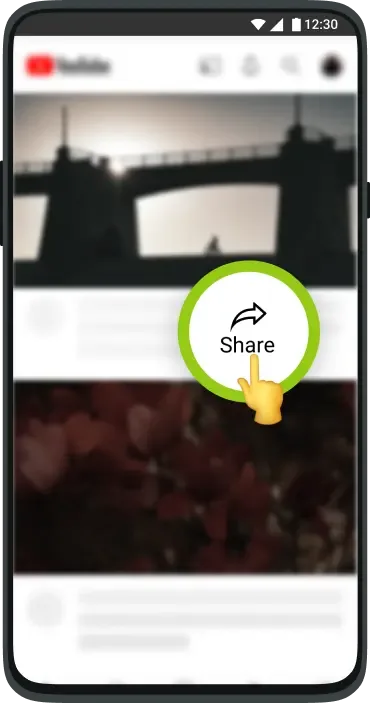
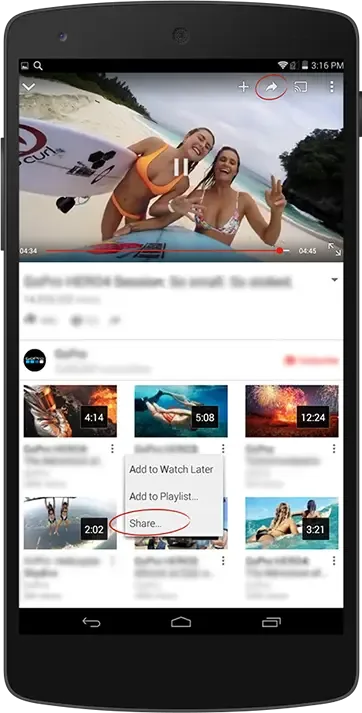
Open the YouTube app, select the video or playlist you want to save, and tap the share option.
Tap the green arrow icon for Savefrom.net; you'll see a red "Download" button below the video. Tap it to start downloading. You can also enter a direct link in the Savefrom.net YouTube Video Downloader app's control panel.
The video will be saved to your device and easily stored in your download folder. You can choose the highest download speed or highest quality in the app settings.
Once downloaded, you can enjoy it directly on your Android device without any restrictions.
User's Comments of Savefrom.Net
The best app ever for downloading desired video/audio to your device for offline use. Whenever I listen to a message of fire on YouTube from Apostle Mike Orokpo, Joshua Selman and Arome Osayi, this app helps me get them for offline use. highly recommended!
Literally I wanted to give 100 stars....but max I can give 5 stars only....I wanted to download...a video..every evry websites..and every playstore apps failed...they tell... copyrighted....i wasted 6 to 8 hours to download....finally I decided to screen record...but this app came like a god....yes the developer himself a god....it should have more than 1bn+ downloads....first select both audio and video you want to download then download the video ok...bye...
best experience,I found so many apps but no one is better than this app. I would like to say thank you to the producer for making this type of downloading app,it makes My work is easier and faster.
Thanks so much for Save From Net. I've been searching for an app like this for a long time. All the best!!!
Final Thoughts
SaveFrom.net APK is a fantastic tool for anyone who enjoys watching videos offline or wants to collect videos. It's simple to use, efficient, and convenient. Now that you know about it, why not try it for yourself? Download SaveFrom.net APK now and start building your video library!