Google Indic Keyboard is a comprehensive keyboard application. It boasts powerful features, supports multiple language systems, and provides users with a unique keyboard experience. With Google Indic Keyboard, you can comfortably and easily type in your official language, correctly spelling any word you're unsure of. Simply type the word, and the correct grammatical form will be displayed, preventing spelling errors and ensuring the grammatical correctness of the sent text. Furthermore, the application offers handwriting and voice input functions, effectively improving the user's typing speed and accuracy.
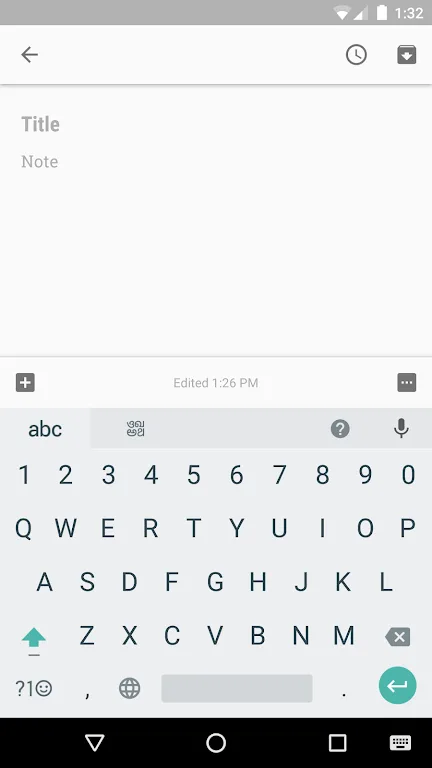
Highlights:
This lightweight keyboard application is available to download for free from the Google Play Store. Although, once you have it in your installed, the process of enabling it will vary depending on the device that you are using. For the newer version starting from Android 5.x and later, you will need to go to your 'Current Keyboard' tab under the Language & Input and Keyboard & Input method sections in your settings.
Afterward, choose 'Keyboards' and tick the 'Google Indic Keyboard' box. Go back to the 'Current Keyboard' section to select the 'English & Indic Languages (Google Indic Keyboard)' option. For lower versions starting from Android 4.x and below, you will have to check the 'Google Indic Keyboard' option under the same setting sections mentioned. After that, you will have to click the 'Default' selection and choose 'Google Indic Keyboard' again in the 'Choose input method' dialog.
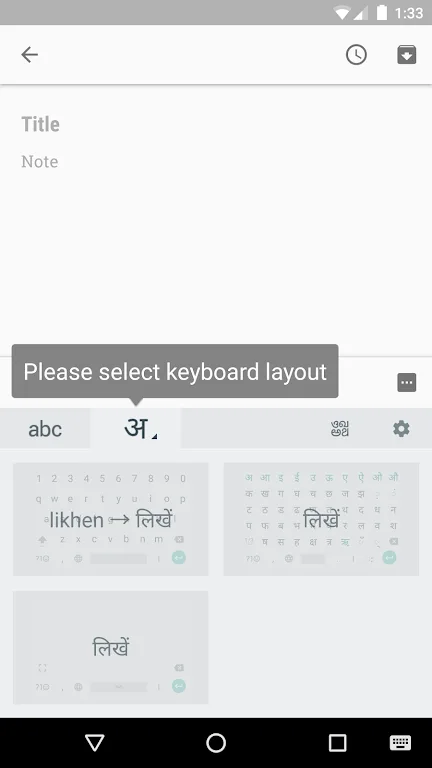
This keyboard app offers four different modes of input. The Transliteration mode enables you to receive output in your first language by spelling out the pronunciation using English letters. Native keyboard and Handwriting mode, on the other hand, allows you to type directly in your origin language and write directly on your screen respectively. Lastly, the Hinglish mode lets you choose 'Hindi' as an input language which will then suggest both English and Hinglish terms on your keyboard.
Features:
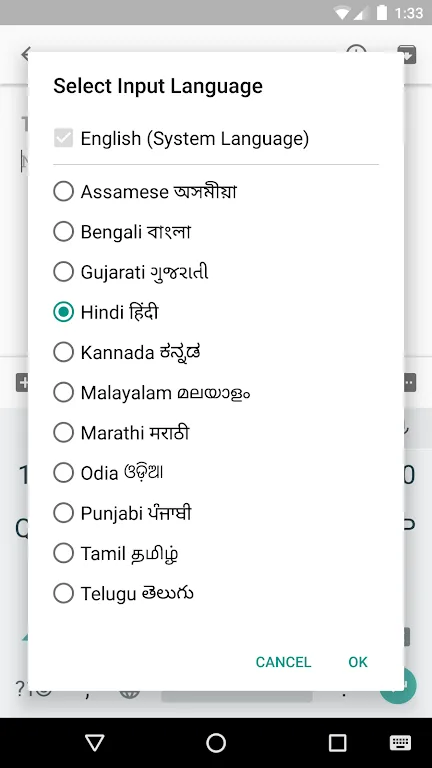
This simple, lightweight application currently features over a dozen of the most popular languages spoken in the Indian subcontinent. The app includes English, Assamese, Gujarati, Hindi, Kannada, Malayalam, Odia, Tamil, and many other languages.
Users should be aware that not all Android phones are currently compatible with the application. If the user's phone is unable to render script in a specific language, it will not be able to support the keyboard application fully.
Currently, the Google Indic Keyboard app supports several different input modes: transliteration, where users can input romanized characters that automatically translate into their native language.
Hindi speakers can even write directly to their phone or tablet screen in handwriting mode. Additionally, the app features a Hinglish mode that allows users to suggest both English and Hindi words.
After installing the application, users will need to change their default settings in order to get the app fully functional. In settings, users need to click "Language and Input" and choose their new keyboard. Google Indic Keyboard should be one of the available options.
Tips and Tricks:
12 languages supported, including Hindi, Bengali, Tamil, Telugu, Marathi, and more.
Transliteration mode converts Latin spellings into native script words as you type.
Native keyboard mode provides full Indic layouts for direct script input.
Handwriting input for Hindi lets you write on screen, ideal for quick notes.
Hinglish mode suggests everyday mixed terms alongside English predictions for conversations.
Easy switching between languages, useful for bilingual chats and social posts.
Pros & Cons:
Pros
Free
Various Indian-based dialects supported
Use in social networks and emails
Easy to setup
Cons
Missing some common words in Hindi
Conclusion:
In short, Google Indic Keyboard is the perfect app to write messages in Hindi, Assam, Bengali, Gujarati, Kannada, Malayalam, Marathi, Odia, Punjabi, Tamil or Telugu in a natural, comfortable and simple way. Download the free APK of this app, and you will have everything you need to write messages in your native language.